Beta Release — 09-04-2026
📌 Overview
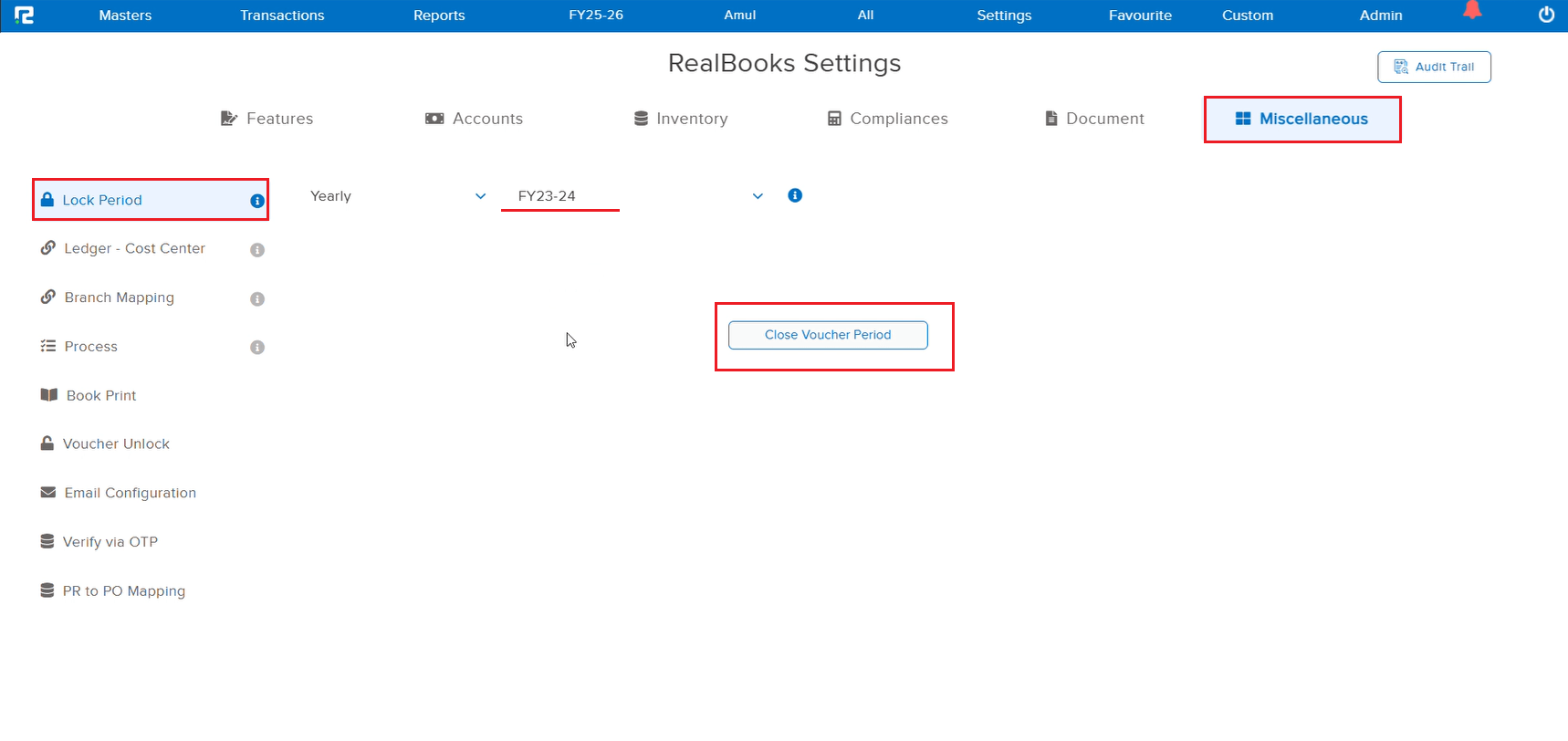
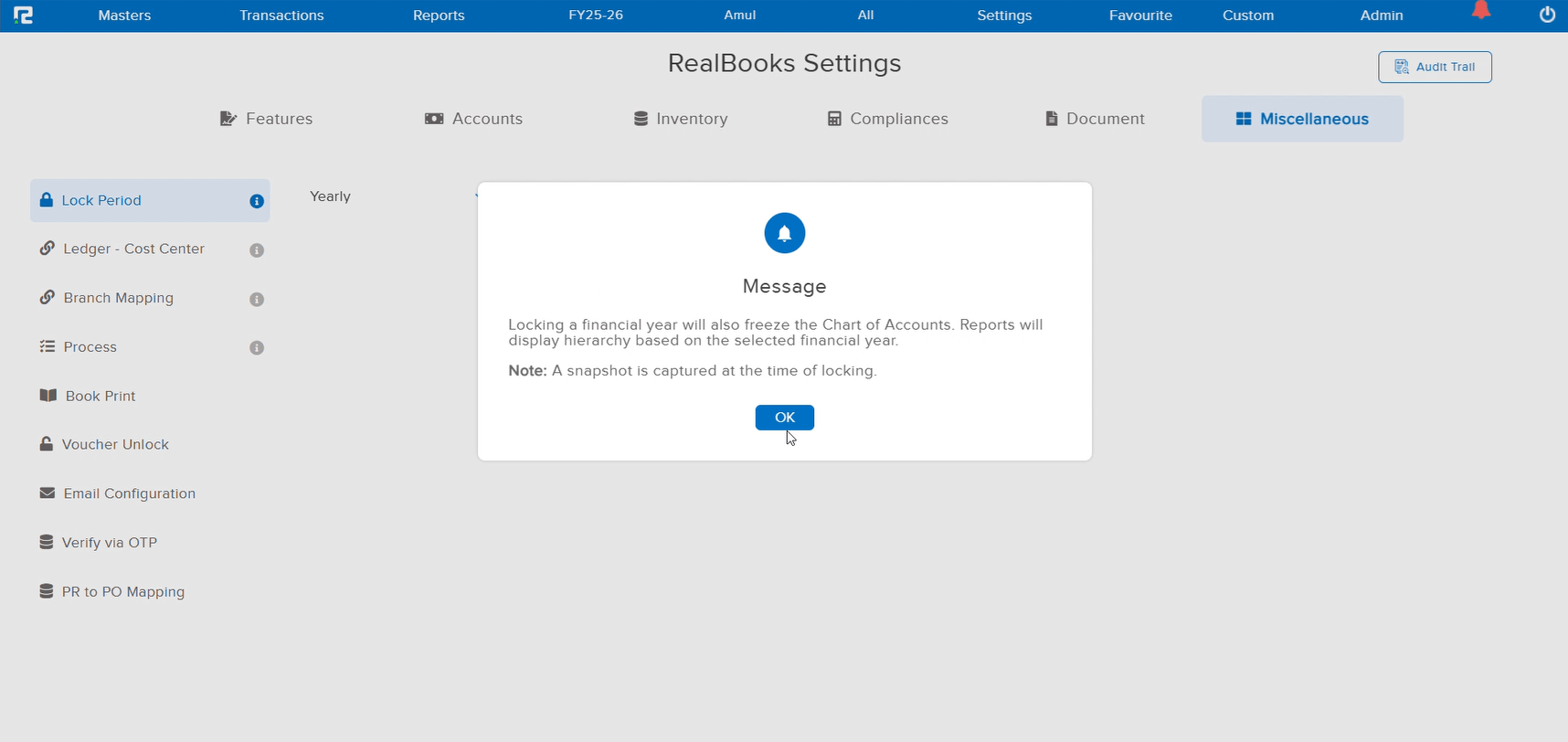
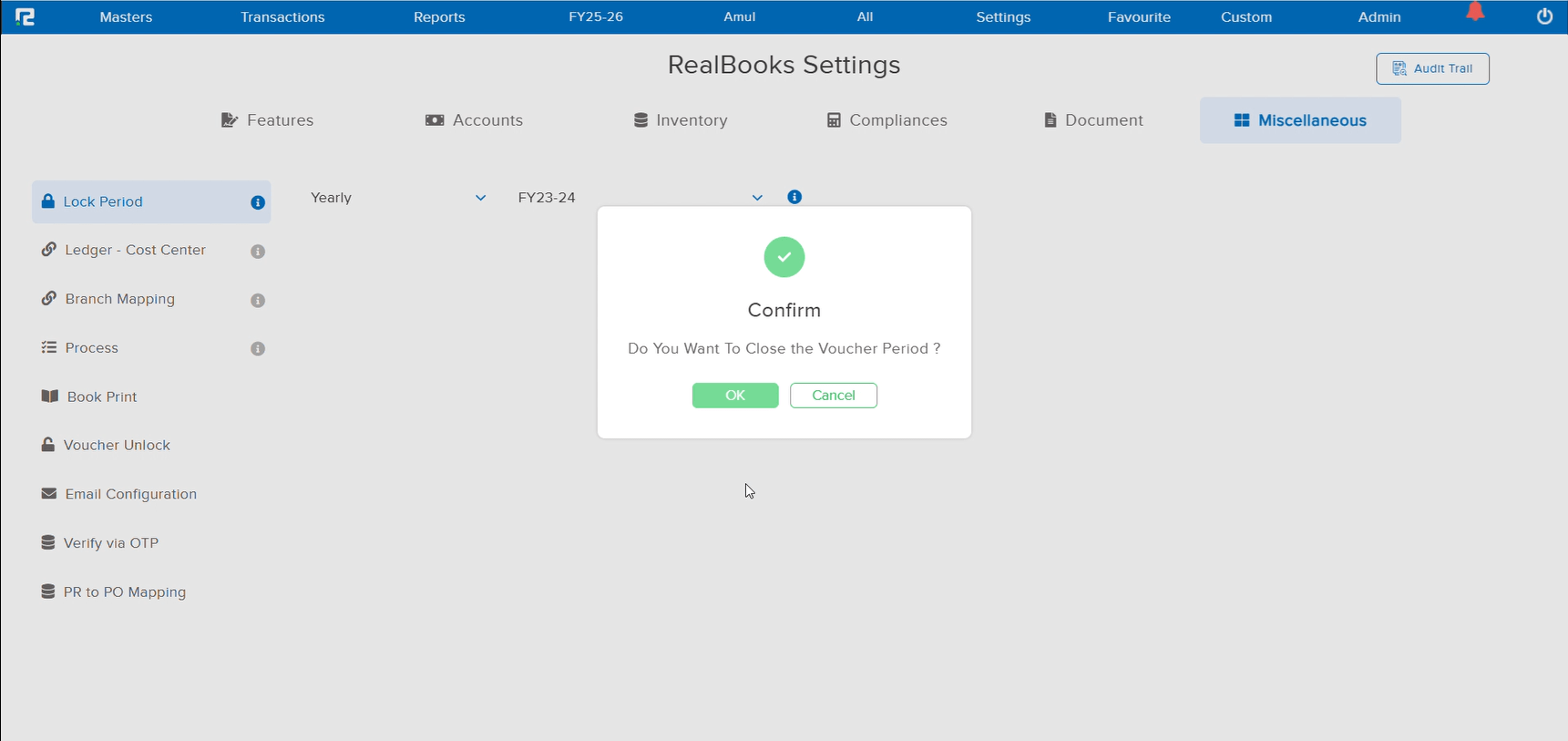
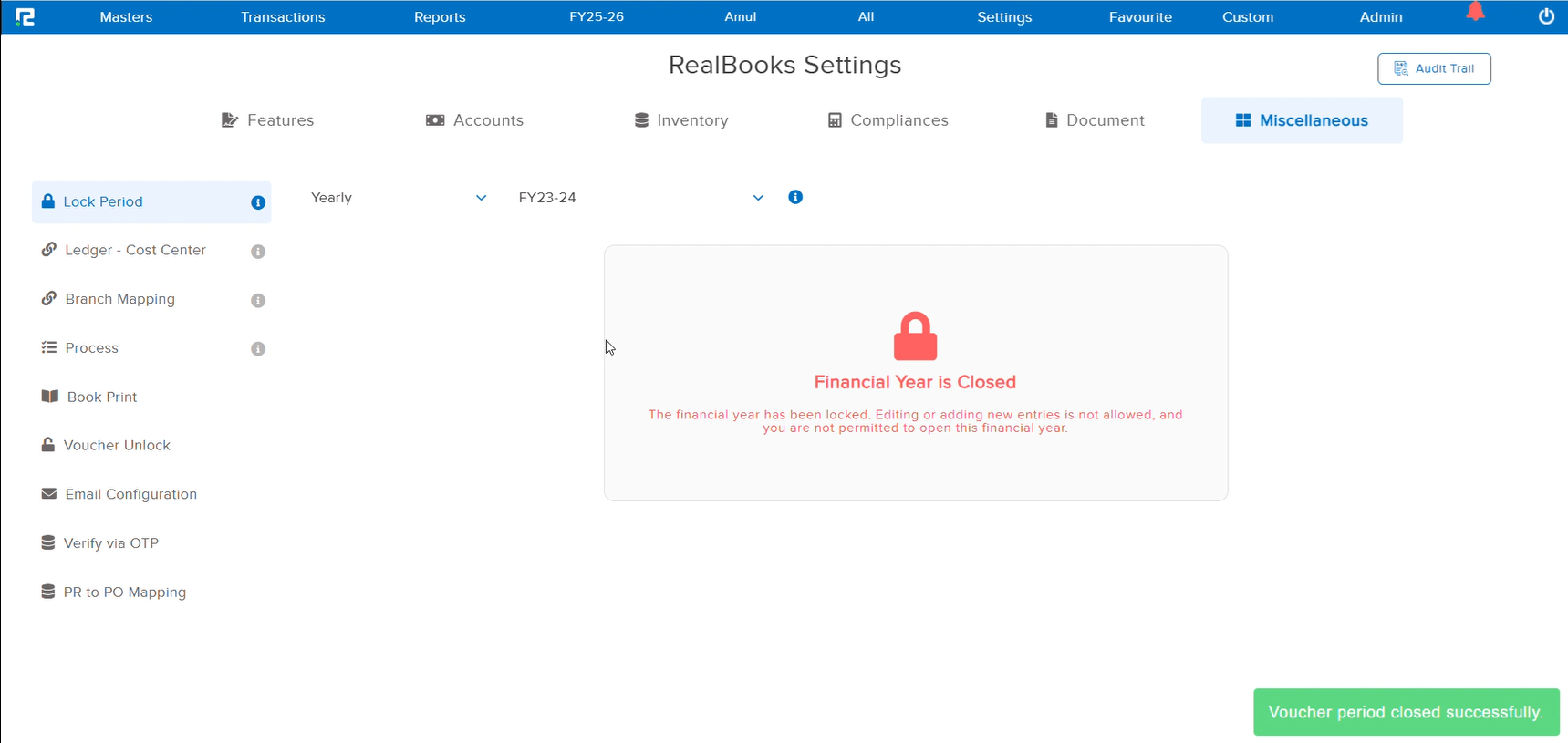
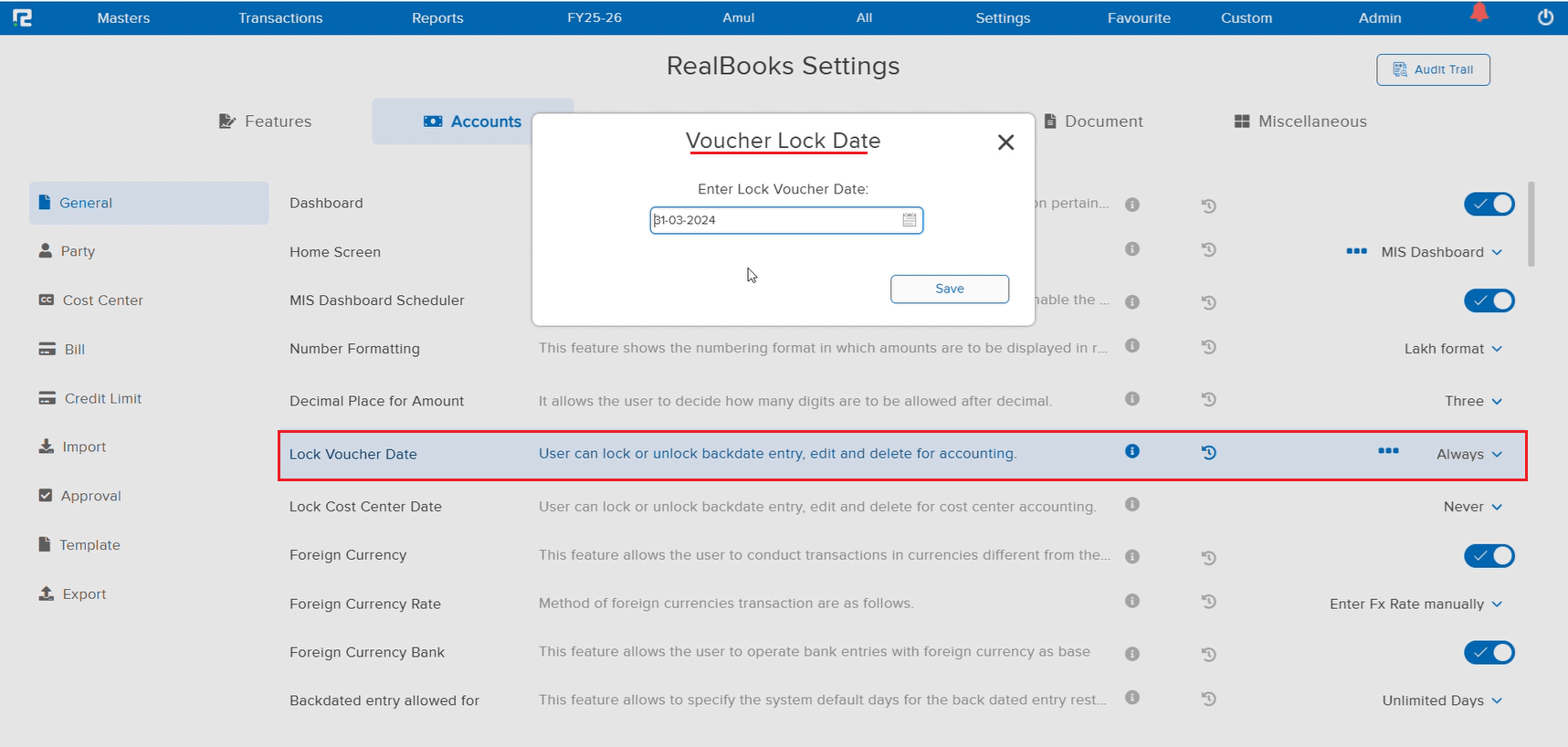
A new Chart of Accounts Locking feature has been introduced that allows you to lock your ledger structure on a financial year (FY) basis. Once a financial year is locked, the ledger grouping as it existed at that time is preserved. If the grouping is changed in a subsequent FY, the locked year will continue to reflect the original grouping.
📌 How It Works
For example, if a user finalized books for FY 2024–25 with ledger “Adansa Solutions Private Limited” under the group Sundry Debtors, and later in FY 2025–26 changed the grouping to a new sub-group RealEdge Debtors (under Sundry Debtors), then:
• For FY 2024–25 — the ledger will continue to show under Sundry Debtors
• For FY 2025–26 — the ledger will show under RealEdge Debtors (under Sundry Debtors)
🌟 What This Means for You
You can now confidently reorganize your Chart of Accounts for new financial years without affecting previously finalized books. The locked FY data remains intact, ensuring audit-ready historical reports while giving you flexibility to restructure ledger groups going forward.
🎬 Where to Find It
📷 See It in Action
📌 What Was Happening
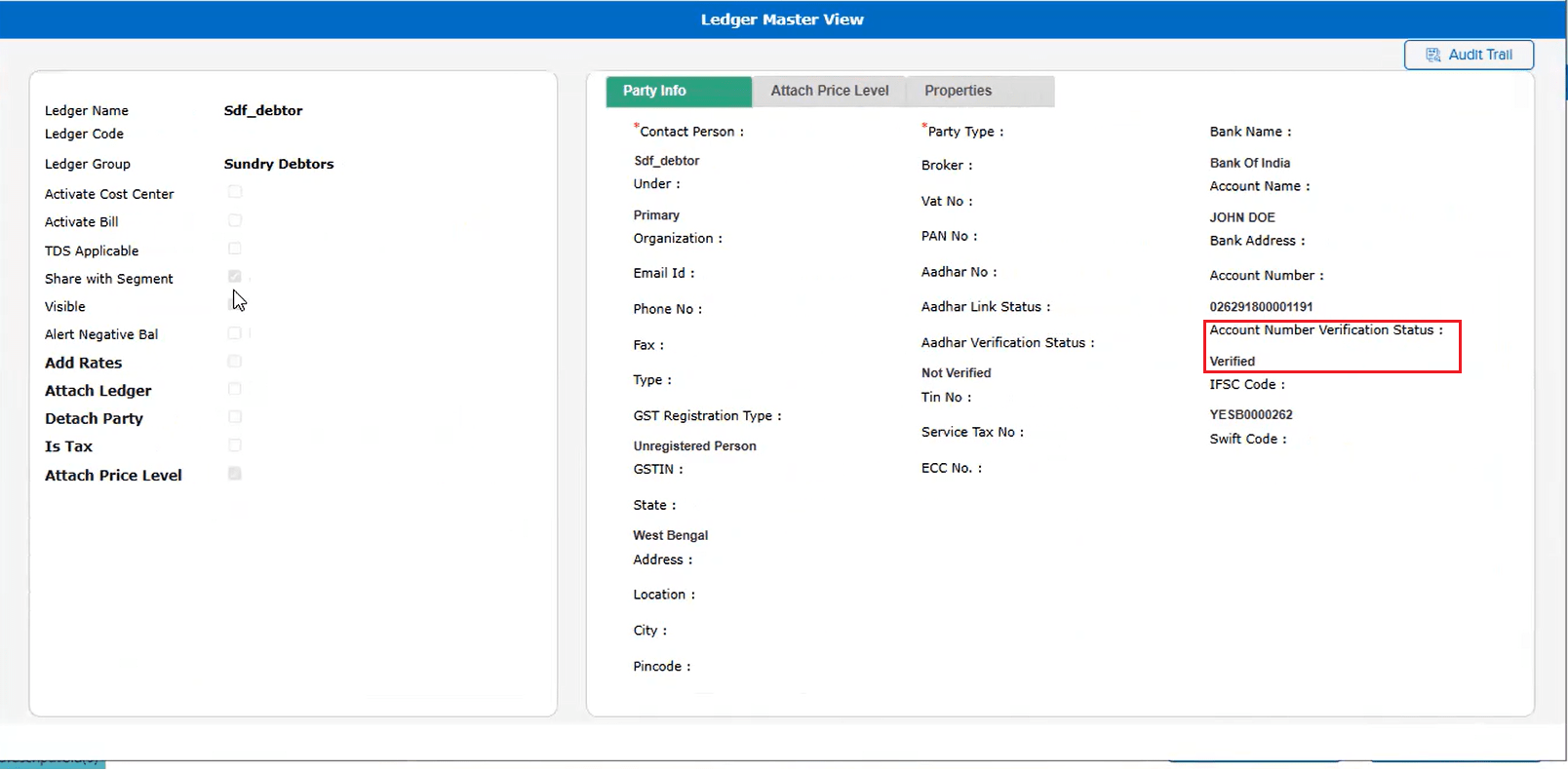
As part of the earlier release (JOB-157918), Cashfree Bank Validation was introduced to verify bank account details during ledger creation and editing. However, the verification status was not visible when viewing the ledger in the Ledger Master View screen. Users had to open the edit mode to check whether a bank account was verified or not.
🌟 What This Means for You
The bank verification status is now displayed directly in the Ledger Master View screen. You can quickly see whether a ledger’s bank account has been verified via Cashfree without needing to enter edit mode — making it faster to review and audit ledger details.
🎬 Where to Find It
📷 See It in Action
📌 What Was Happening
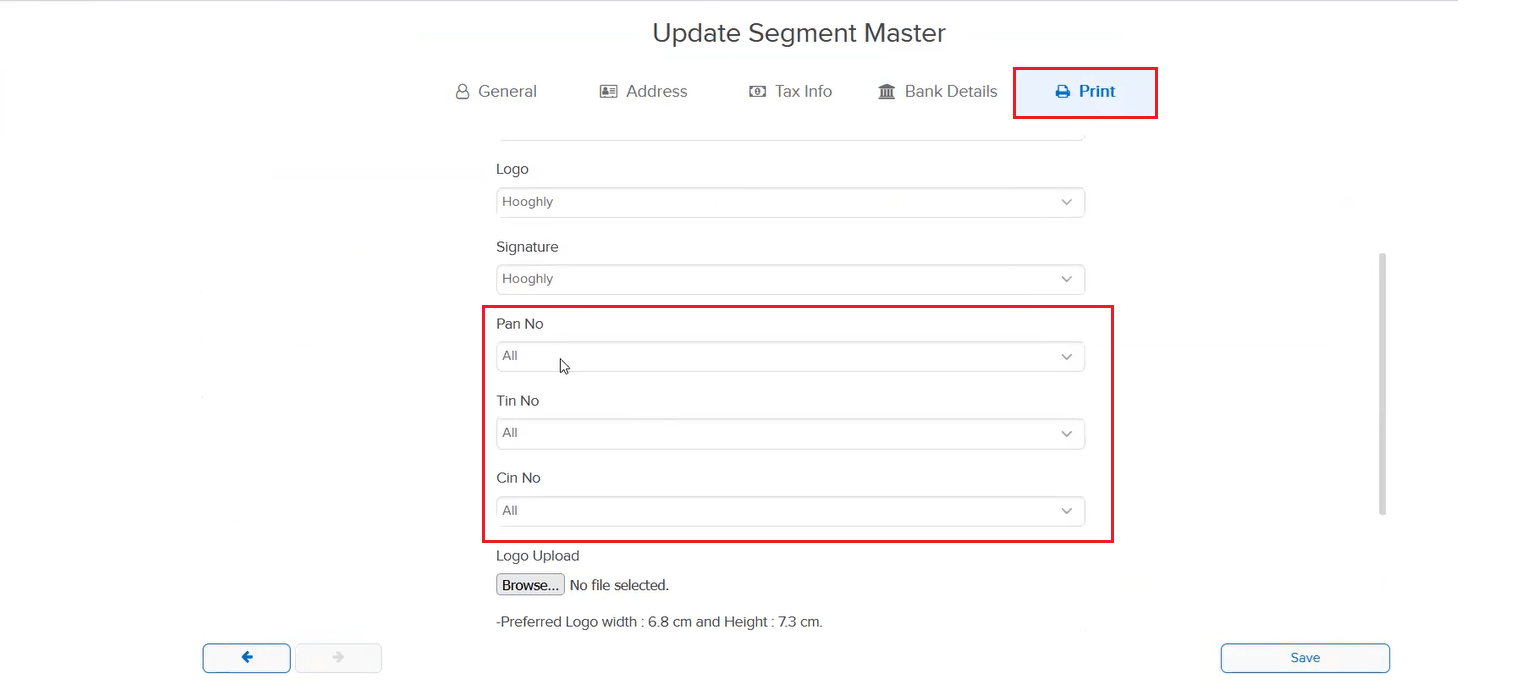
The Segment Master did not have fields for PAN, TIN, and CIN under the print setup section. Users who needed these details to appear on printed templates (invoices, reports, etc.) had no way to configure them at the segment level, resulting in missing or manually added information on print outputs.
🌟 What This Means for You
Print setup fields for PAN, TIN, and CIN are now available in the Segment Master. You can configure these details per segment, and they will be automatically fetched and displayed in your print templates — ensuring accurate and professional document outputs without manual intervention.
📷 See It in Action
📌 What Was Happening
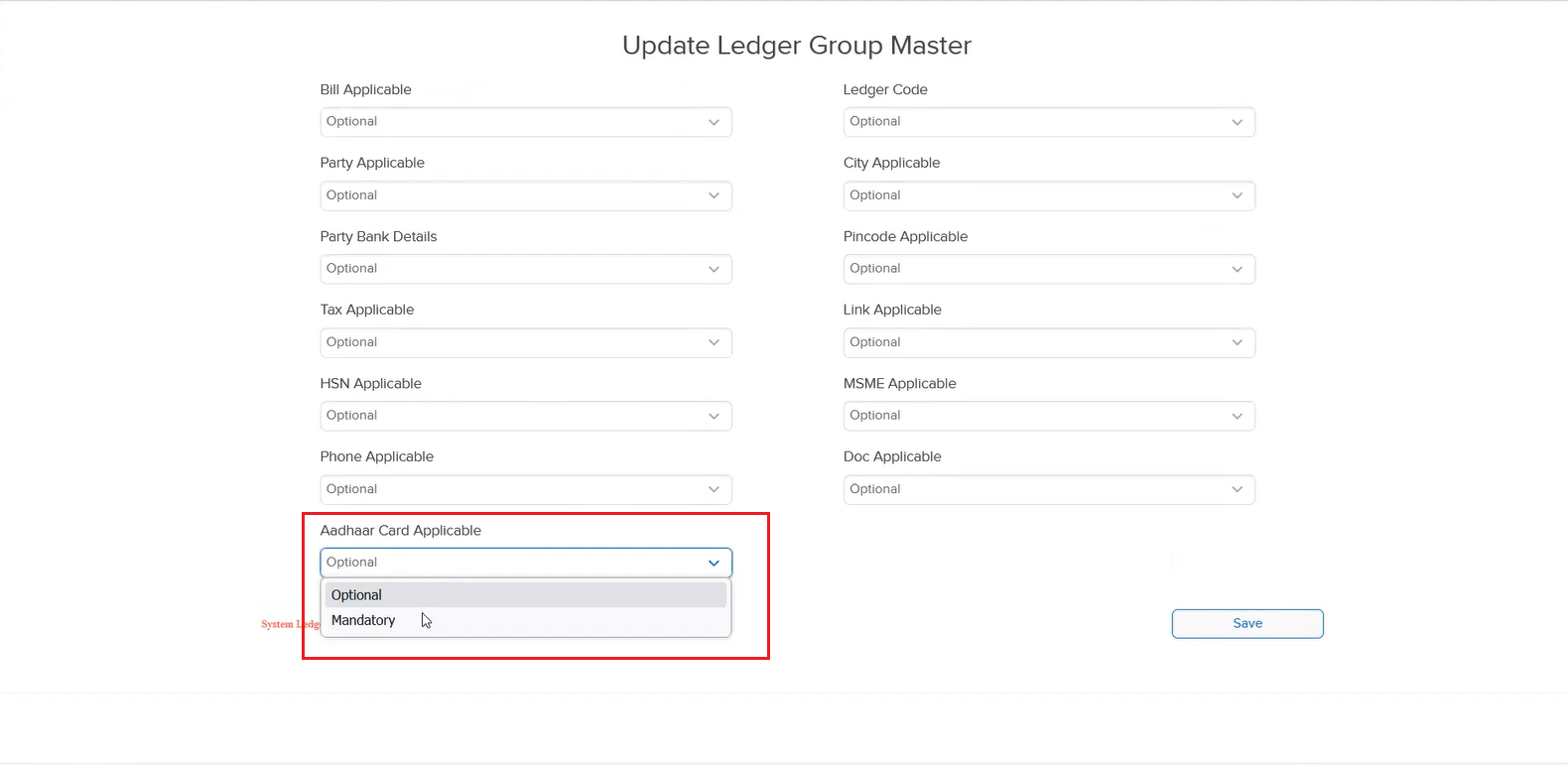
The Ledger Group Master had a PAN Applicability option under Applicability settings, but there was no similar option for Aadhaar Card. Users who needed to enforce Aadhaar collection for specific ledger groups had no way to configure this at the group level.
🌟 What This Means for You
An Aadhaar Card Applicability option is now available in the Ledger Group Master under Applicability, similar to the existing PAN Applicability. You can now configure whether Aadhaar is required for ledgers under a specific group — ensuring compliance and consistent data collection across your organization.
📷 See It in Action
📌 Overview
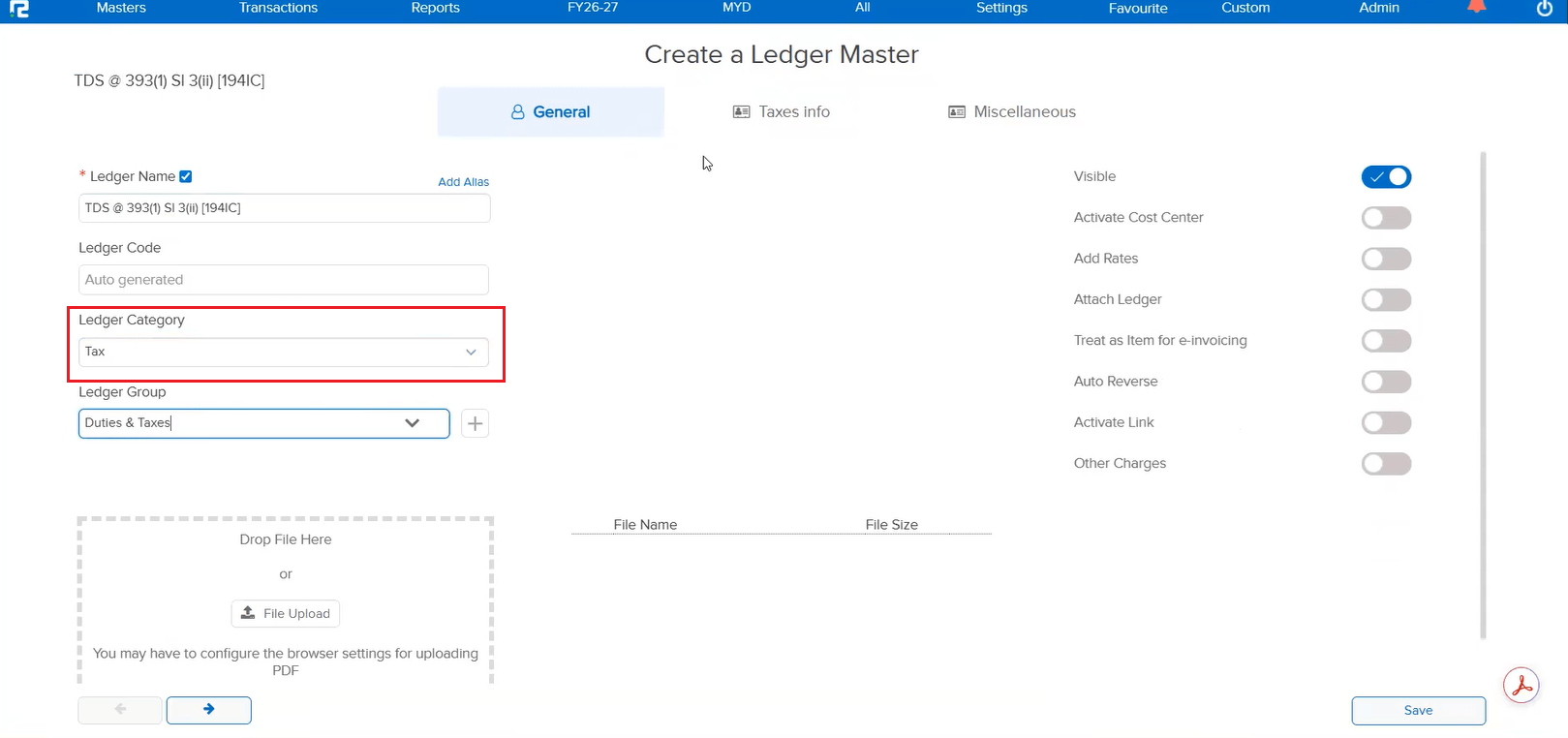
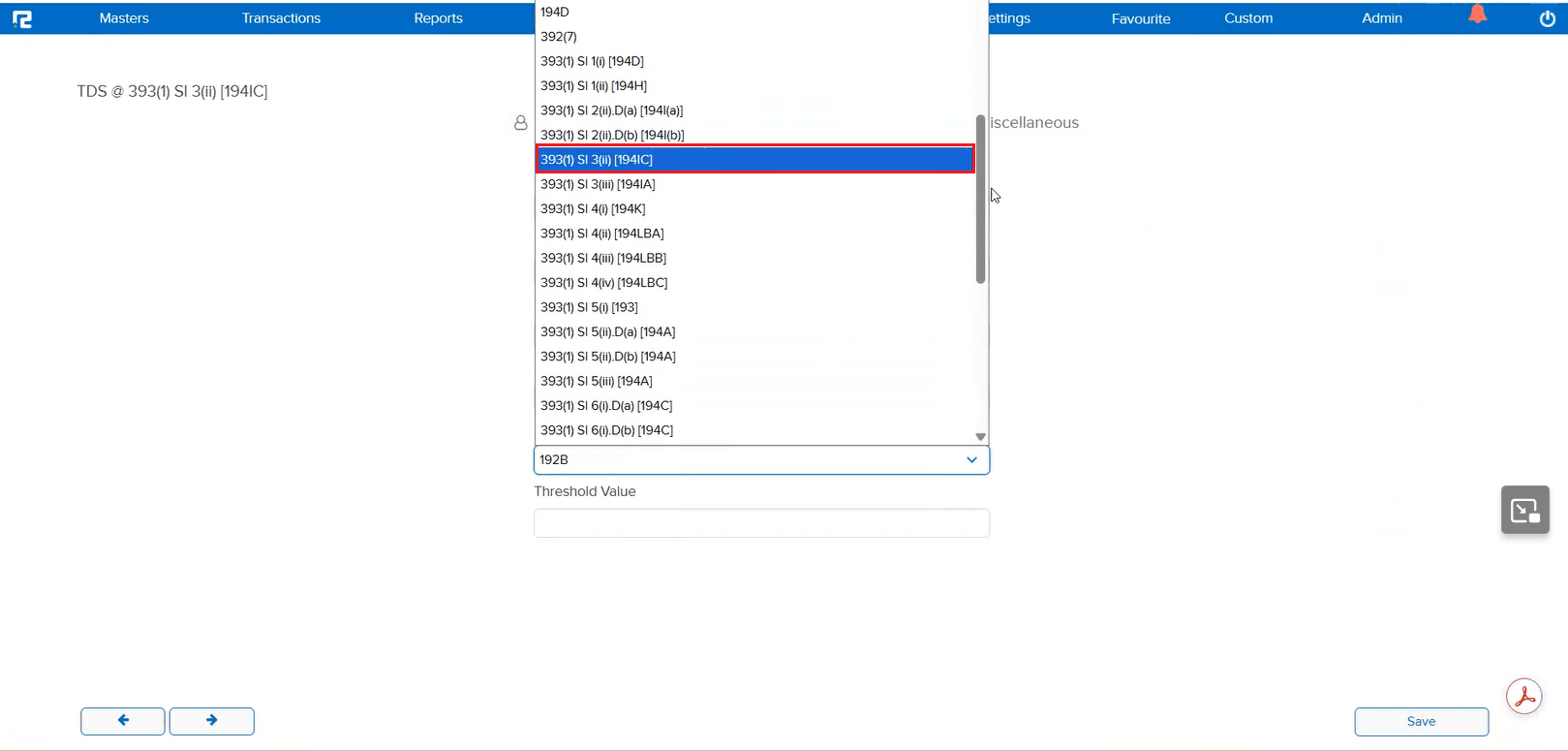
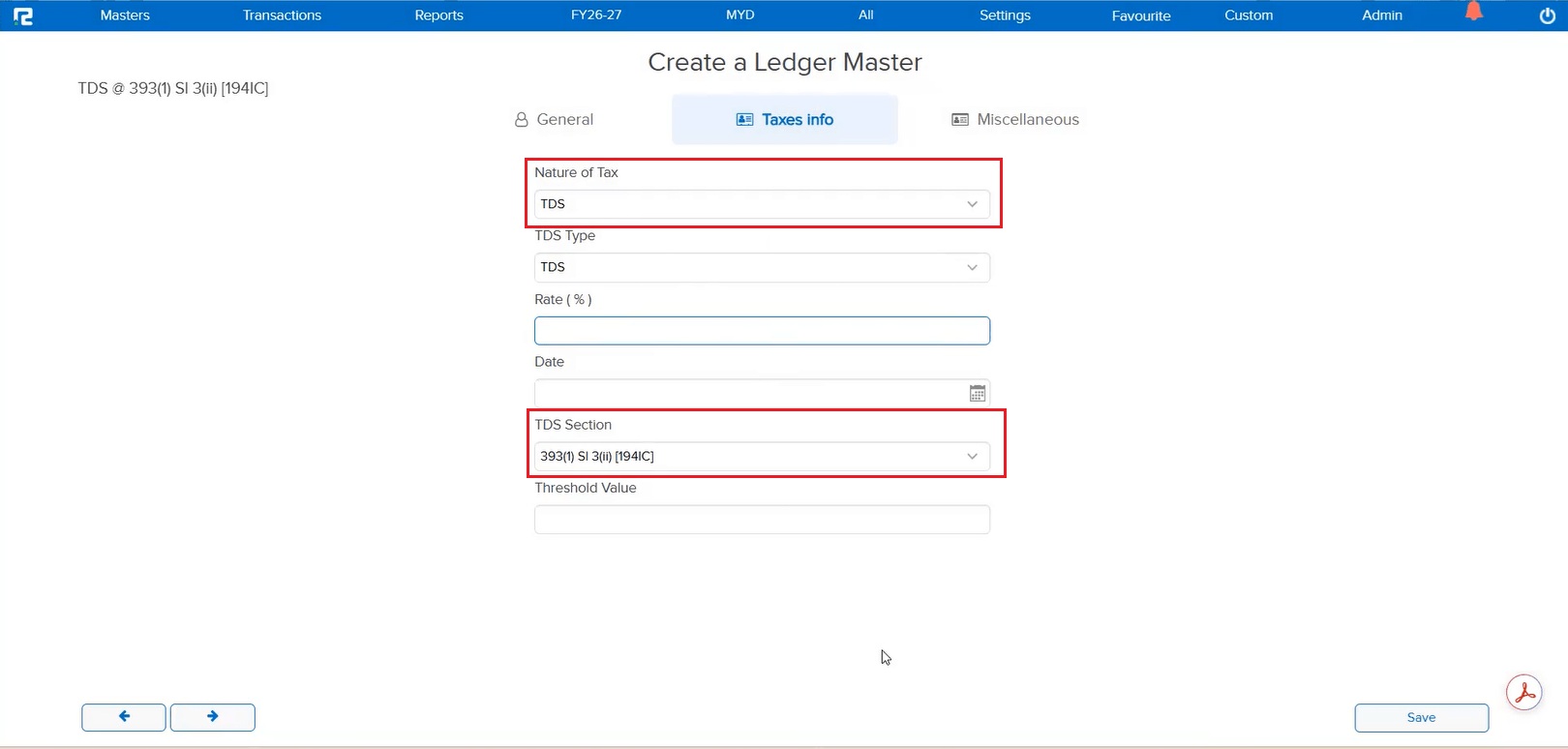
As per the latest compliance rules effective from 01-04-2026, new TDS sections have been introduced. These updated sections are now available in the Ledger Master for selection when configuring TDS-related ledgers, ensuring your setup remains compliant with the current financial year regulations.
🌟 What This Means for You
You can now select the newly introduced TDS sections directly from the Ledger Master. This ensures your TDS configuration is up to date with the FY 2026–27 compliance requirements — avoiding any issues during TDS filing and return processing.
📷 See It in Action
📌 What Was Happening
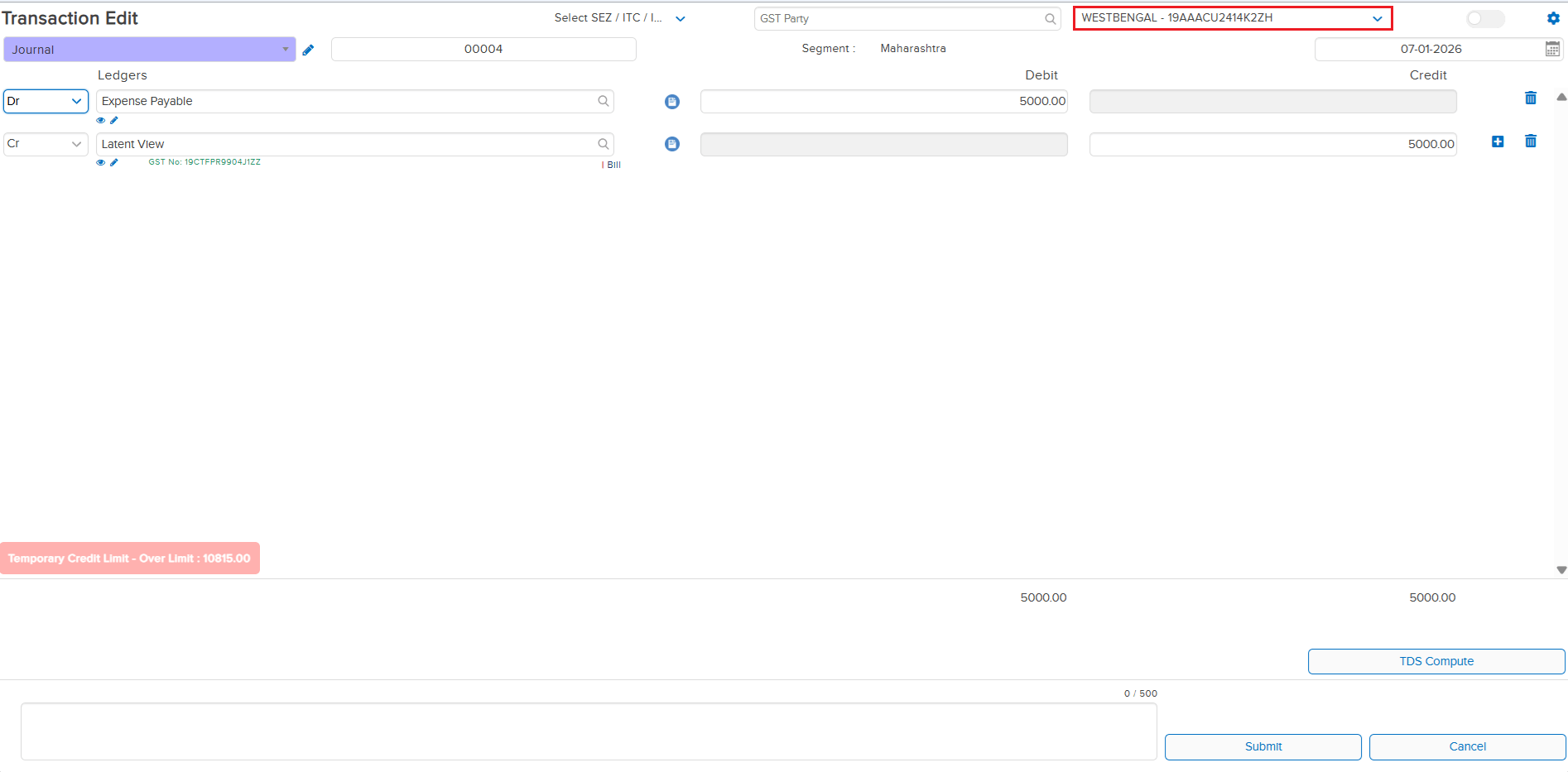
When a segment was assigned a Business Place, the business place was only being saved in transactions that involved a party ledger or tax ledger. For other transactions under the same segment — such as journal entries or transfers without party/tax ledgers — the business place was not getting saved, leading to incomplete data for compliance and reporting.
🌟 What This Means for You
If a segment has a Business Place assigned, all transactions created under that segment will now automatically carry the business place — regardless of whether a party or tax ledger is used in the entry. This ensures consistent and complete business place data across all your transactions for accurate GST compliance and reporting.
📷 See It in Action
📌 What Was Happening
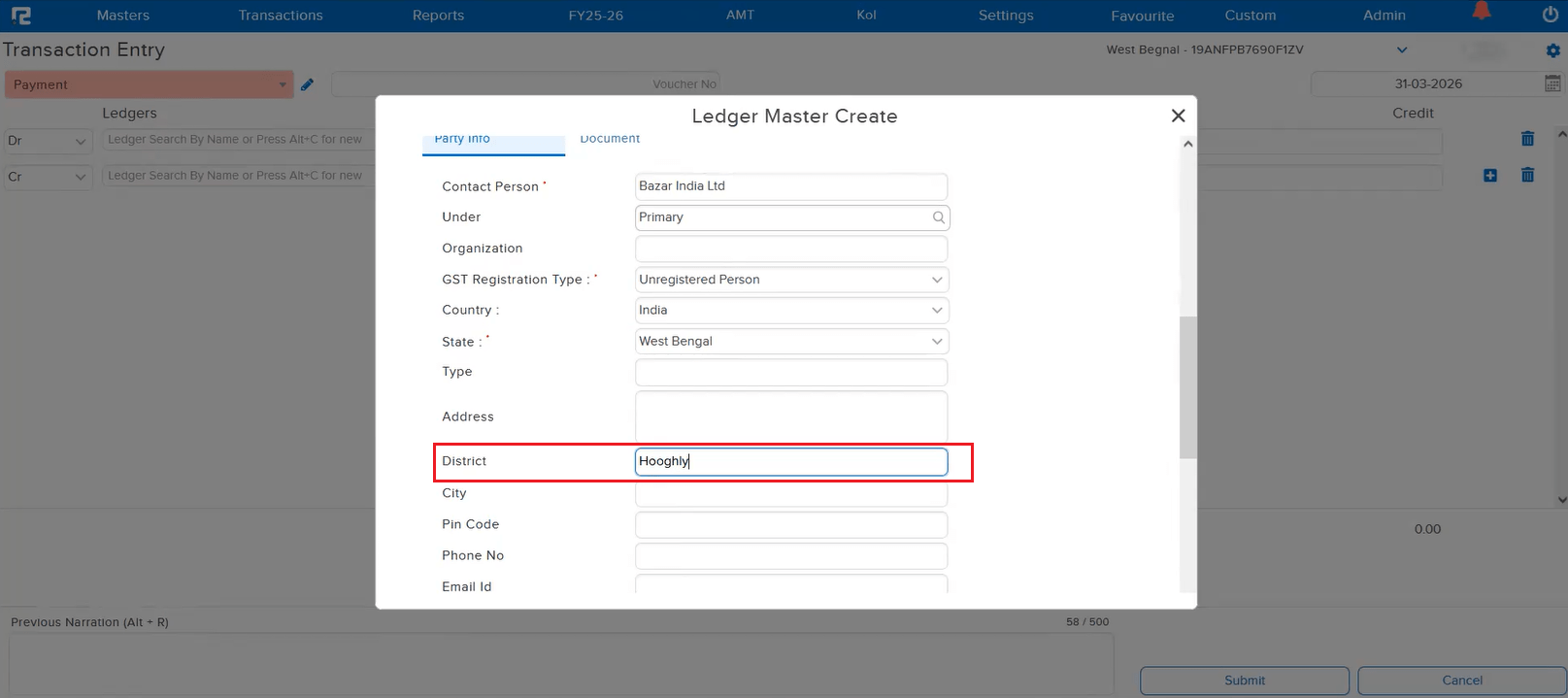
When creating a new ledger using the Alt + C shortcut key during entry passing, the District field was not appearing under Customer Information. Users had to save the ledger first and then go back to the Ledger Master to add the district separately — adding unnecessary steps to the workflow.
🌟 What This Means for You
The District field is now available in the Alt + C shortcut Ledger Master creation form. You can enter the district directly while creating a ledger during entry passing — no need to navigate to the Ledger Master separately.
📷 See It in Action
📌 What Was Happening
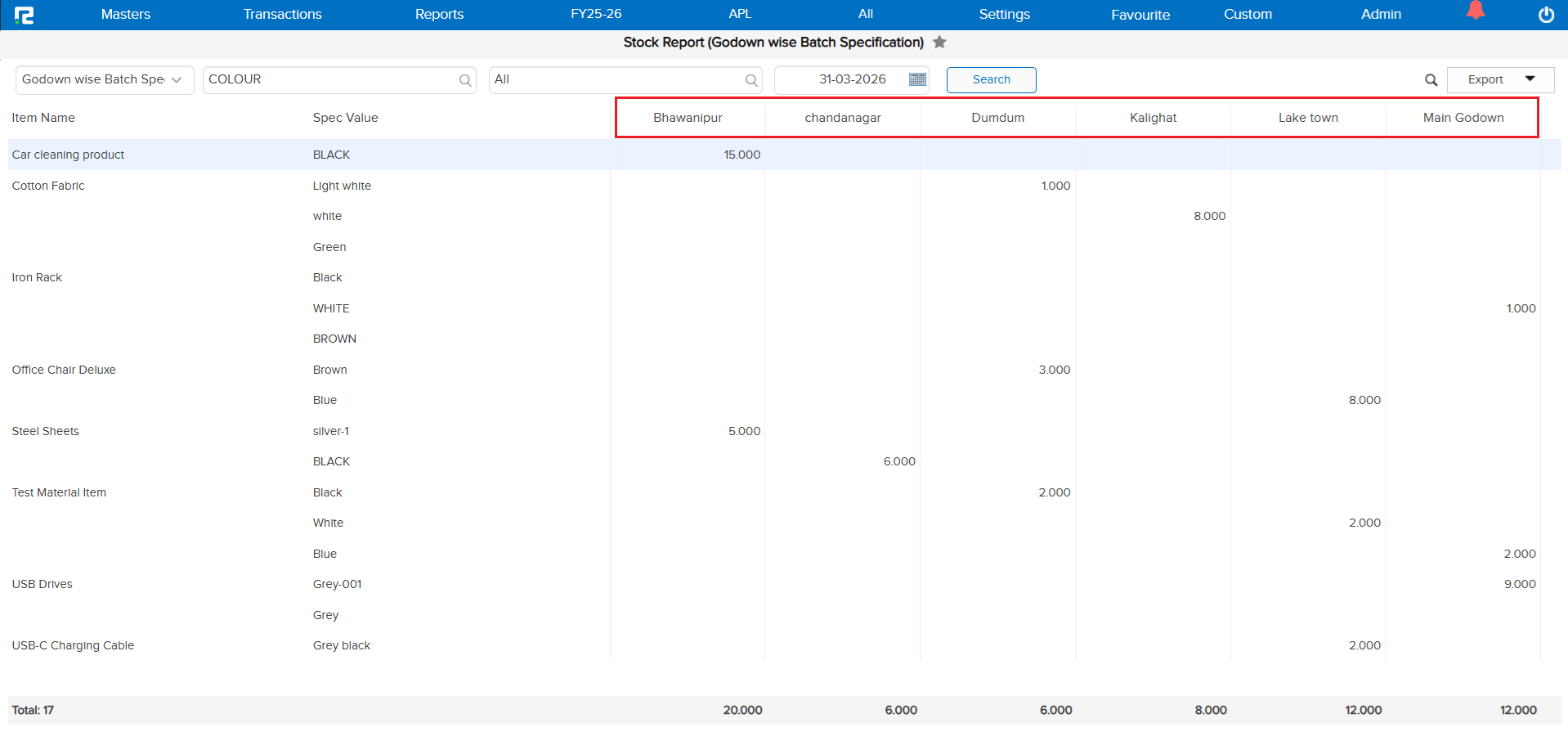
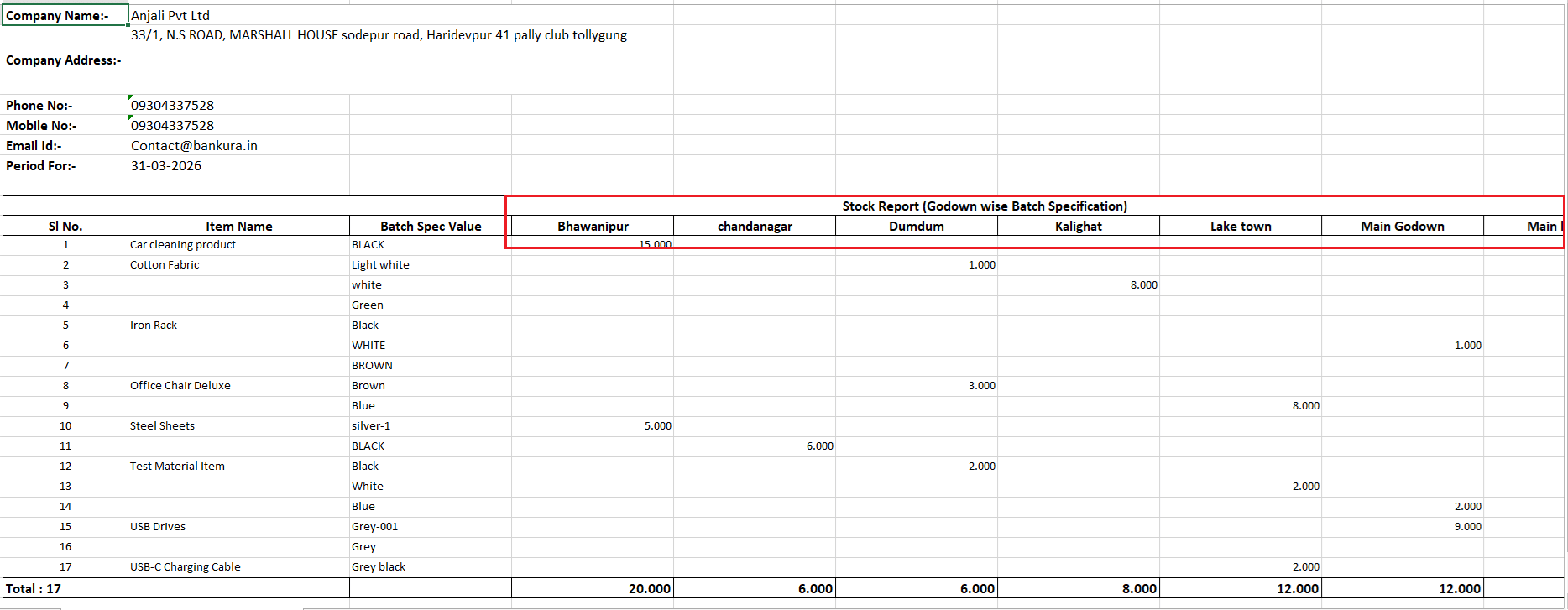
In the Godown Wise Batch Specification report, the godown names were not displayed in any particular order. This made it difficult for users to locate a specific godown quickly, especially when dealing with a large number of godowns.
🌟 What This Means for You
Godown names now reflect in alphabetical order in the Godown Wise Batch Specification report. This makes it much easier and faster to find the godown you are looking for, improving overall readability and navigation within the report.
🎬 Where to Find It
📷 See It in Action
📌 What Was Happening
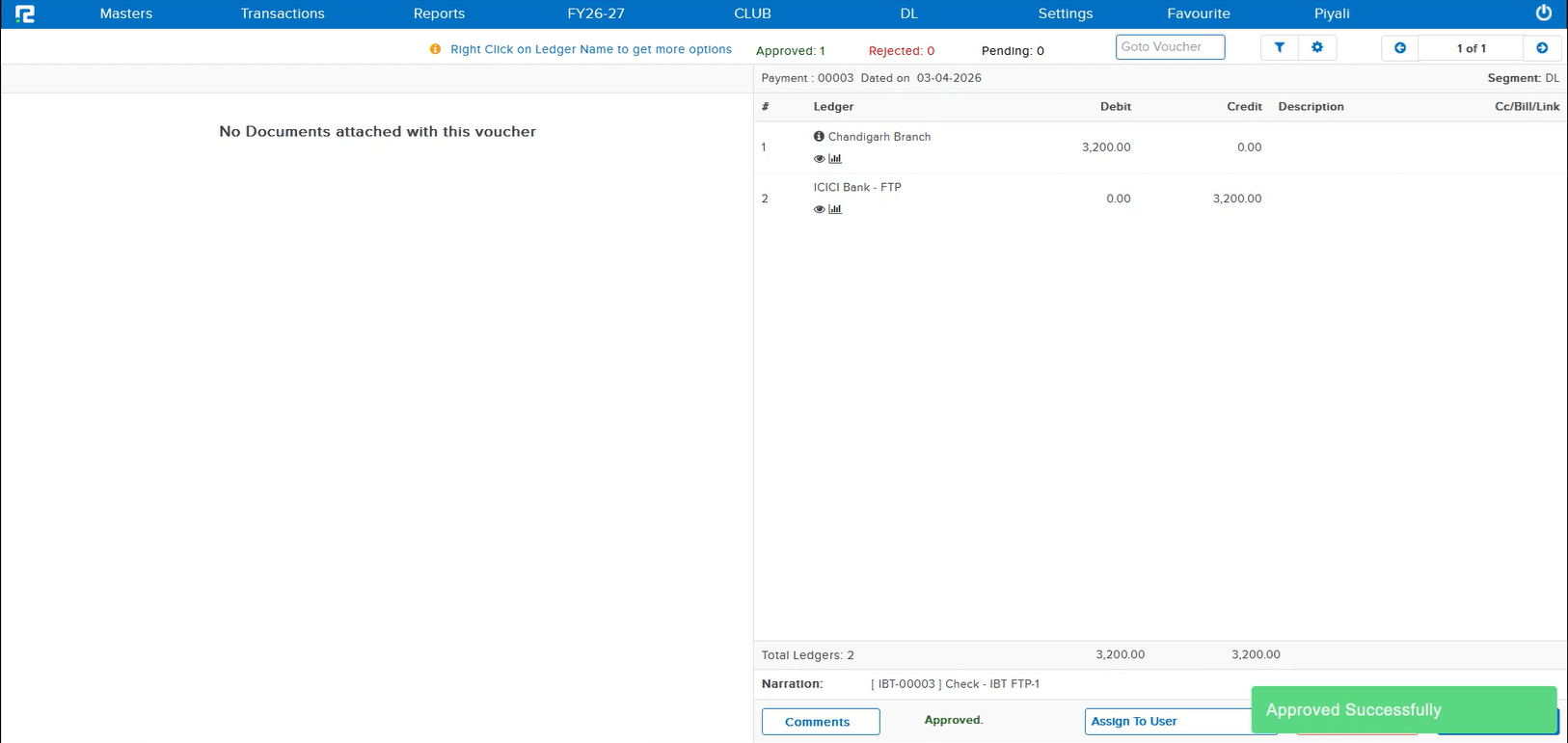
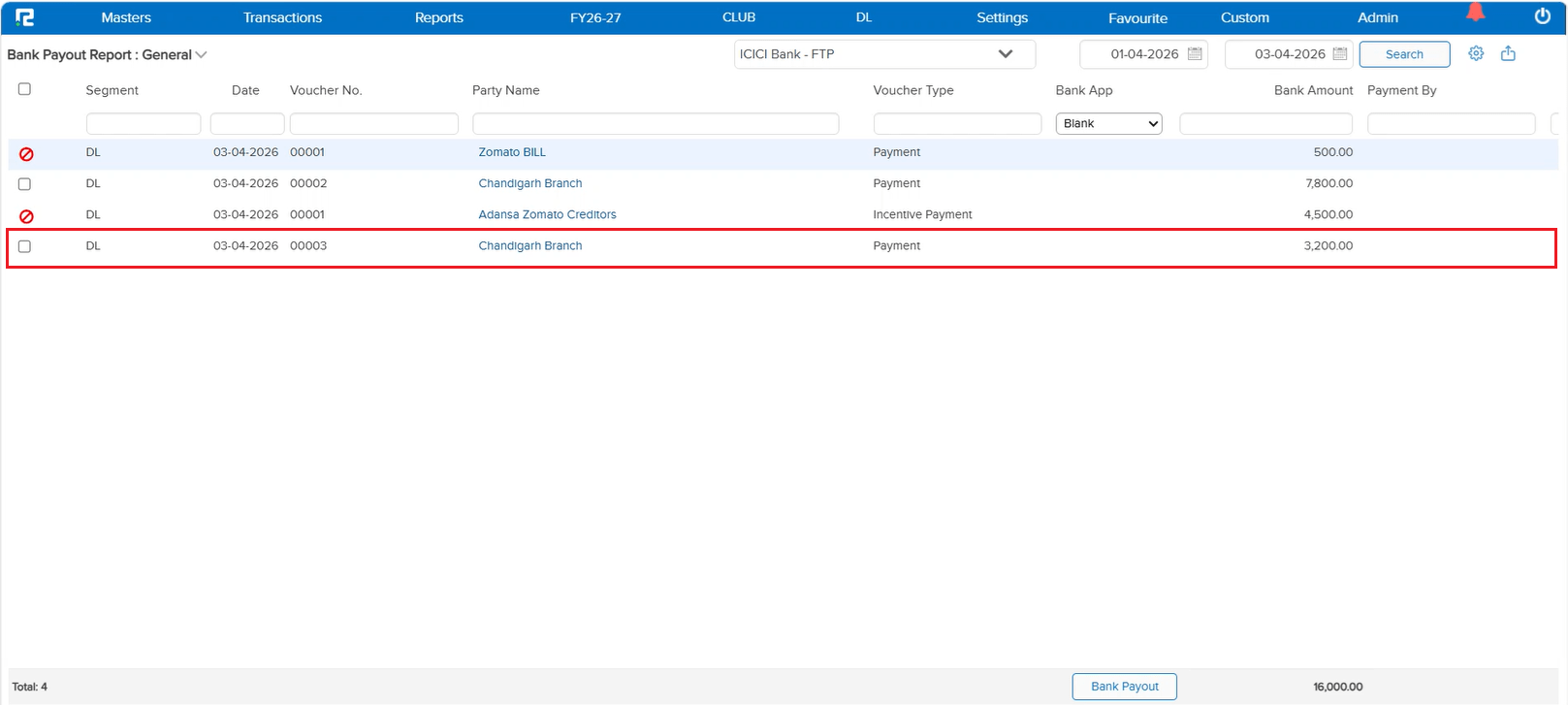
When a payment was created through an Interbranch Transaction (IBT), the auto-posted child payment entry — even after being approved — was not appearing in the FTP (Fund Transfer Processing) list. Only direct payment entries were being listed in FTP. This meant IBT-originated payments could not be processed via FTP, requiring manual workarounds.
🌟 What This Means for You
Approved IBT child payment entries now correctly appear in the FTP list alongside direct payment entries. You can process all approved payments — whether created directly or via IBT — through FTP in a single, unified workflow without any manual intervention.
📷 See It in Action
📌 What Was Happening
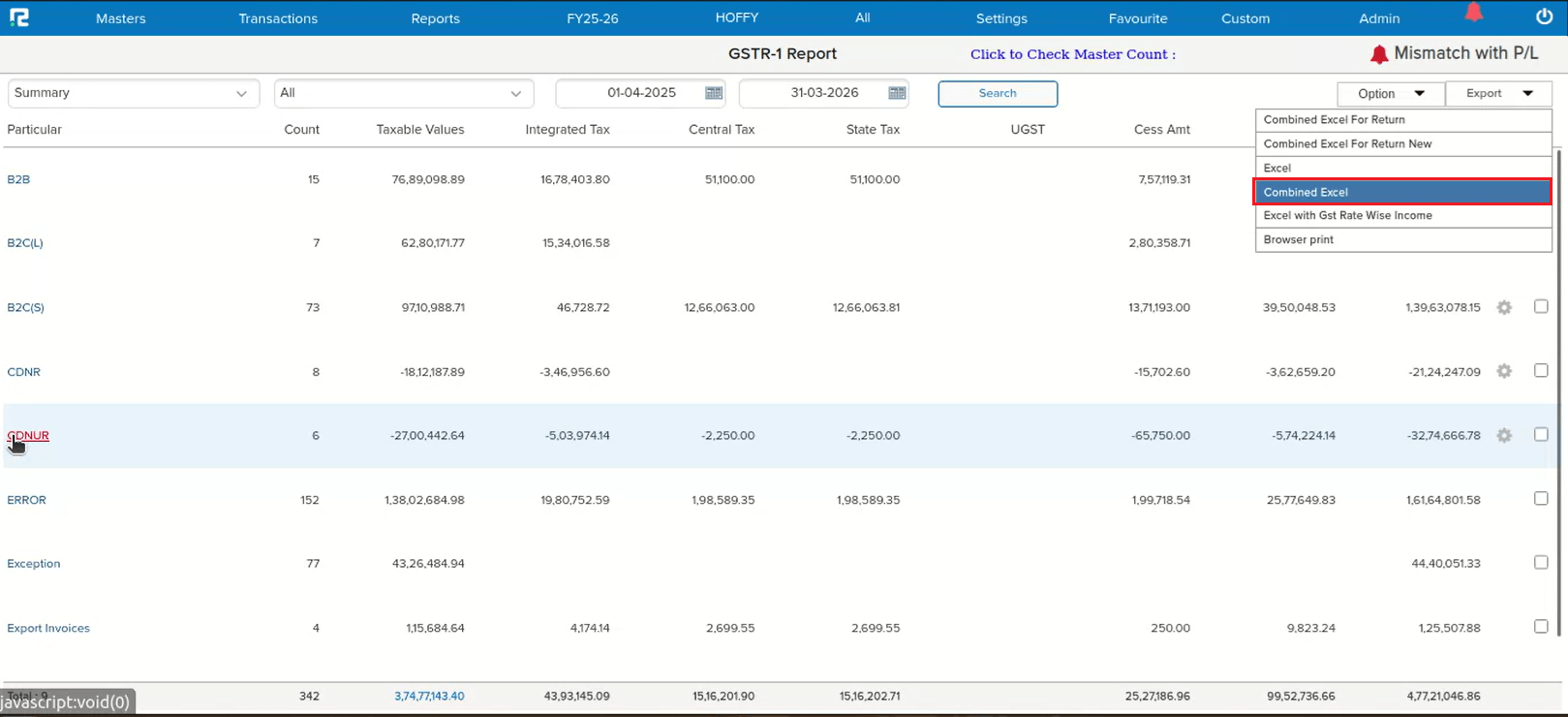
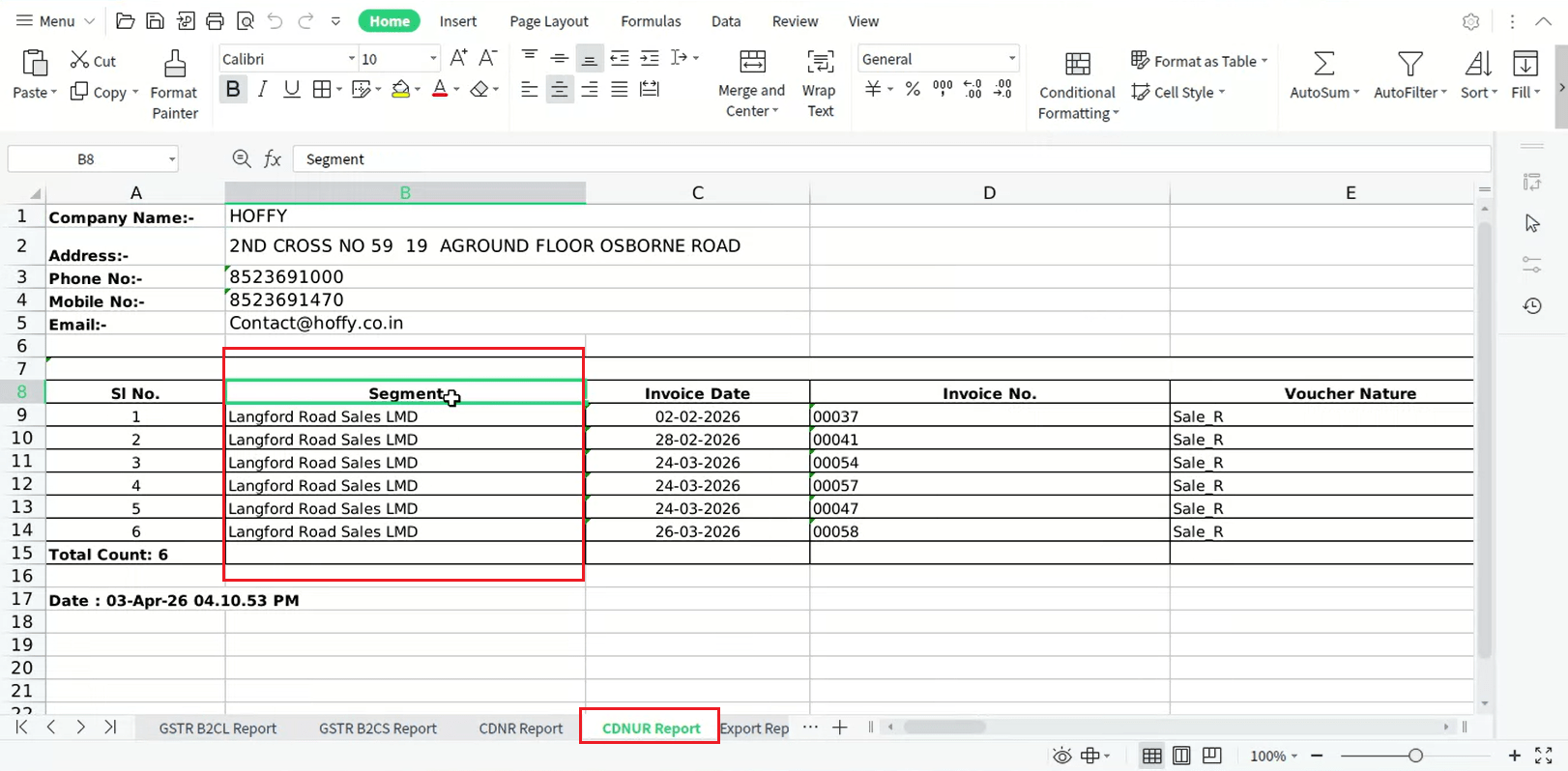
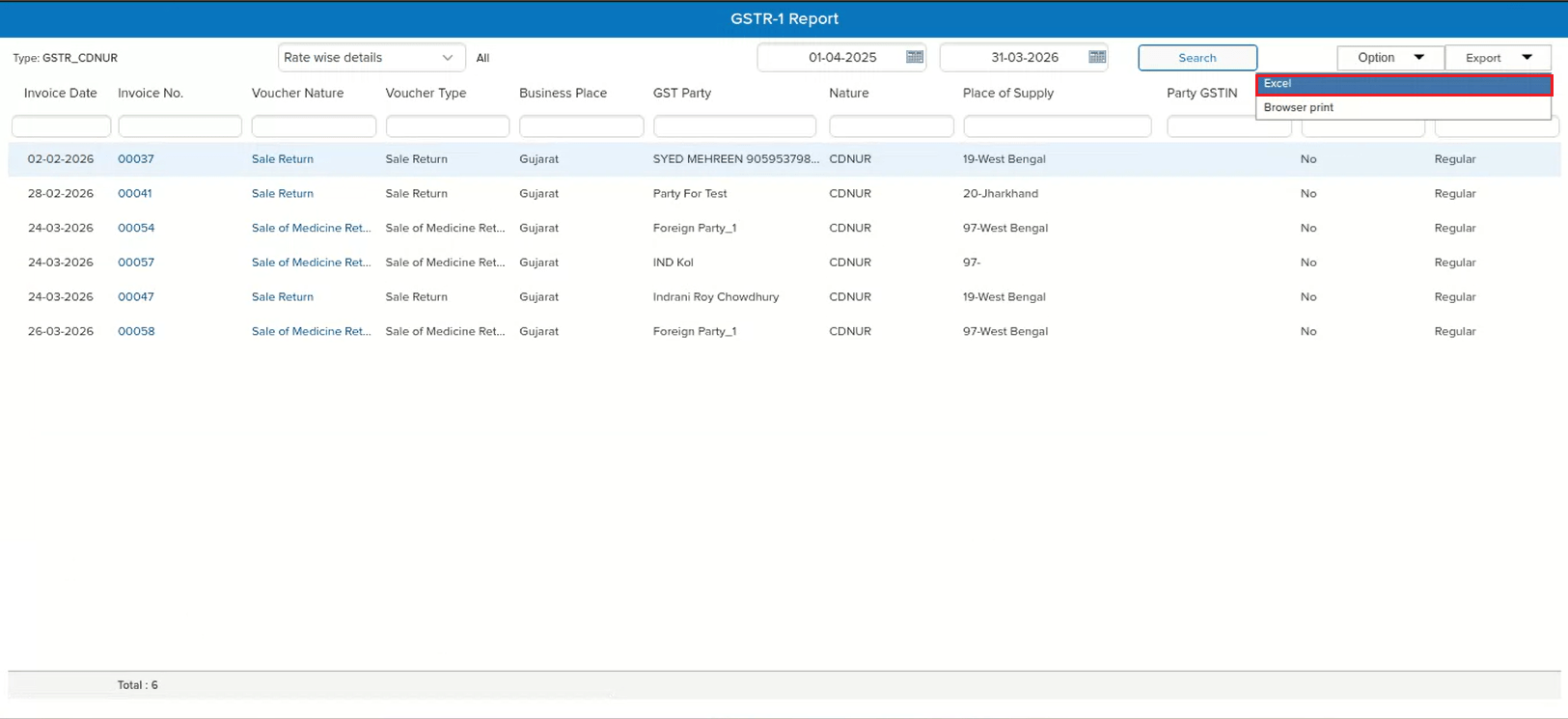
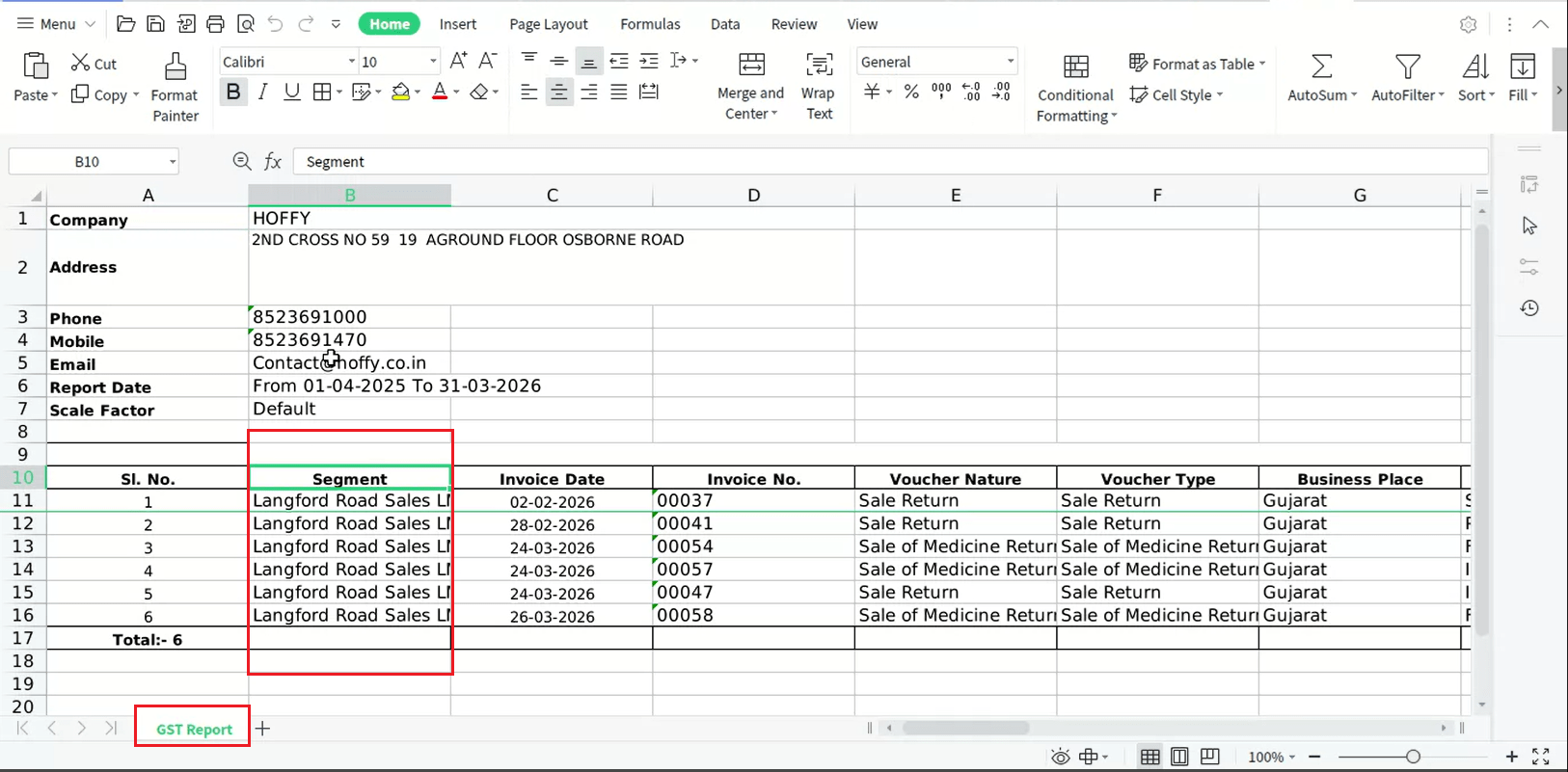
In the GSTR-1 report, the CDNUR section did not include the Segment column when exporting data using the Combined Excel option. Users who work with multiple segments needed this column for reconciliation and audit purposes but had to manually add it, leading to extra effort and potential errors.
🌟 What This Means for You
The Segment column is now included in the Combined Excel export for the CDNUR section of the GSTR-1 report. You can directly identify which segment each entry belongs to without any manual effort — making reconciliation and compliance review faster and more accurate.
🎬 Where to Find It
📷 See It in Action
📌 What Was Happening
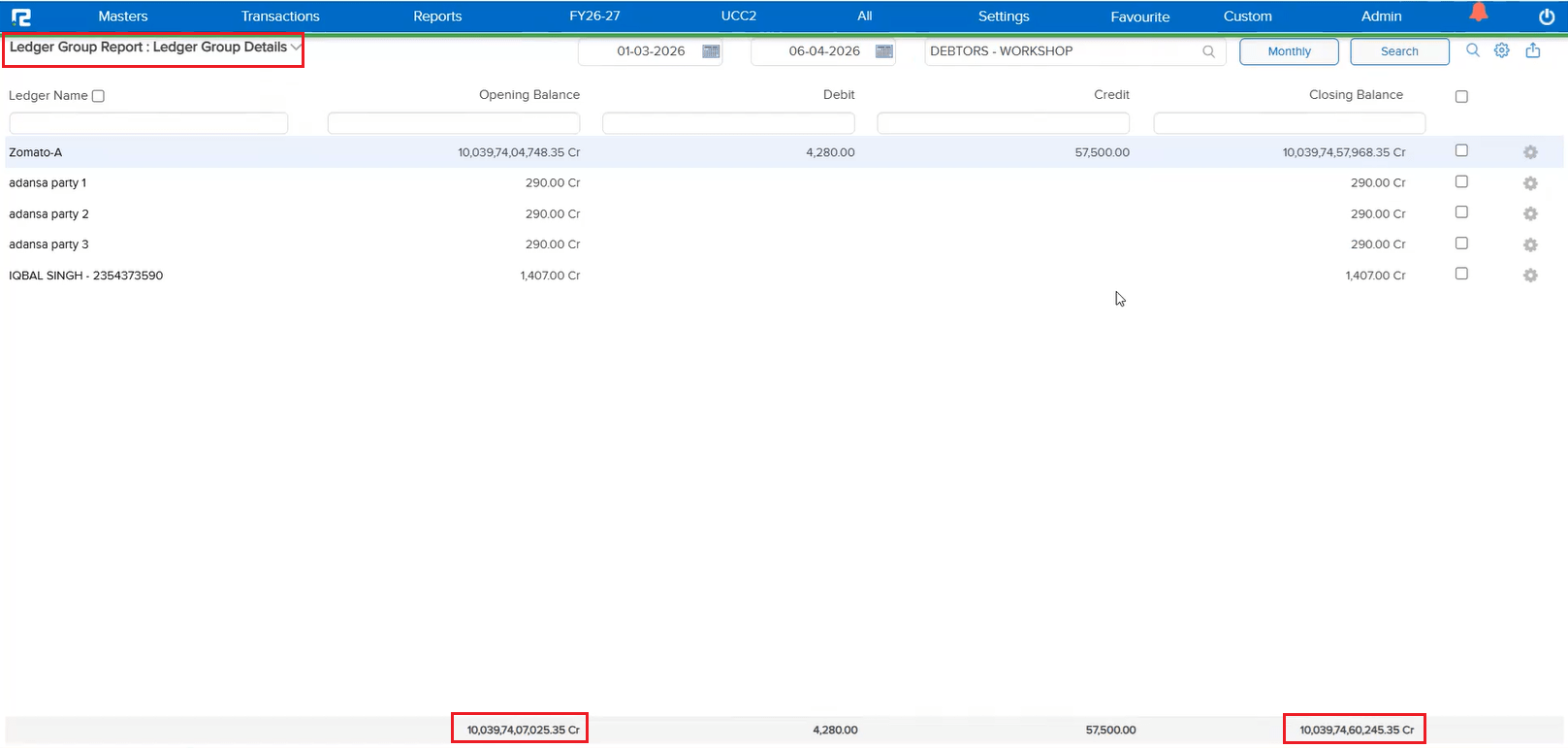
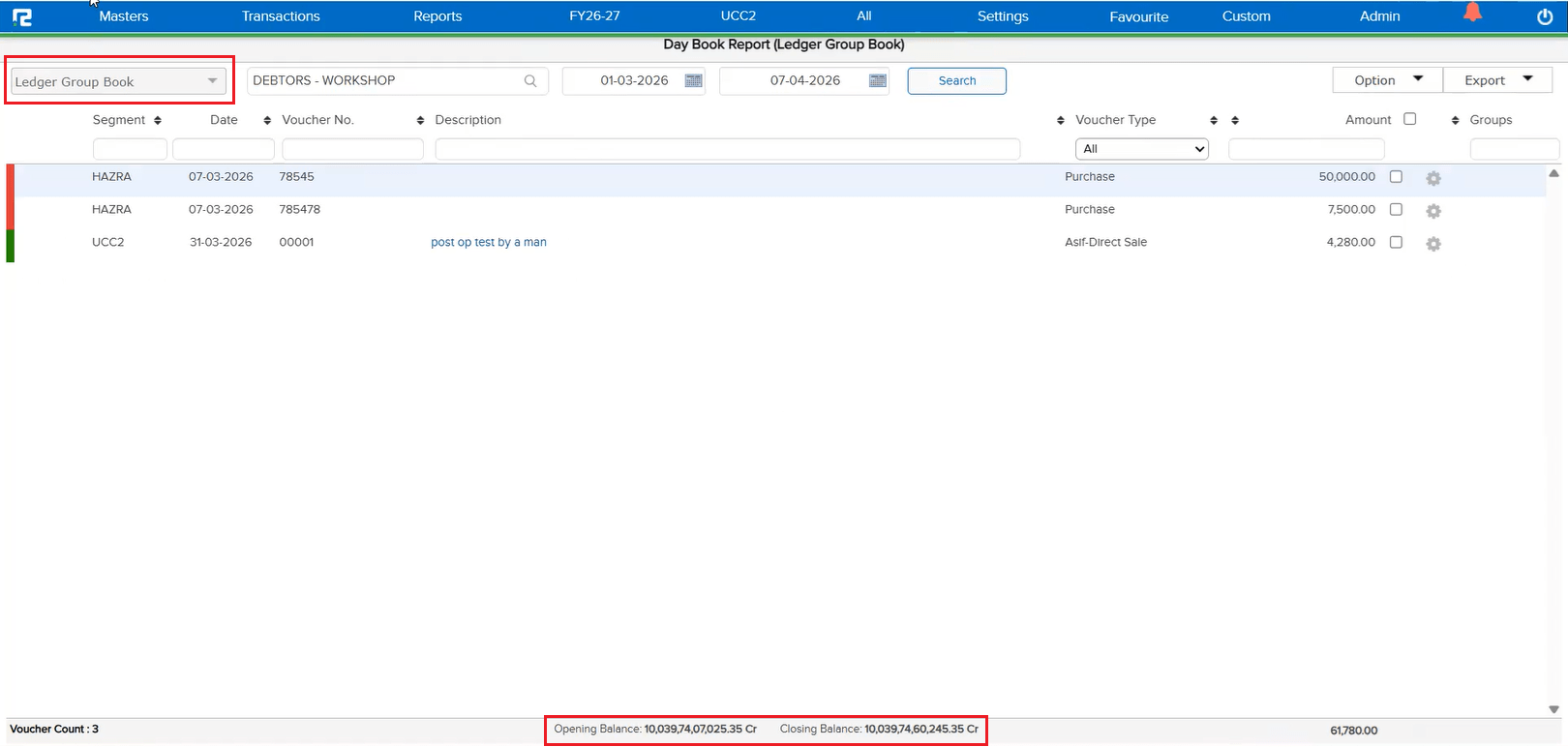
In the Ledger Group Book under Day Book, the Opening Balance and Closing Balance were not displayed. Users had to refer to other reports to get these balance figures, making it inconvenient to get a complete financial picture directly from the Ledger Group Book.
🌟 What This Means for You
The Opening Balance and Closing Balance are now displayed in the Ledger Group Book. You can view the complete balance summary directly within the report without needing to cross-reference other reports.
🎬 Where to Find It
📷 See It in Action
📌 What Was Happening
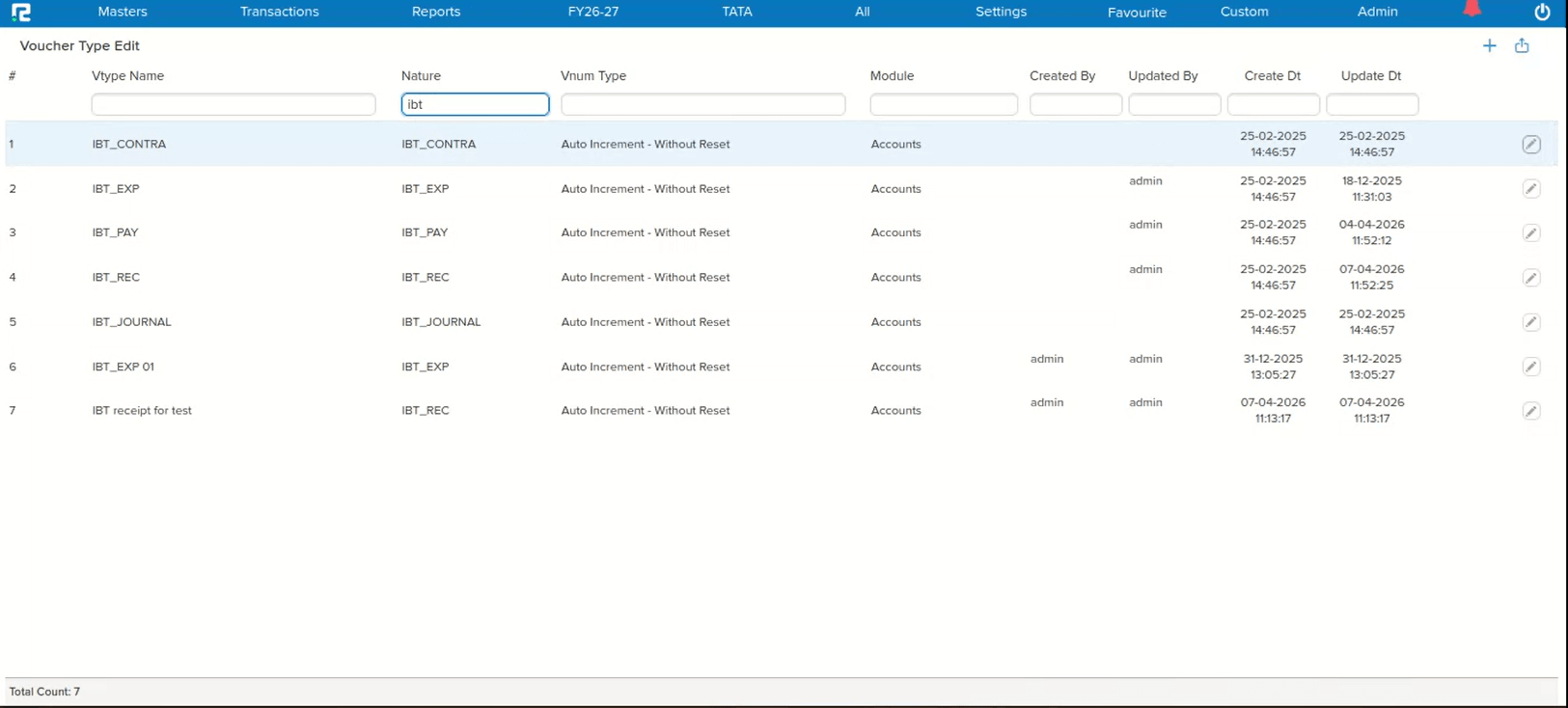
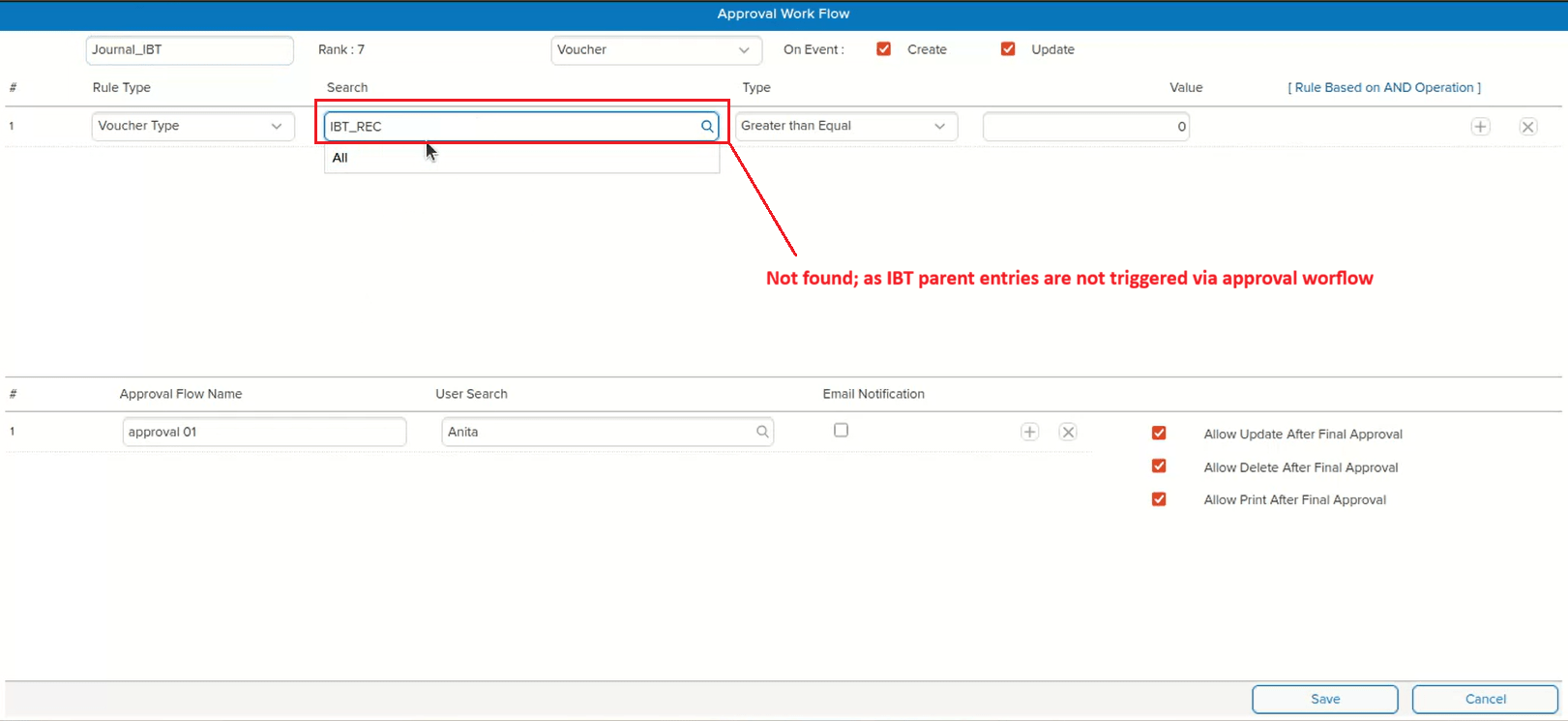
IBT Parent voucher types were visible for selection in the Approval Master, which created confusion. IBT parent entries do not trigger the approval workflow — only IBT child entries go through the approval process. Having parent voucher types listed in the selection gave users the false impression that approvals could be configured for them.
🌟 How This Helps You
IBT Parent voucher types have been removed from the Approval Master selection list. Only IBT child voucher types — which actually trigger for approval — are now available for selection. This eliminates confusion and ensures you configure approvals only for voucher types that support them.
📷 See It in Action
📌 What Was Happening
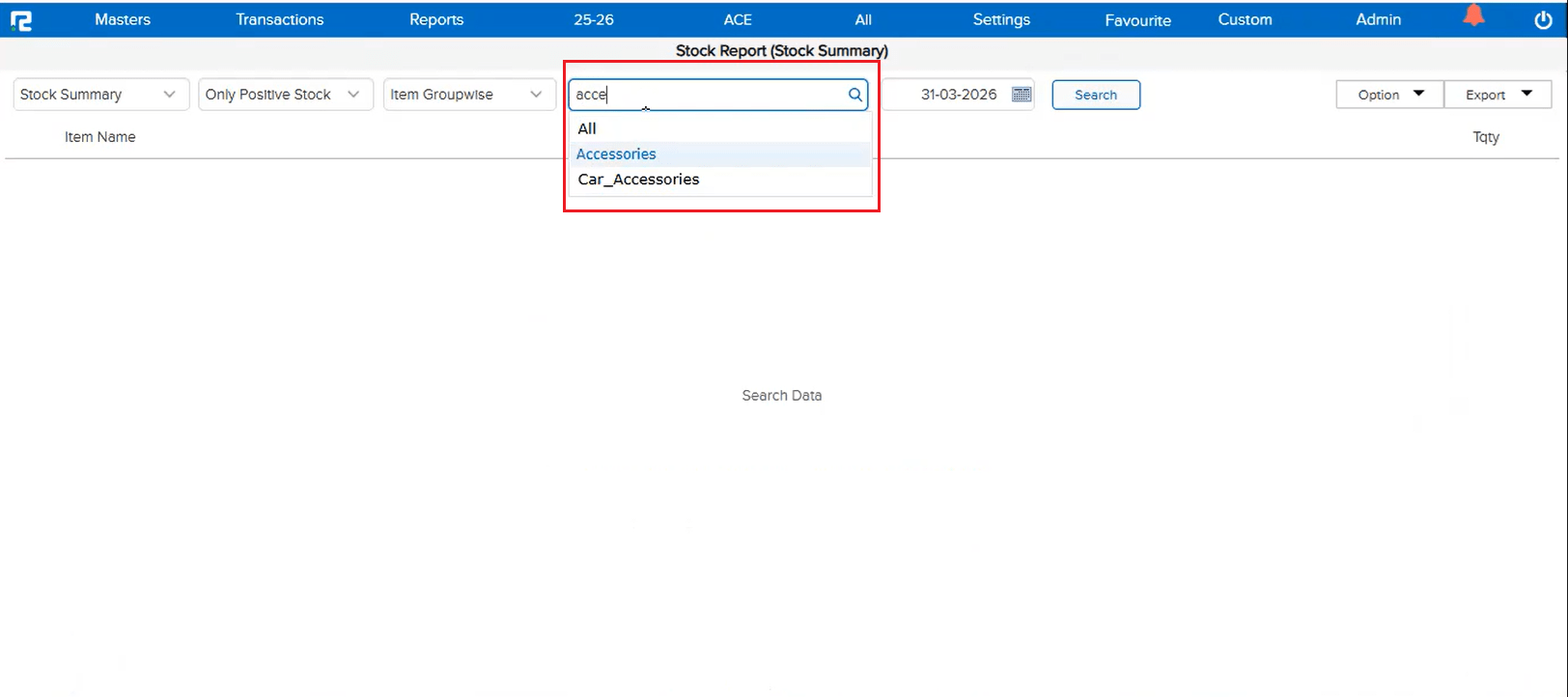
In the Stock Summary report, searching for a specific Item Group was not working as expected. Instead of filtering and displaying the selected item group, the system was loading all item groups in the search results — making it impossible to quickly locate and view stock data for a particular group.
🌟 How This Helps You
The Item Group search now works correctly in the Stock Summary report. You can search for and select a specific item group, and only that group’s data will be displayed — saving time and giving you accurate, focused results.
🛠 Where to Find It
📷 See It in Action
📌 What Was Happening
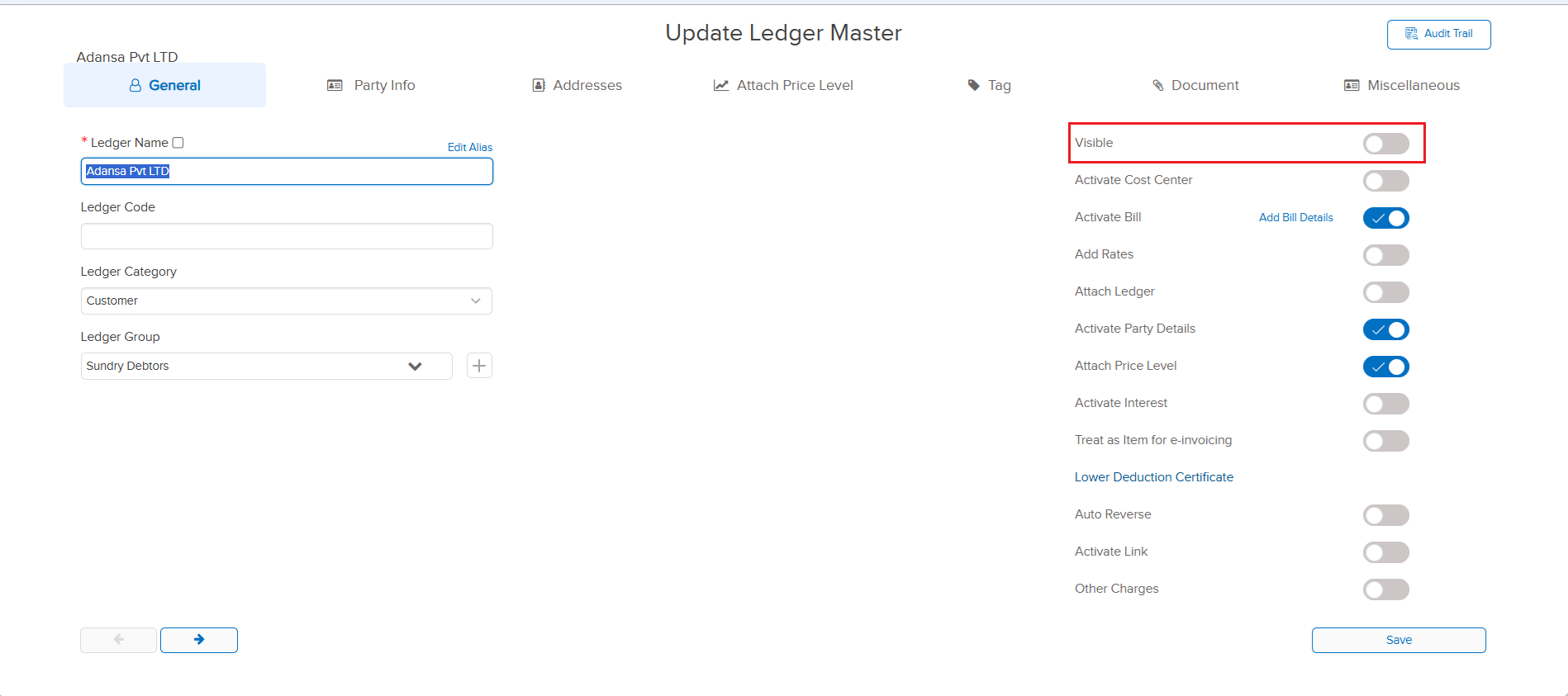
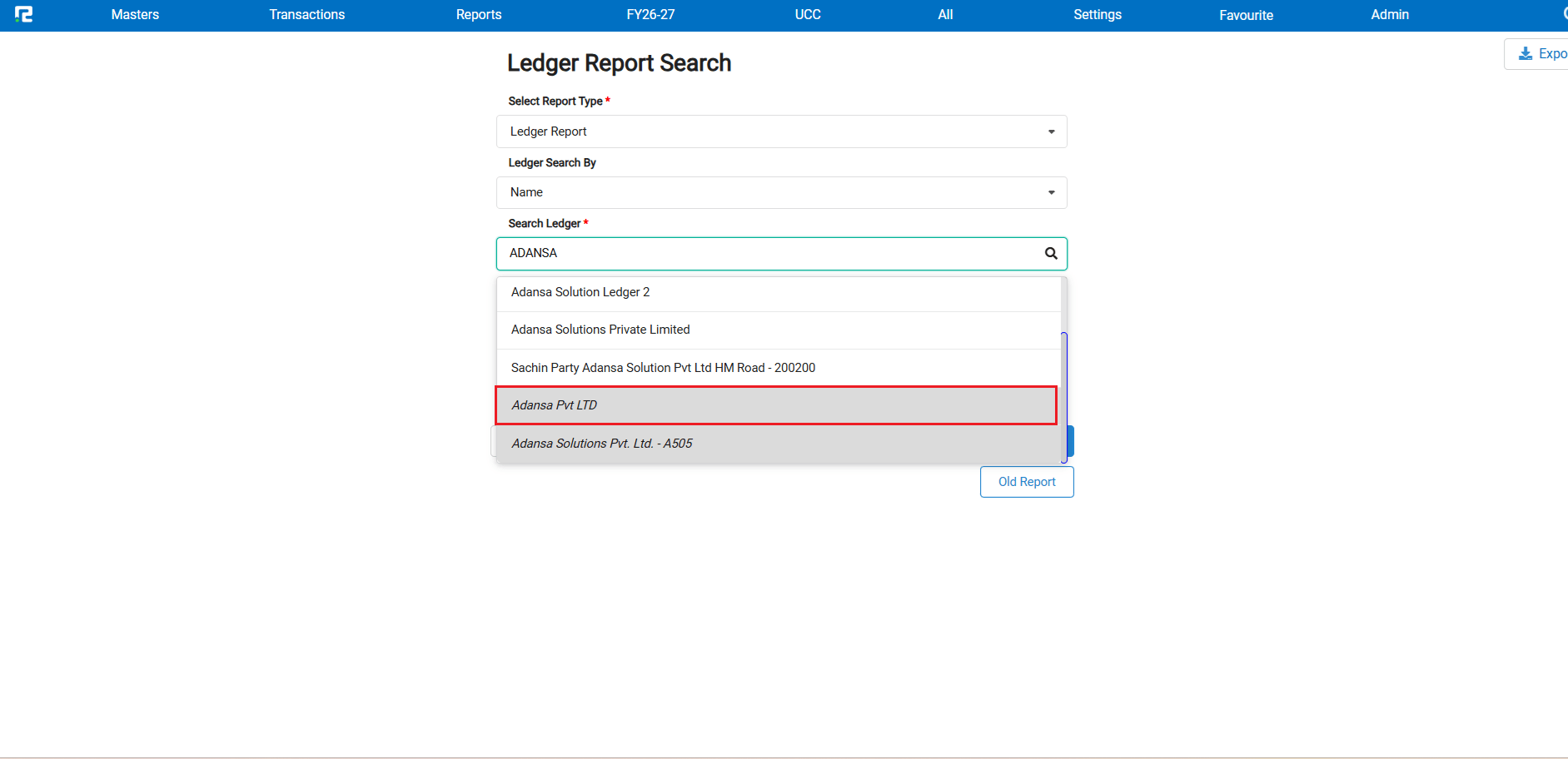
In the Ledger Report, when searching for a ledger, non-visible ledgers were appearing at the top of the search results. This made it difficult to find and select the active, visible ledgers quickly — as users had to scroll past irrelevant non-visible entries first.
🌟 How This Helps You
The search results now prioritize visible ledgers at the top, followed by non-visible ledgers. This applies to both the old and new Ledger Report formats — making it faster and more intuitive to find the ledger you need.
📷 See It in Action
📌 What Was Happening
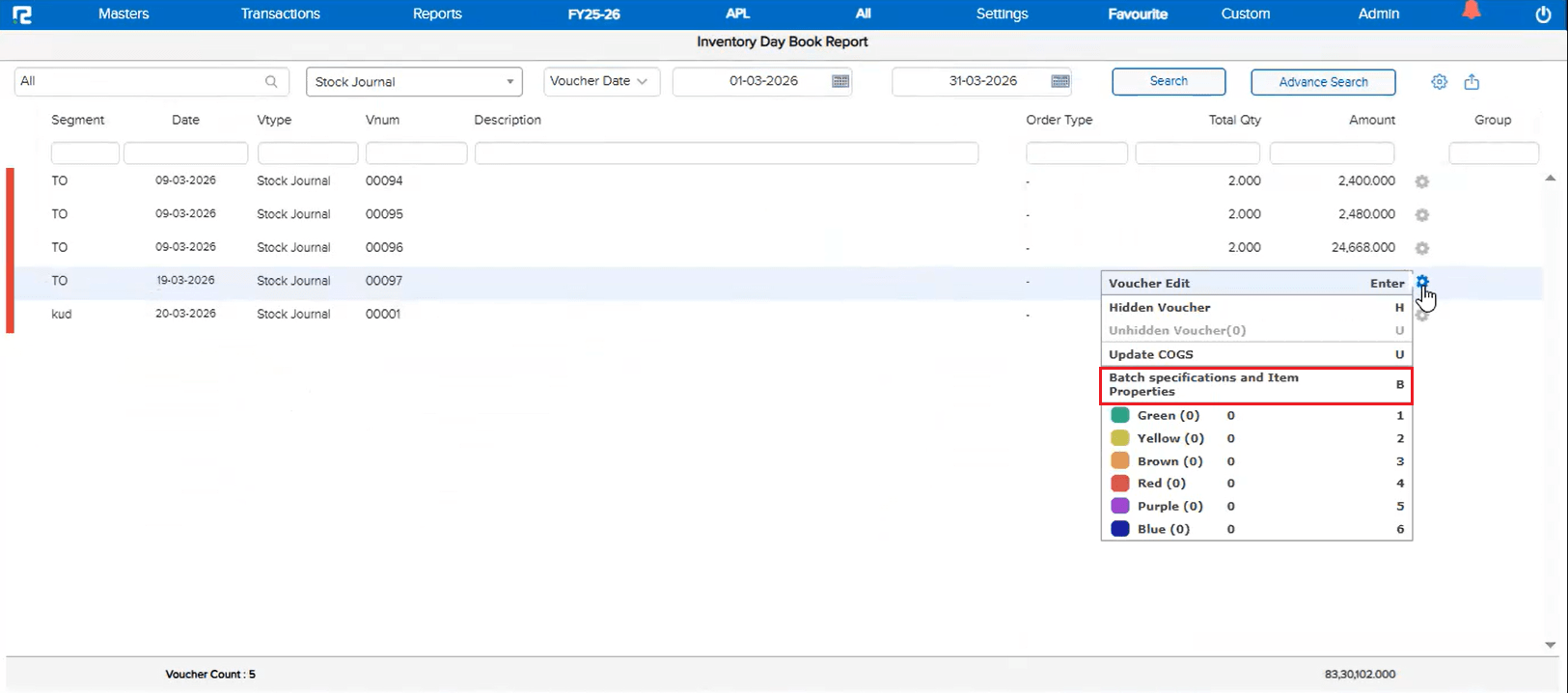
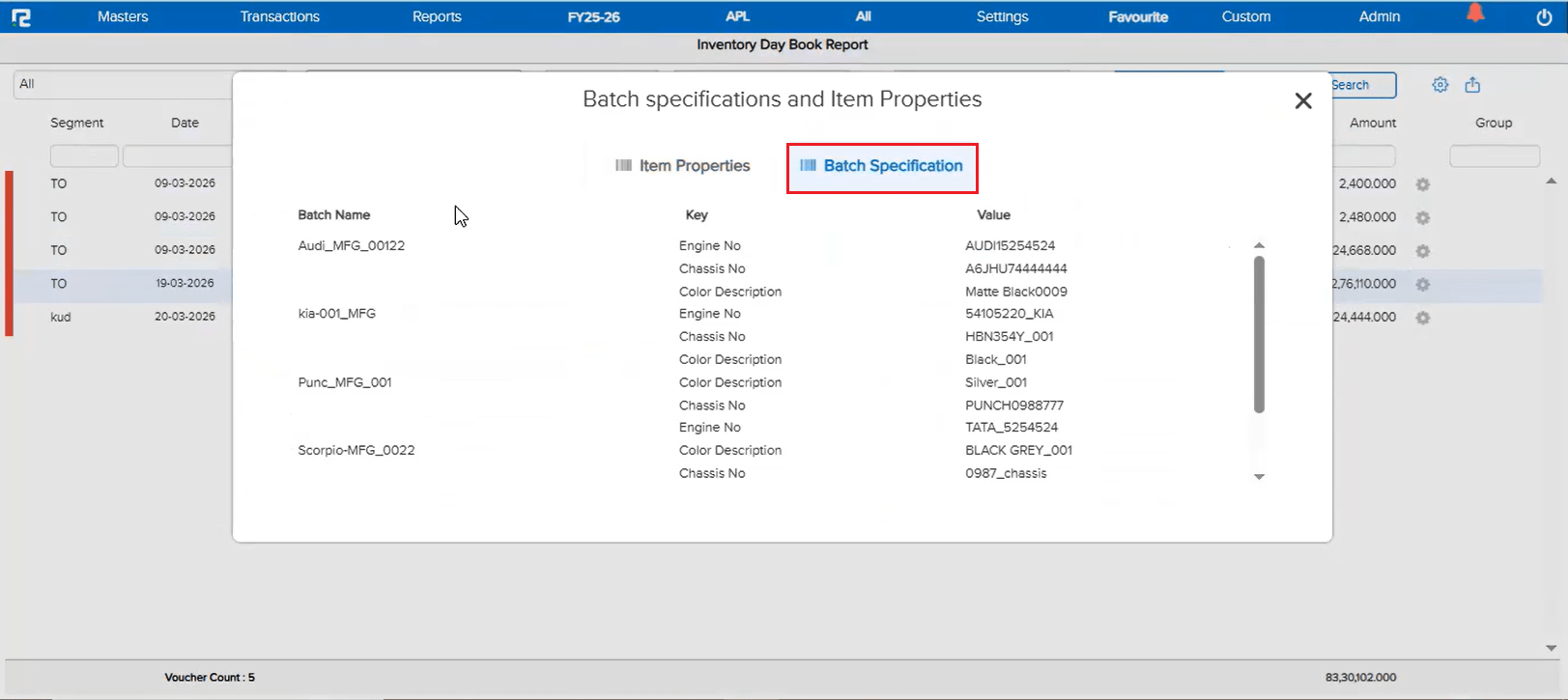
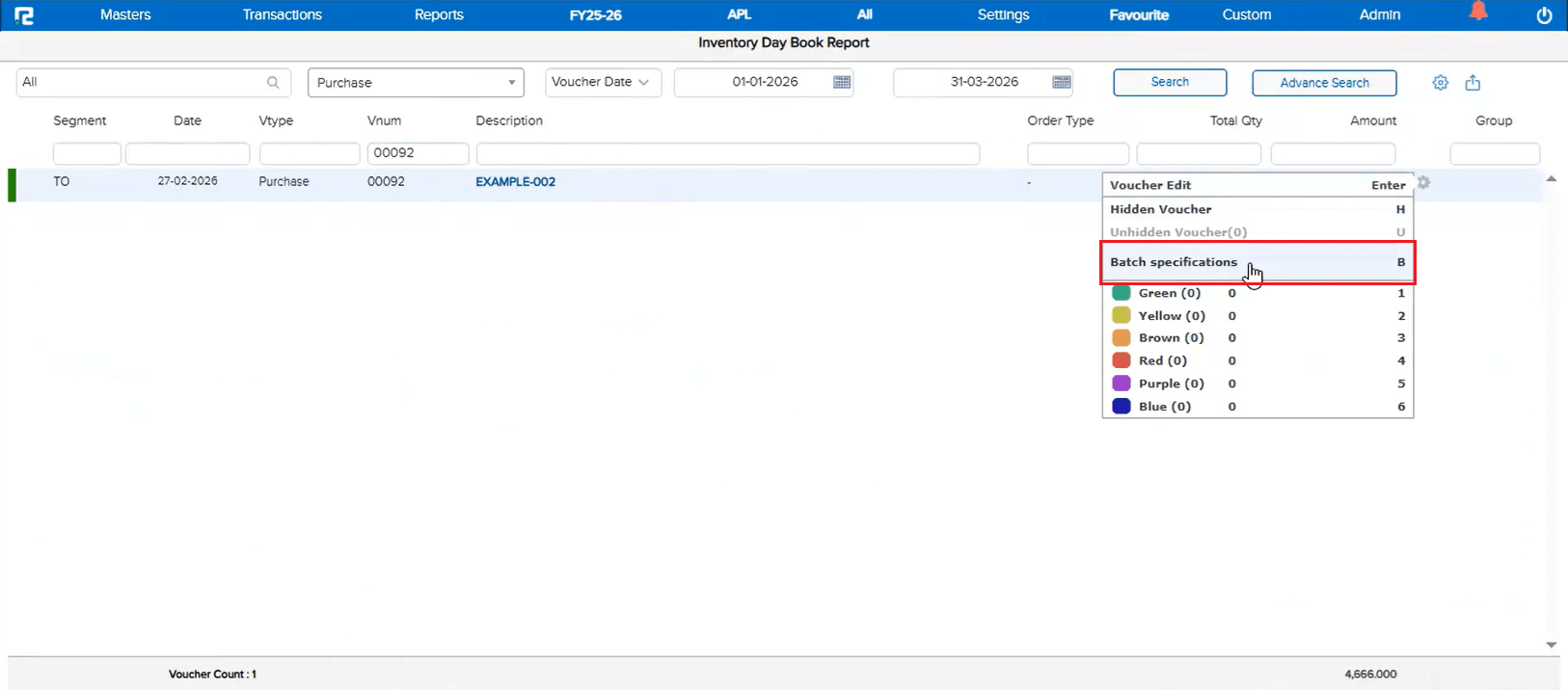
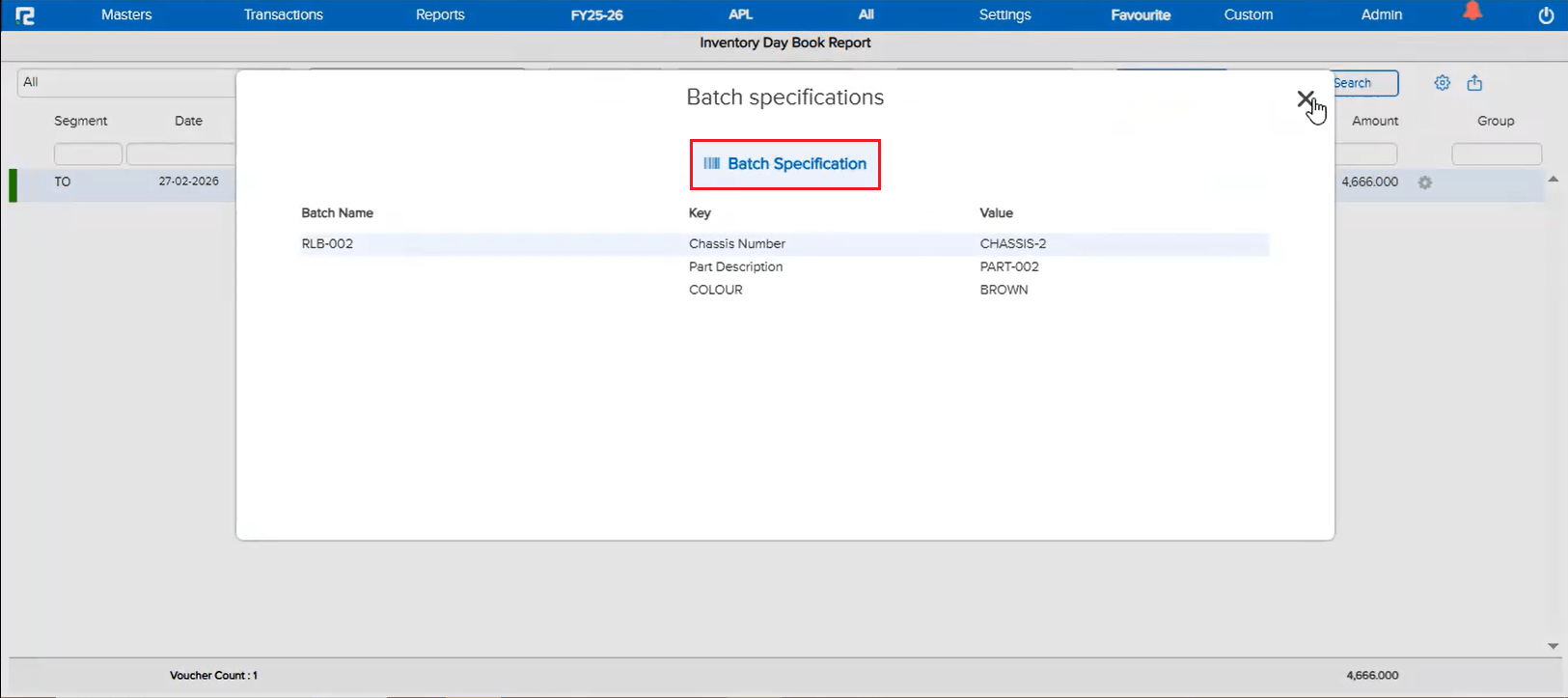
In the Voucher Listing report, the option to check Batch Specification was available, but the data was coming up blank. This issue occurred specifically when the Item Properties parameter was disabled in the company settings. The batch specification details were not being fetched in this scenario, even though valid batch data existed.
🌟 How This Helps You
Batch Specification data now displays correctly in the Voucher Listing report regardless of whether the Item Properties parameter is enabled or disabled. You can reliably view batch details without needing to change any company-level settings.
📷 See It in Action