
Beta Release — 14-05-2026
📌 What’s New
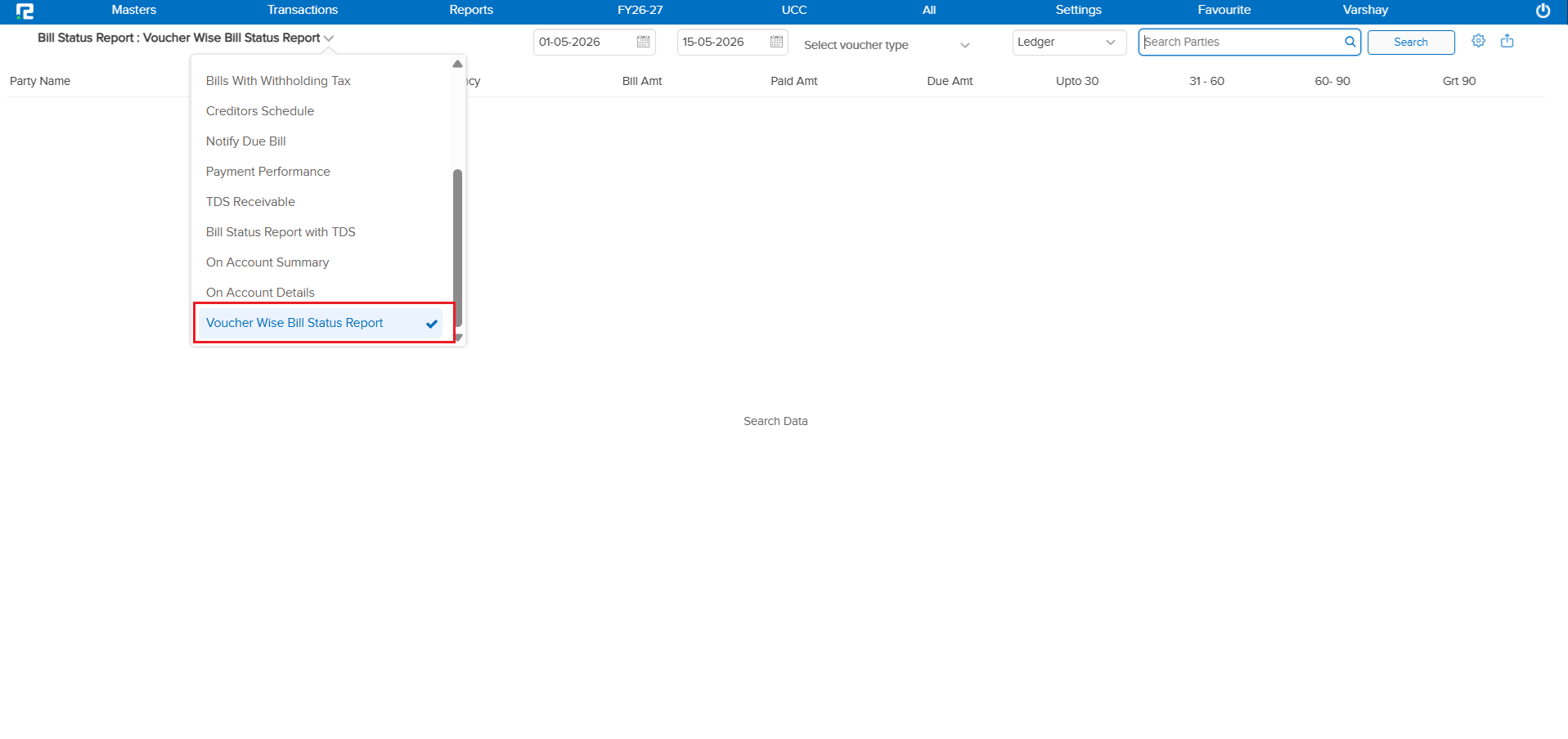
Currently, the system has a Bill Wise Report to view bill details. However, there was no way to check bill details based on Voucher Type — making it difficult to view the tagged value against a specific bill and track untagged bills for a particular voucher type.
🌟 What This Means for You
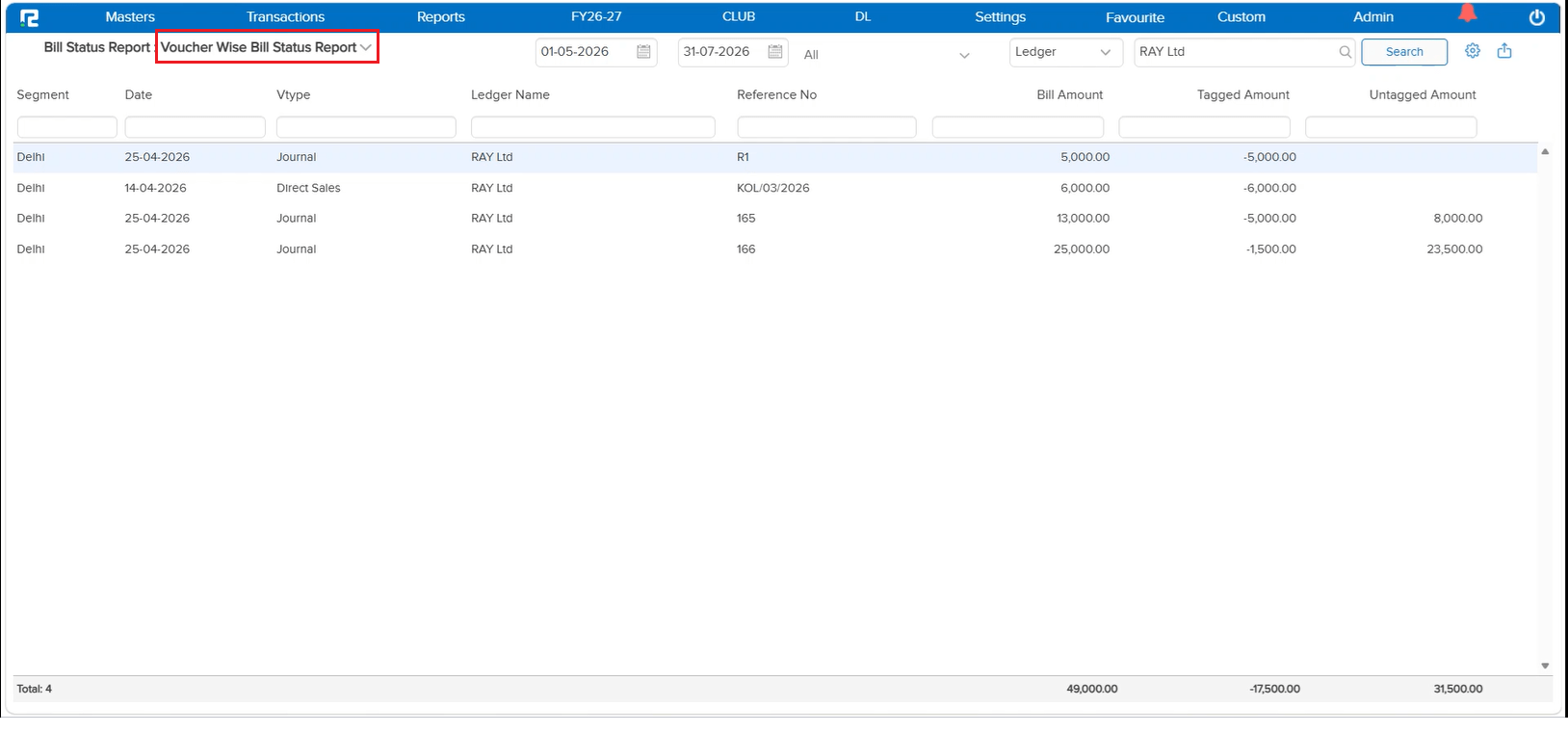
A new Voucher Wise Bill Status Report has been introduced. This report allows you to check bill details based on Voucher Type, helping you view the tagged value against a specific bill and easily track untagged bills.
Report Columns:
• Segment – Segment or business unit to which the transaction belongs
• Date – Date when the voucher was created
• Voucher Type – Type of voucher used (Sales, Receipt, Payment, etc.)
• Ledger Name – Name of the customer or party
• Reference No – Bill number or reference number
• Bill Amount – Total bill value
• Tagged Amount – Amount already adjusted or linked
• Untagged Amount – Amount still pending or not linked
🎬 Where to Find It
📷 See It in Action
📌 What Was Happening
GSTR-3B displays the consolidated data of GSTR-1 & GSTR-2B, and depending on the volume of data, it takes considerable time to load and export. At the time of GSTR-1 filing, clients needed to reconcile GSTR-1 data with GSTR-3B side by side — but doing so caused slowness in GSTR-3B due to the combined data load, making the reconciliation process frustrating and time-consuming.
🌟 What This Means for You
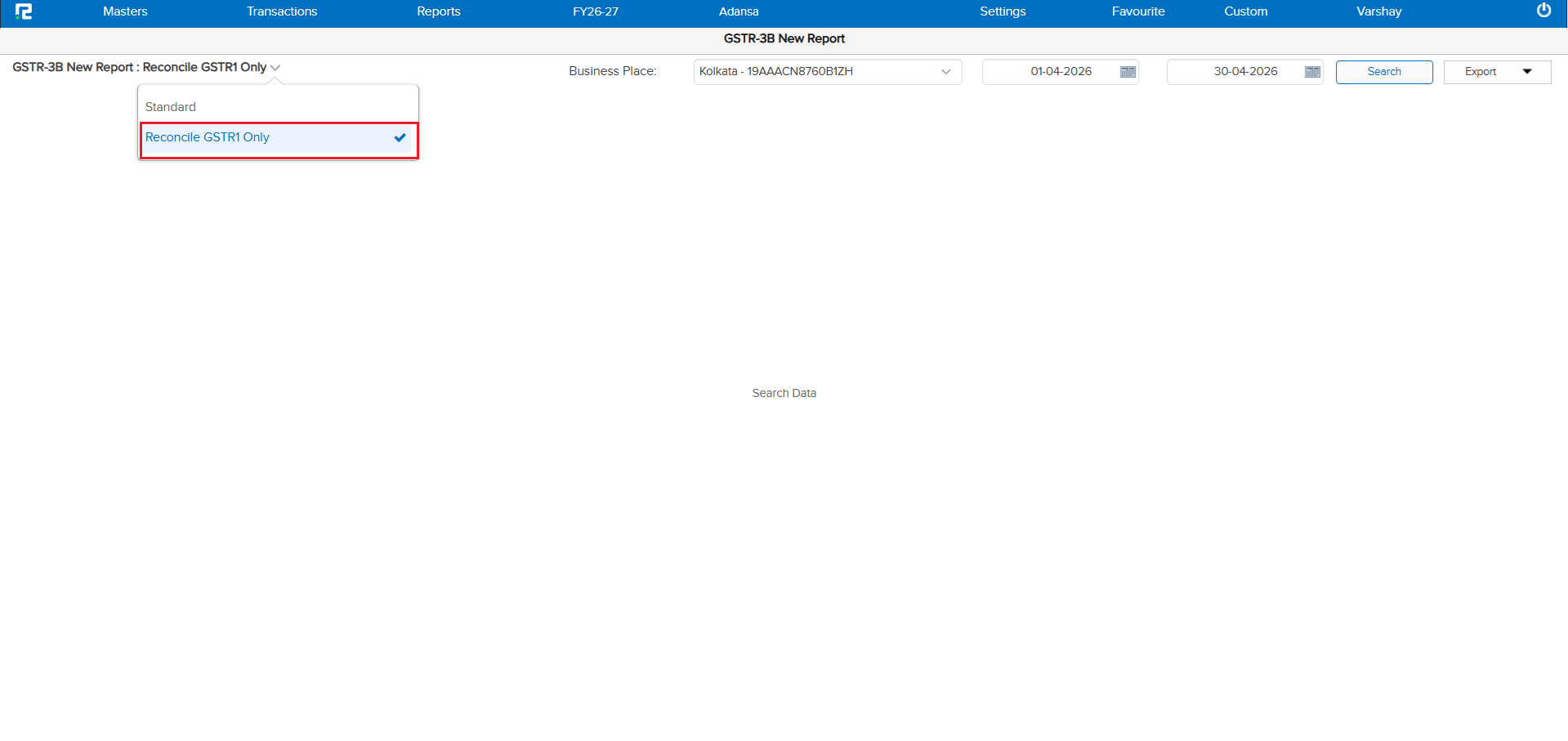
A new dropdown option has been introduced in GSTR-3B that allows you to view only your GSTR-1 related data within GSTR-3B. This enables fast, side-by-side reconciliation of GSTR-1 data with GSTR-3B — without the slowness caused by loading the full consolidated data. Reconciliation during GSTR-1 filing is now significantly faster and smoother.
🎬 Where to Find It
📷 See It in Action
📌 What Was Happening
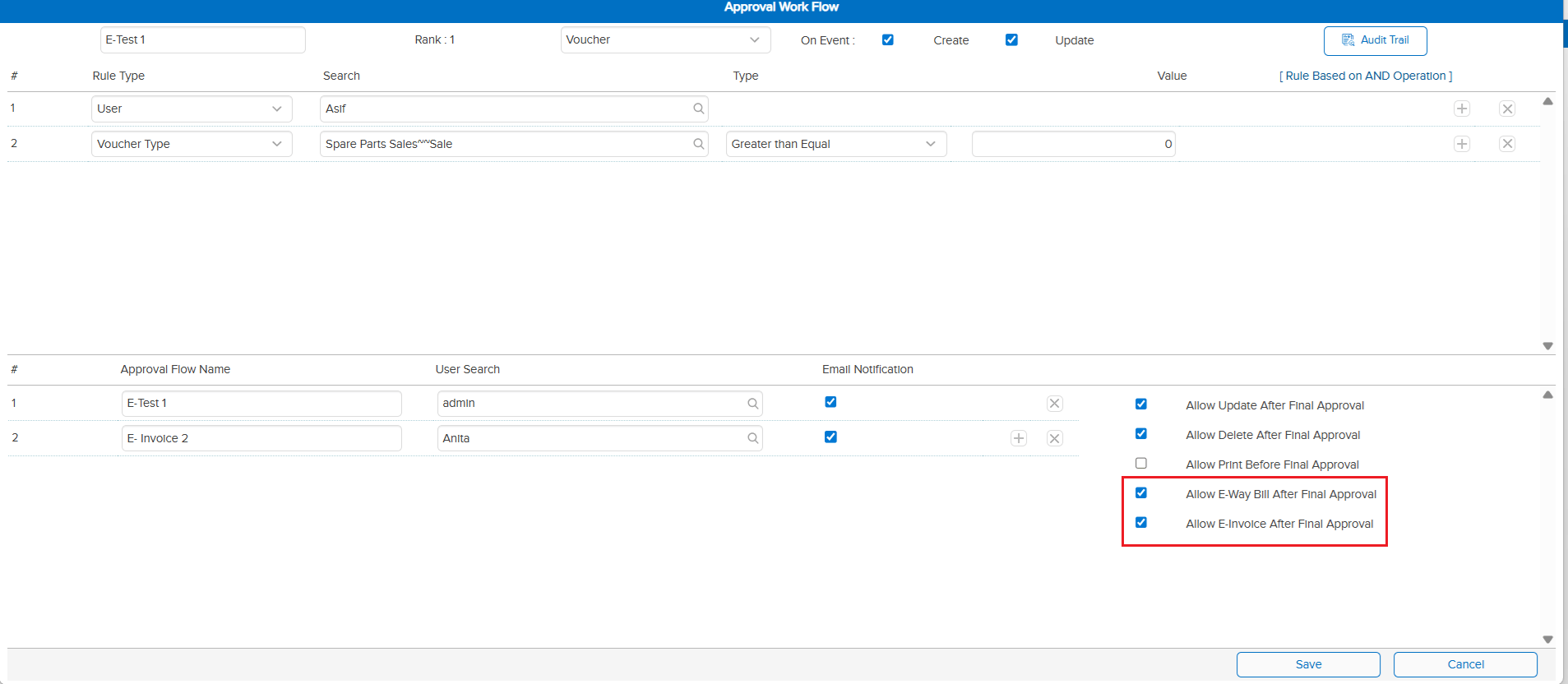
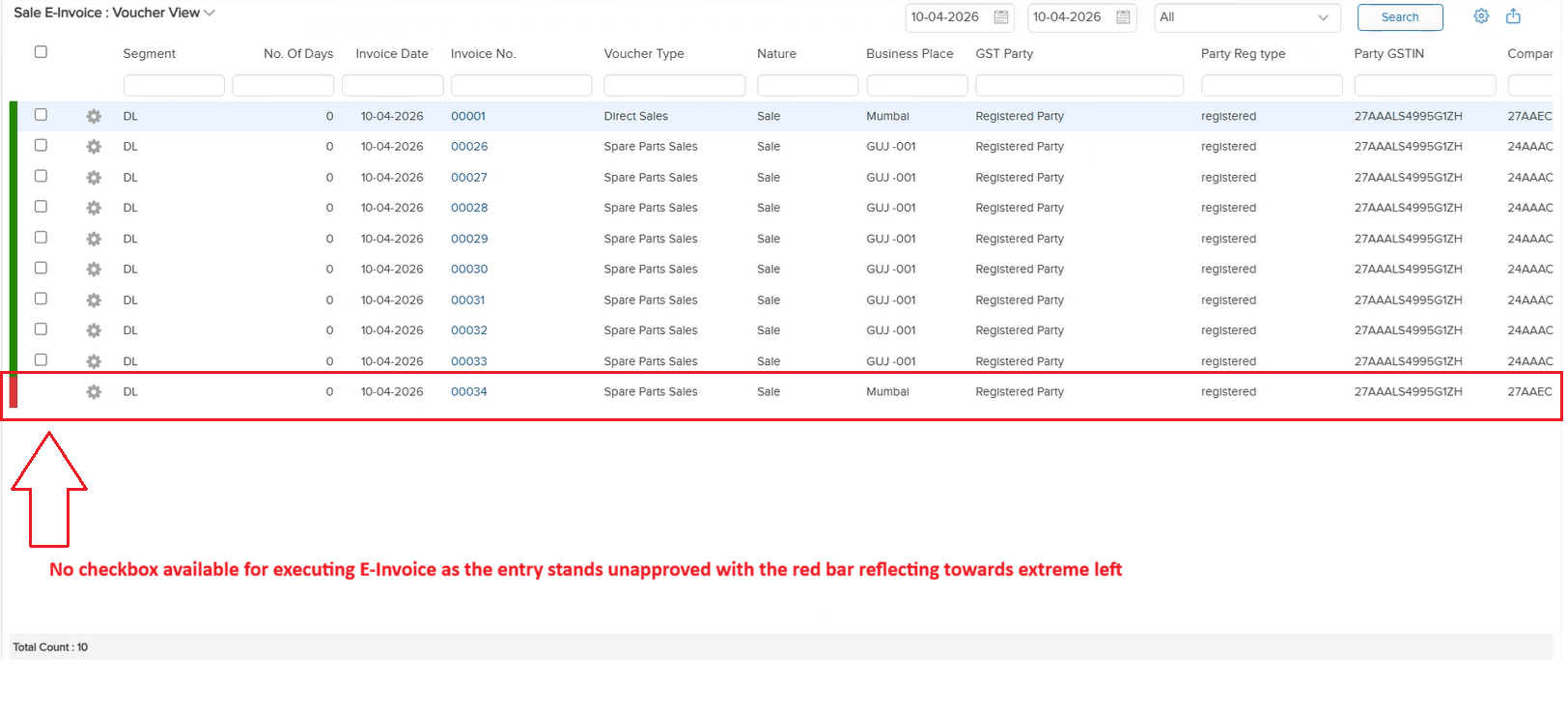
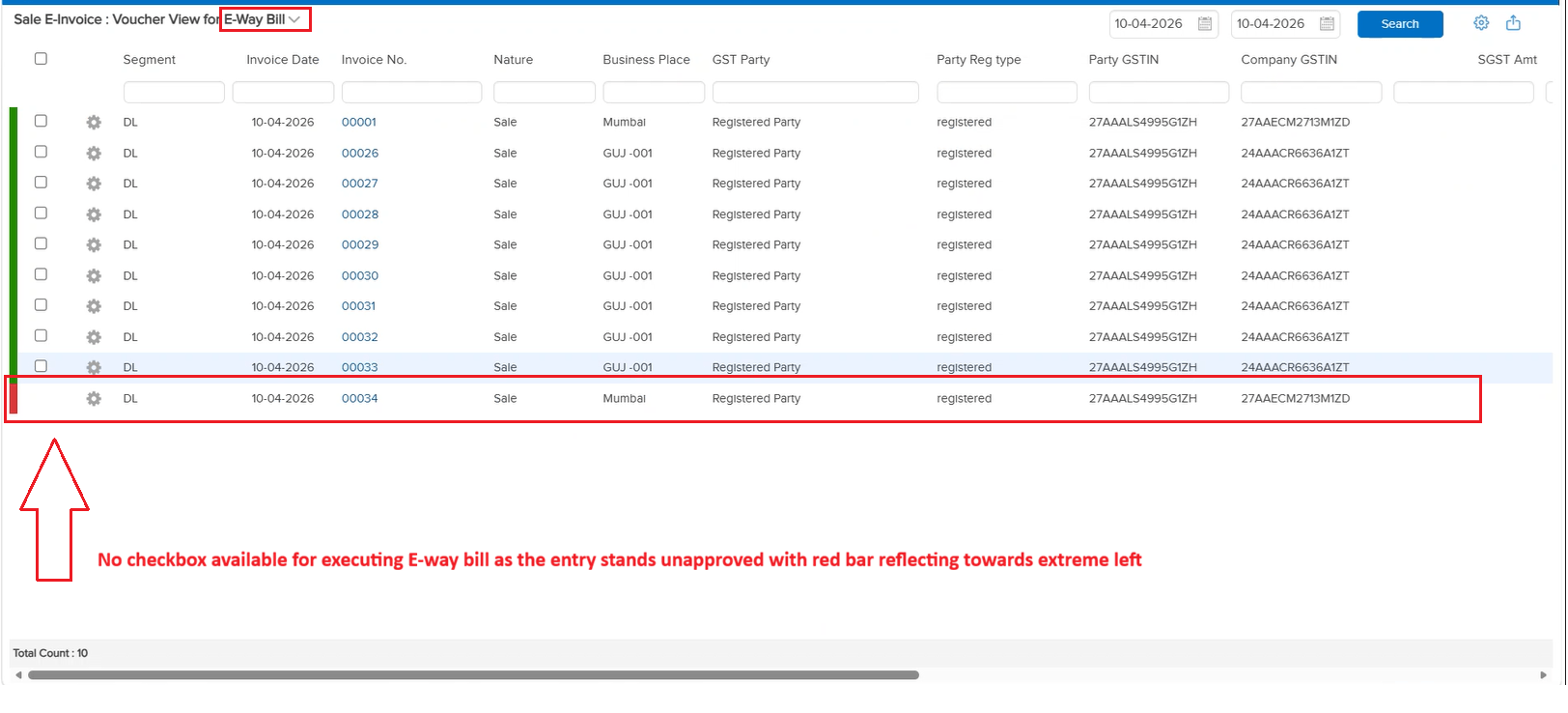
When an entry was pending for approval in the Approval Workflow, users could still generate E-Invoice and E-Way Bill for that entry. There was no mechanism to restrict E-Invoice or E-Way Bill generation based on the approval status — which could lead to compliance documents being generated for unapproved transactions.
🌟 What This Means for You
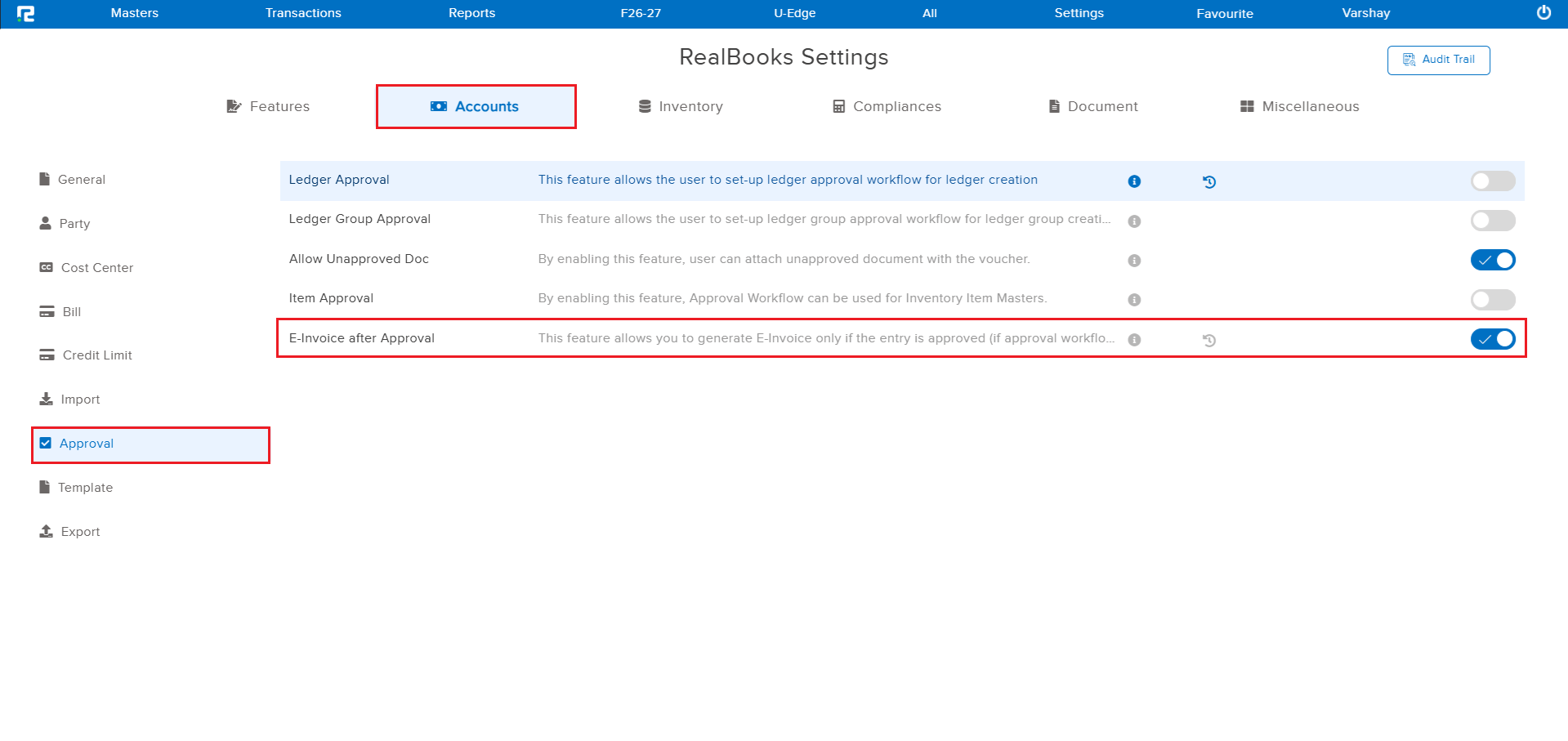
Two new checkbox options have been introduced in the Approval Template (positioned under the “Print Before Approval” option):
• Allow E-Invoice Generation after Approval
• Allow E-Way Bill Generation after Approval
When these checkboxes are selected, E-Invoice and E-Way Bill generation will be allowed only after the entry is fully approved. If the checkboxes are not selected, the generation will be allowed by default as before.
🎬 Where to Find It
📷 See It in Action
📌 What Was Happening
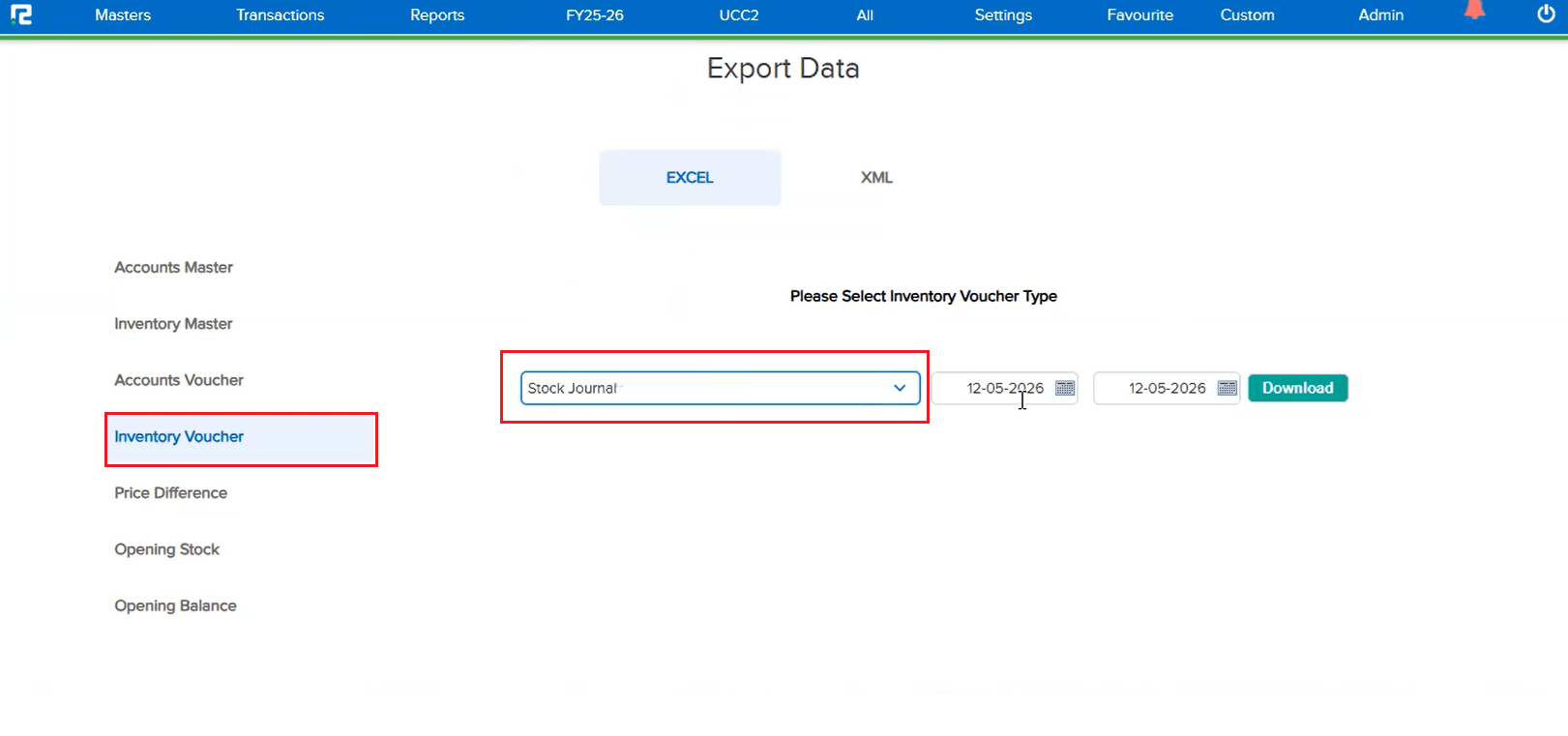
The Inventory Export in Import Format feature did not support Stock Journal entries. Users who needed to export Stock Journal vouchers in import format had no option to do so, limiting the export functionality for inventory-related transactions.
🌟 What This Means for You
The inventory export in import format now includes Stock Journal entries. You can export Stock Journal vouchers along with other inventory vouchers, making it easier to back up, transfer, or re-import inventory data as needed.
🎬 Where to Find It
📷 See It in Action
📌 What Was Happening
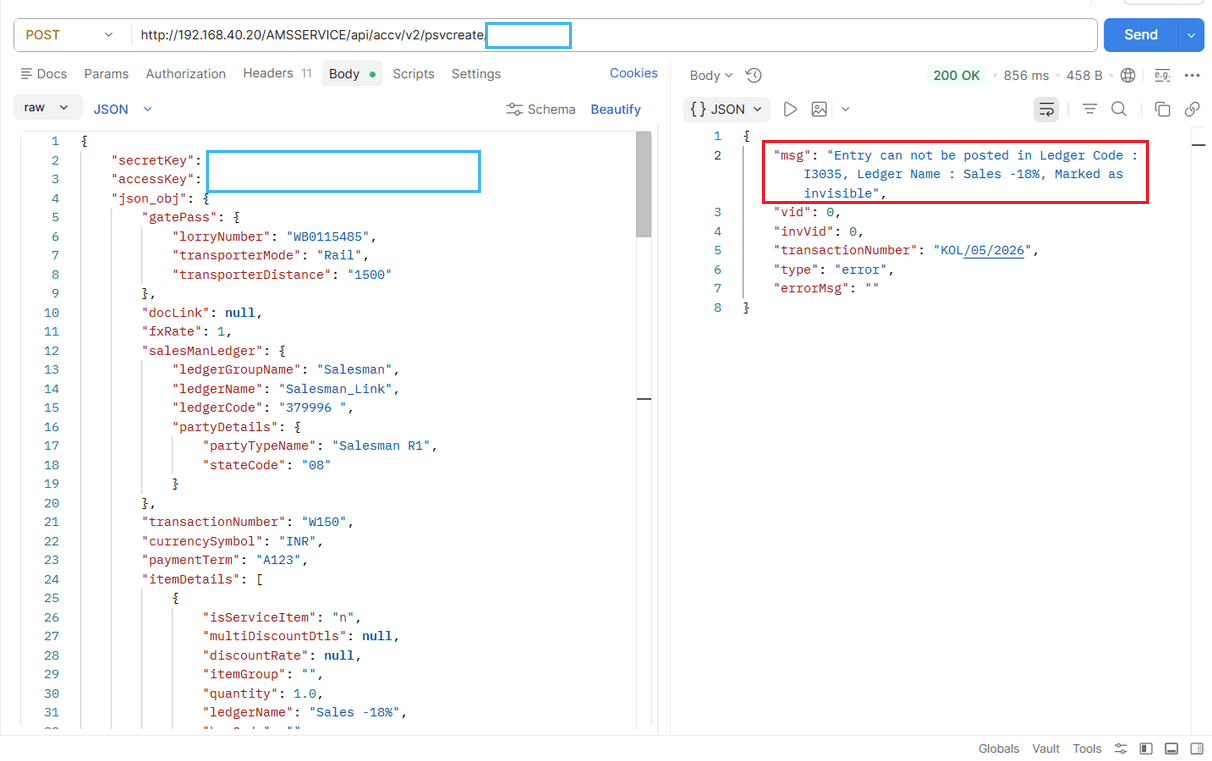
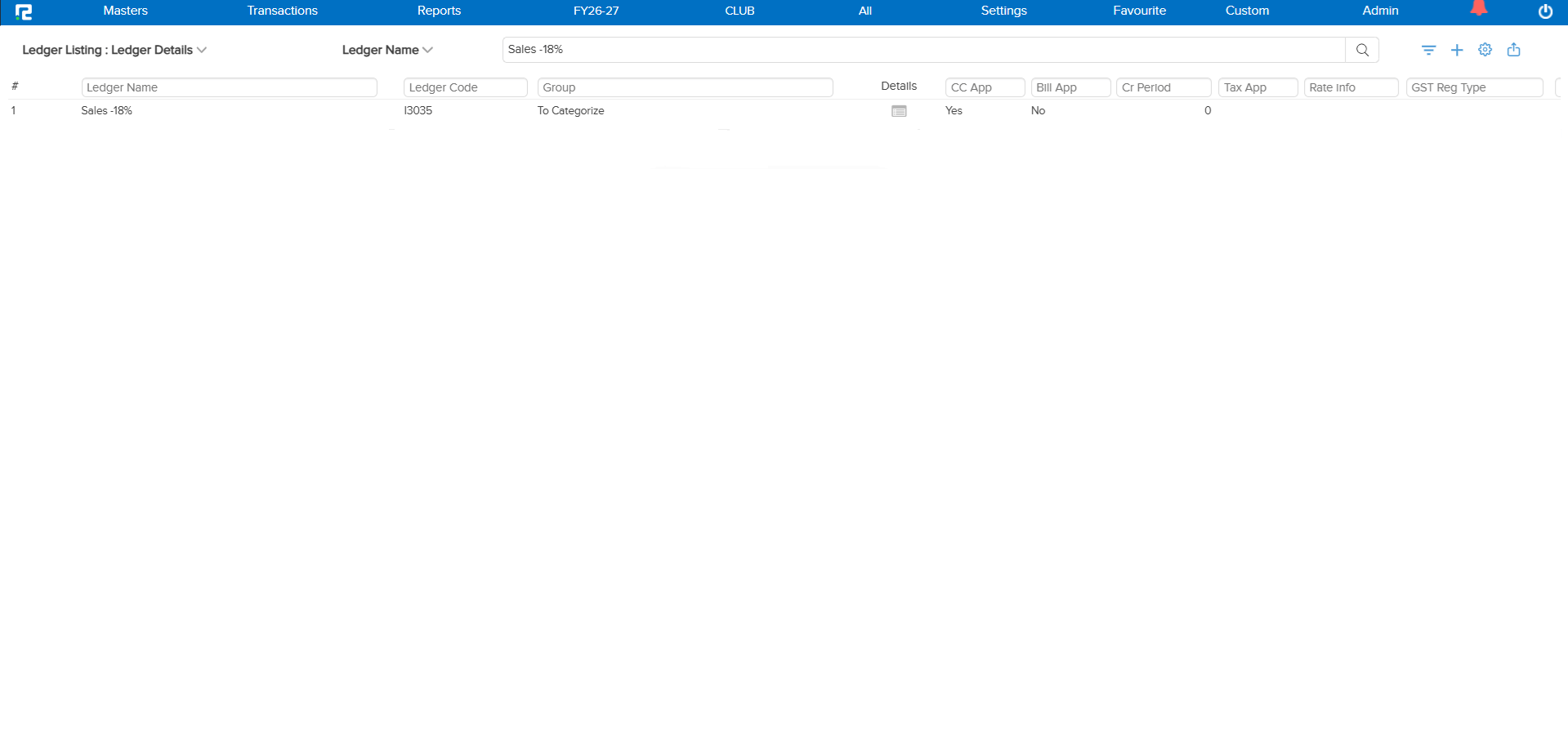
When the ledger code duplicate parameter check was enabled and a ledger was created with a specific code (e.g., L58742), disabling the visibility of that ledger caused an issue. If a user then posted an entry via API, instead of showing a duplicate check alert, the system allowed a new ledger to be created with the same ledger code — because the duplicate validation was not considering ledgers whose visibility was disabled.
🌟 How This Helps You
The duplicate ledger code validation has been corrected to include ledgers with disabled visibility in the duplicate check. Now, even if a ledger’s visibility is turned off, the system will correctly detect and prevent the creation of another ledger with the same code — whether created from the UI or via API.
📷 See It in Action
📌 What Was Happening
The back dated entry and edit permission defined in the User Master was not being considered when transactions were posted via API. This meant users could create or edit back-dated entries through the API without the system enforcing the configured permission restrictions — bypassing the intended access control.
🌟 How This Helps You
The back dated entry and edit permission defined in the User Master is now correctly enforced during API-based transaction posting. The system will validate the permission and restrict back-dated entries and edits via API, ensuring consistent behavior across both UI and API workflows.