Beta Release — 10-07-2026
📌 What Was Needed
There was no dedicated report under Bill Status to track outstanding bills falling within a critical near-term window. Users had no quick way to identify:
• Bills due within the next 7 days — payments that need to be actioned immediately
• Bills overdue within the last 7 days — payments that have already crossed their due date
Without this view, tracking and acting on these bills required manual effort across multiple screens, and there was no built-in path to push selected bills directly into bank export processing.
🌟 What This Means for You
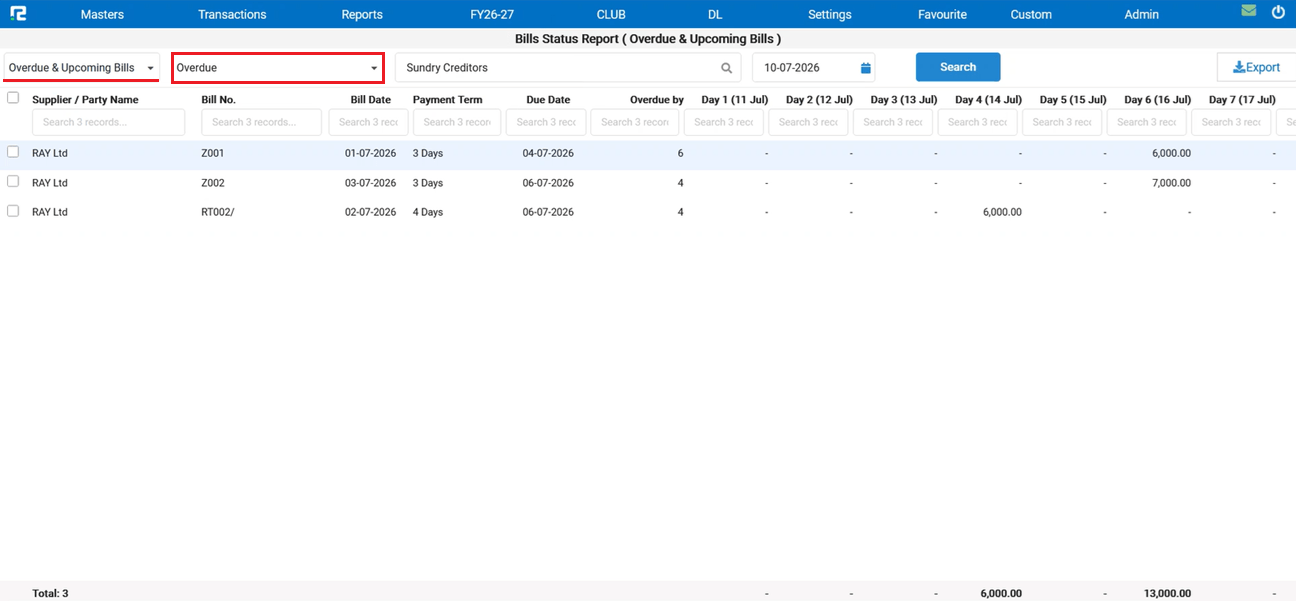
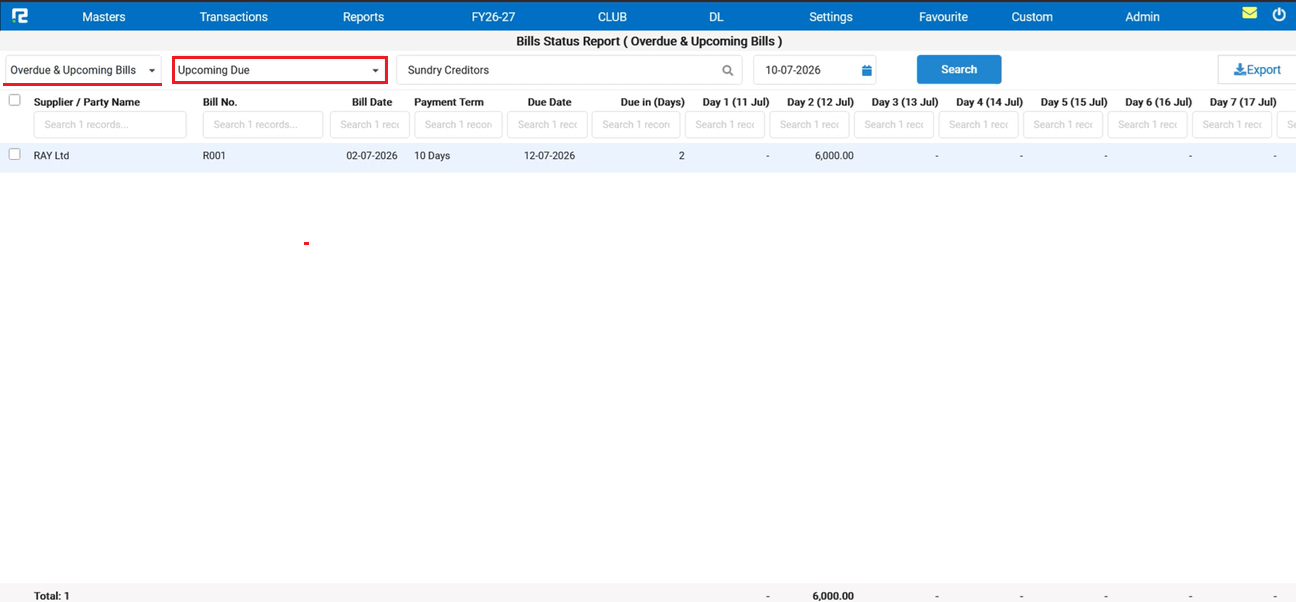
A new Pending Bills Due Within Next 7 Days report has been added under Bill Status:
• Tracks bills due within the next 7 days and bills overdue within the last 7 days in a single view
• Report is generated bill-wise for a granular, line-by-line breakdown of outstanding amounts
🎬 Where to Find It
📷 See It in Action
📌 What Was Happening
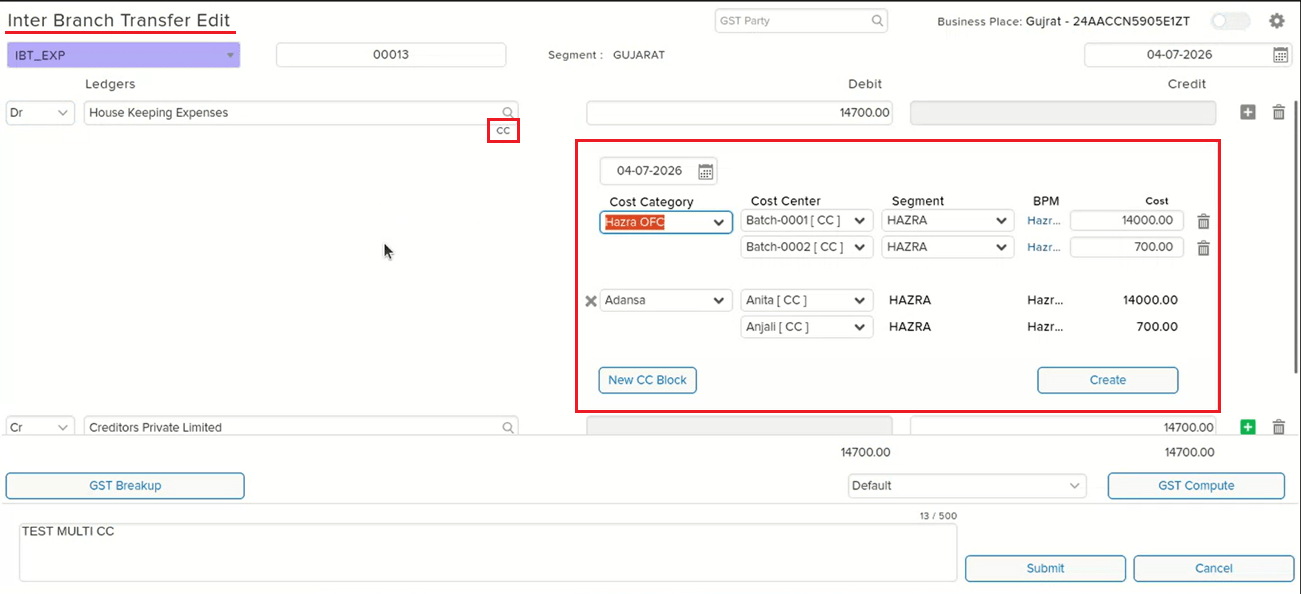
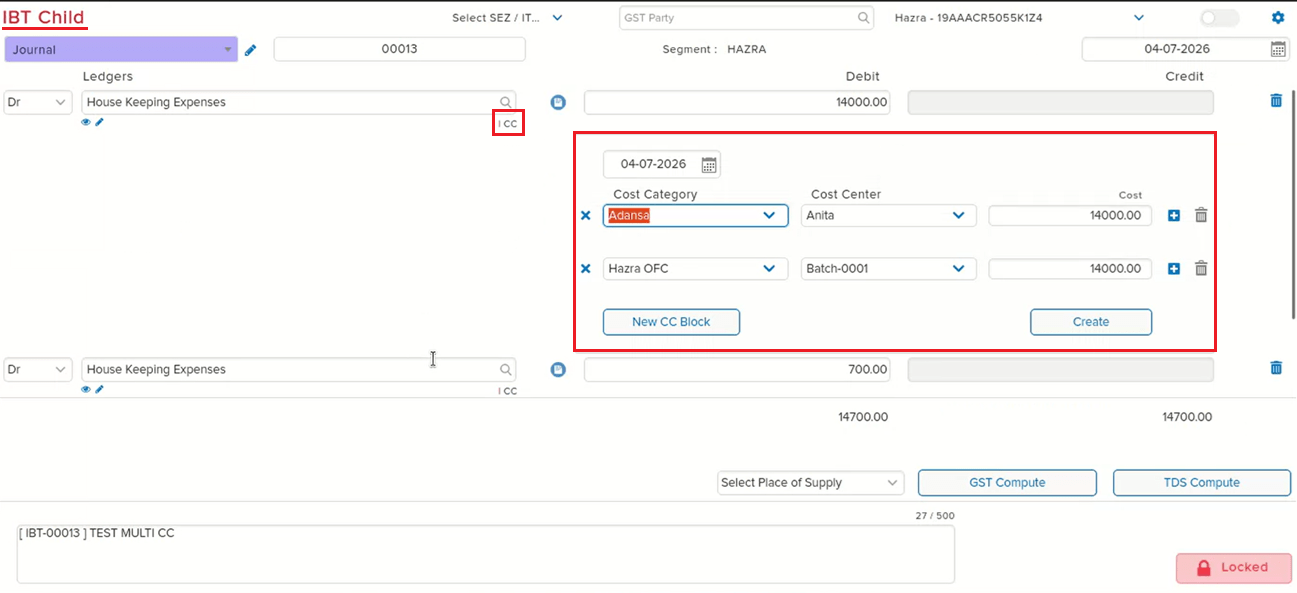
In an IBT (Inter-Branch Transfer) entry with two Cost Centre blocks entered, opening the corresponding child entry showed only one Cost Centre block in the Cost Centre view — even though the parent IBT entry correctly displayed both blocks. This mismatch was specific to the single cost centre configuration and caused the child entry to appear incomplete relative to the originating IBT.
🌟 What This Means for You
The Cost Centre view in the IBT child entry now correctly reflects the blocks entered in the parent IBT entry. When a single cost centre setup is used and multiple CC blocks are entered in the IBT, all blocks are now visible when opening the child entry — no more missing Cost Centre data on the child side.
🎬 Where to Find It
📷 See It in Action
📌 What Was Happening
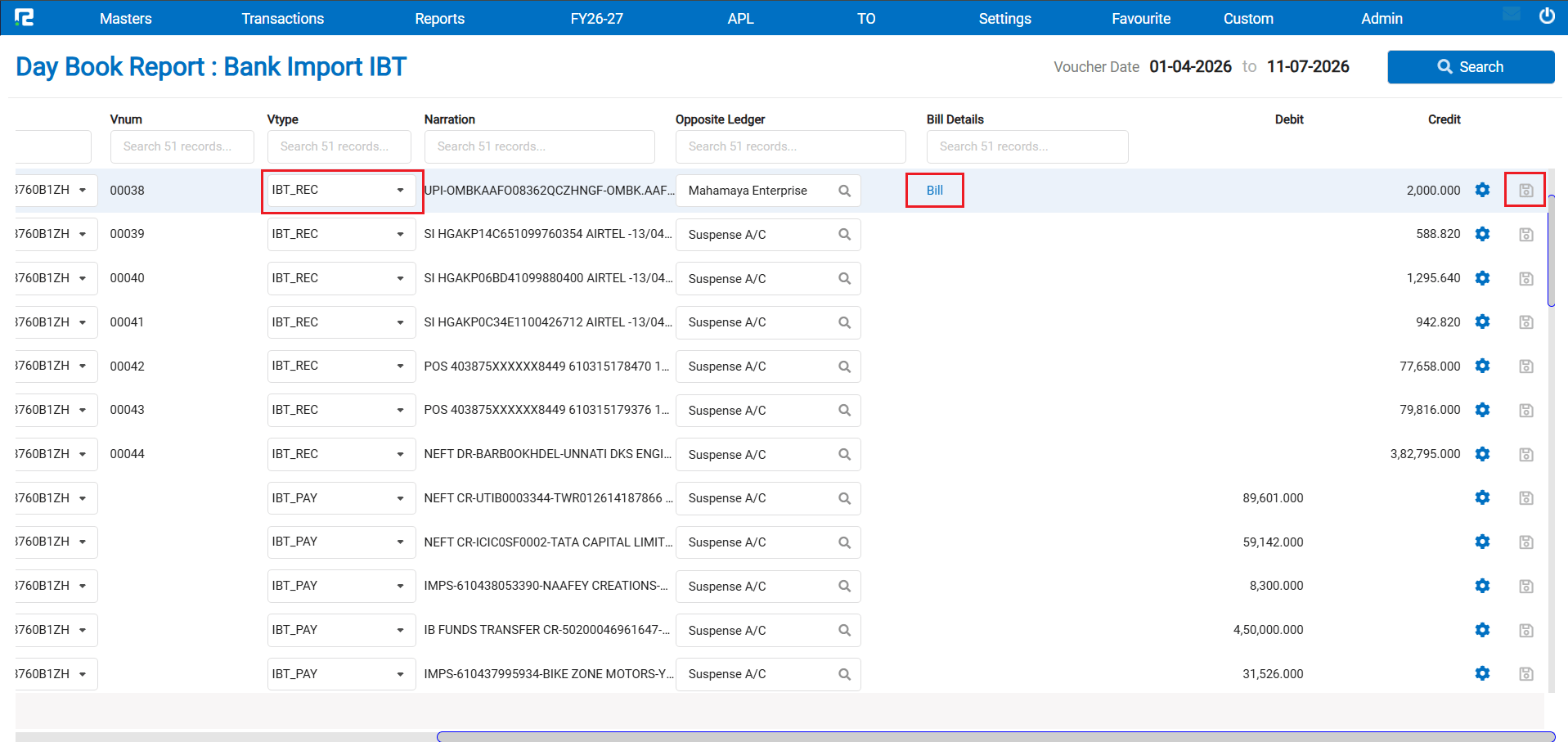
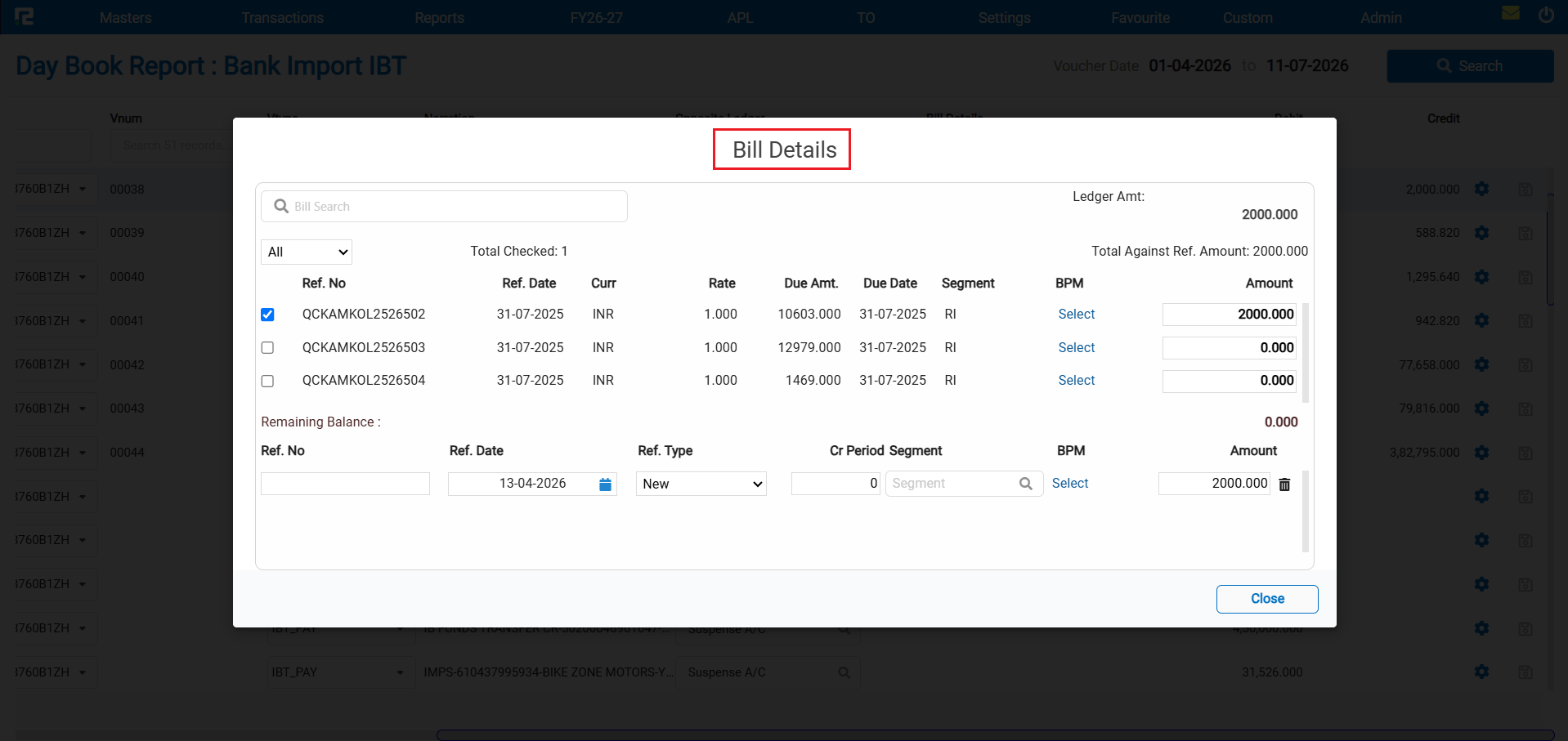
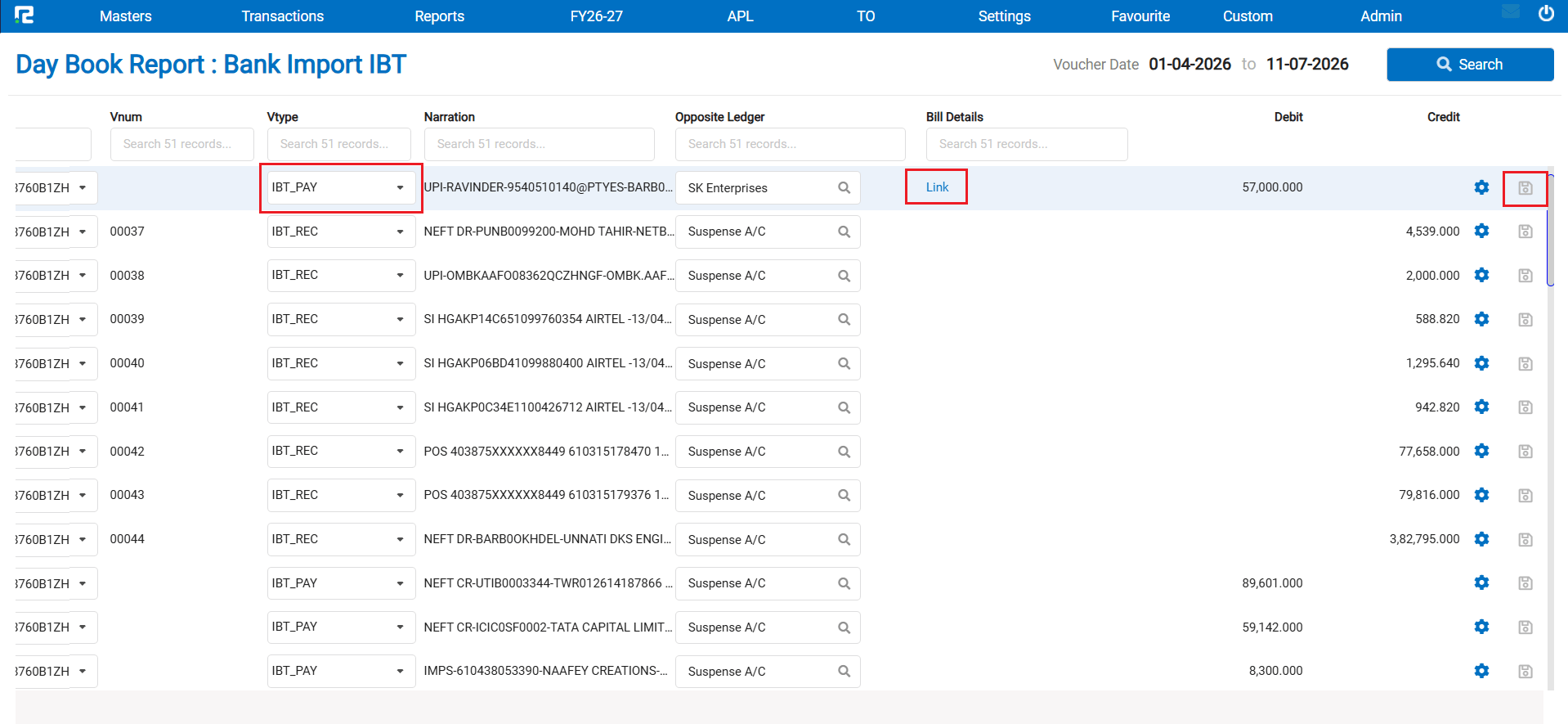
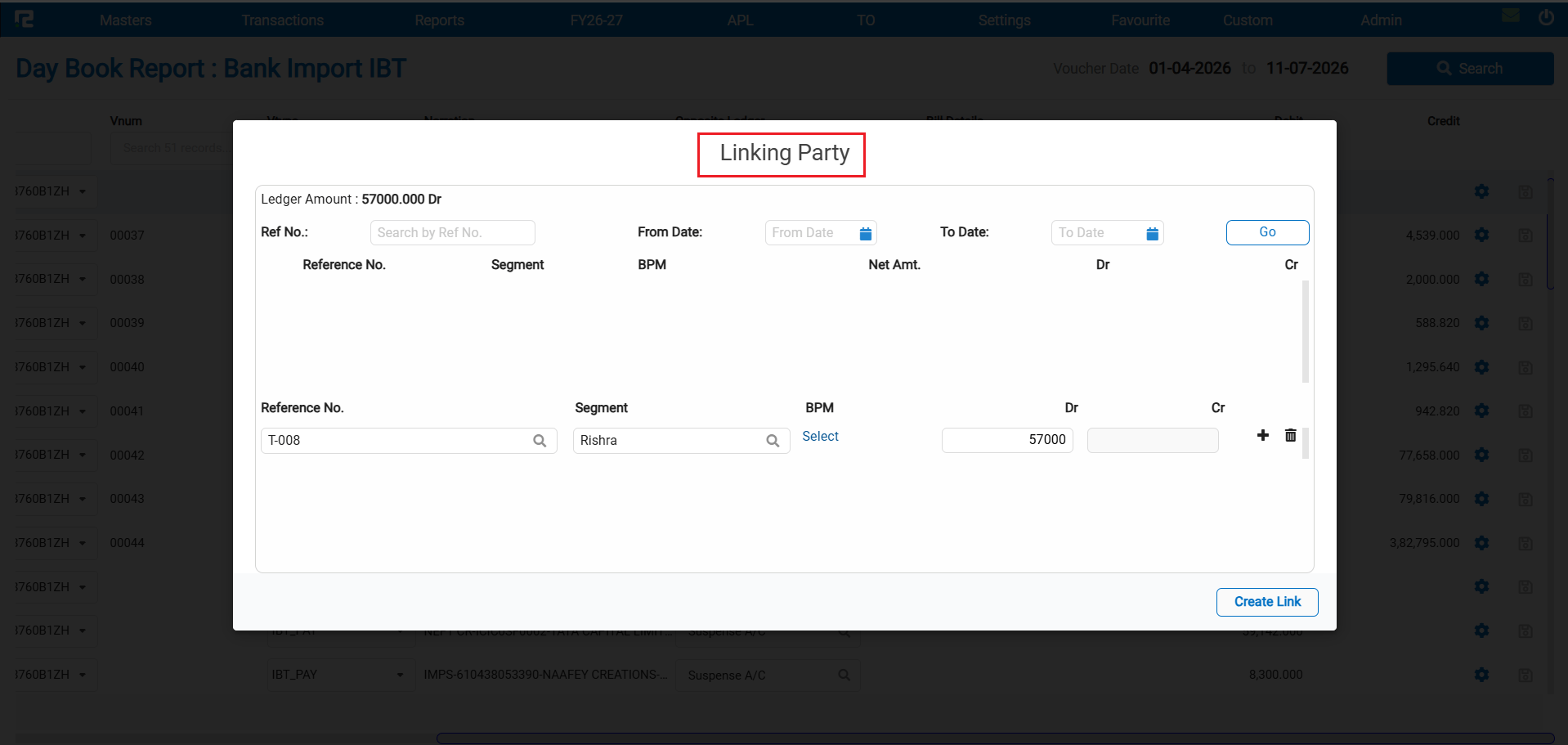
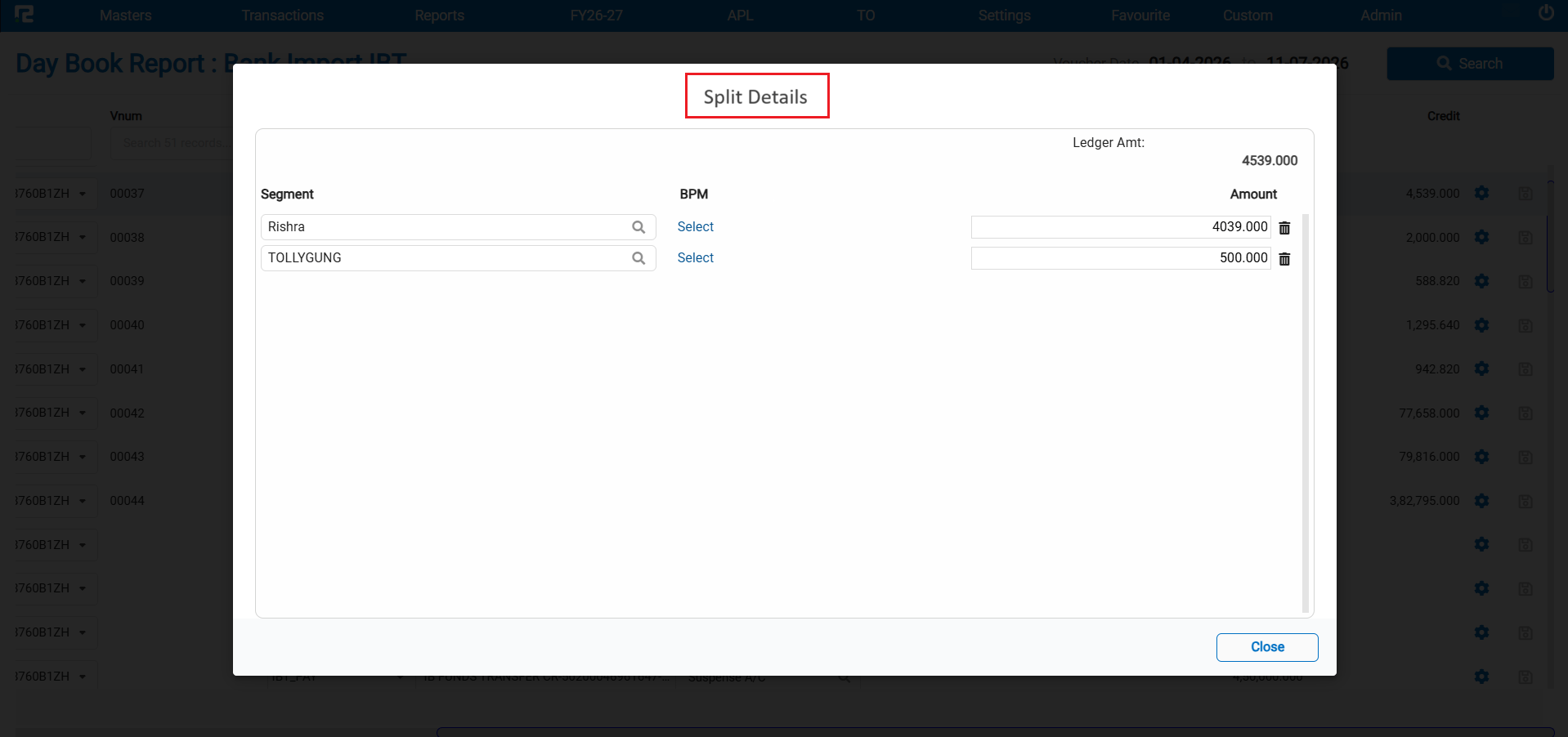
When a client uploads a bank statement via Bank Import and navigates to the Day Book option of Bank Import, they can update the suspense ledger, assign a customer or vendor, and tag bills. However, this split / breakup of segment functionality was not working for the following IBT voucher types:
• IBT PAY
• IBT RECEIPT
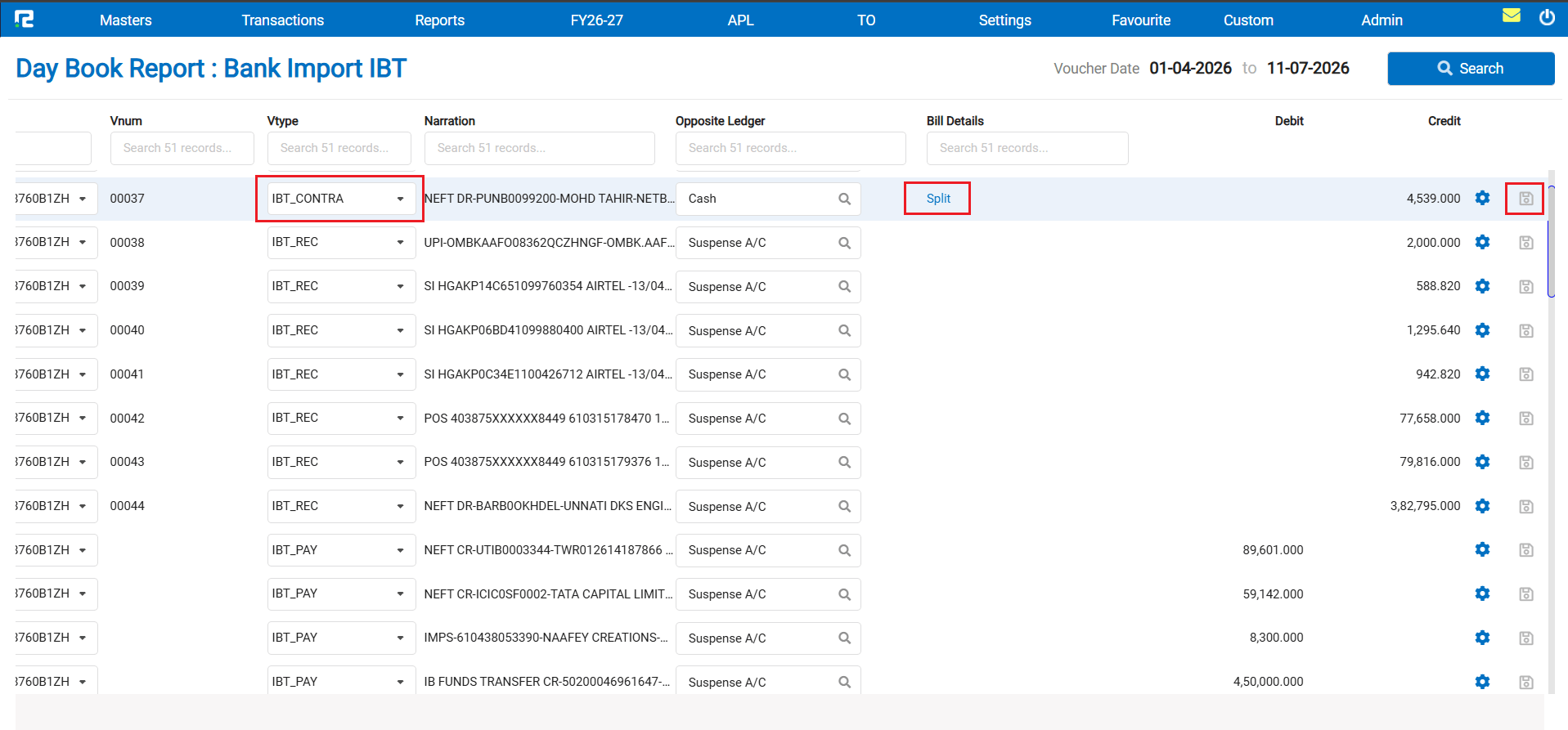
• IBT CONTRA
🌟 What This Means for You
The split / breakup behaviour for IBT voucher types in the Bank Import screen has been defined and implemented as follows:
• If both Bill and Link are enabled for a party — the user will not be allowed to split from either
• If either Bill or Link is enabled (but not both) — the user will be able to split
• If neither Bill nor Link is enabled for the party — the user will not be able to split
• If the suspense ledger is replaced by a Cash / Bank ledger, the voucher type automatically changes to IBT Contra within the same screen — no manual vtype switching needed
🎬 Where to Find It
📷 See It in Action
📌 What Was Happening
The GSTR-1 Report had two data mismatch issues:
• Place of Supply mismatch — the Place of Supply value was not being handled correctly in certain scenarios, causing discrepancies in the report
• Voucher-wise details mismatch for B2Cs — the voucher-level breakdown for B2C transactions was not aligning with the expected GSTR-1 format
Additionally, RCM (Reverse Charge Mechanism) entries were appearing in the B2B drill-down and were also being counted in the B2B summary, which was incorrect — RCM entries should be tracked separately and not inflate the B2B section count.
🌟 What This Means for You
The following corrections have been made to the GSTR-1 Report:
• Place of Supply data is now handled correctly, eliminating mismatches in the report
• Voucher-wise details for B2Cs now align accurately with the expected GSTR-1 format
• RCM entries will continue to appear in the B2B drill-down for reference, but will no longer be included in the B2B summary count — they will instead be correctly shown under the RCM section in the summary
🎬 Where to Find It
📌 What Was Happening
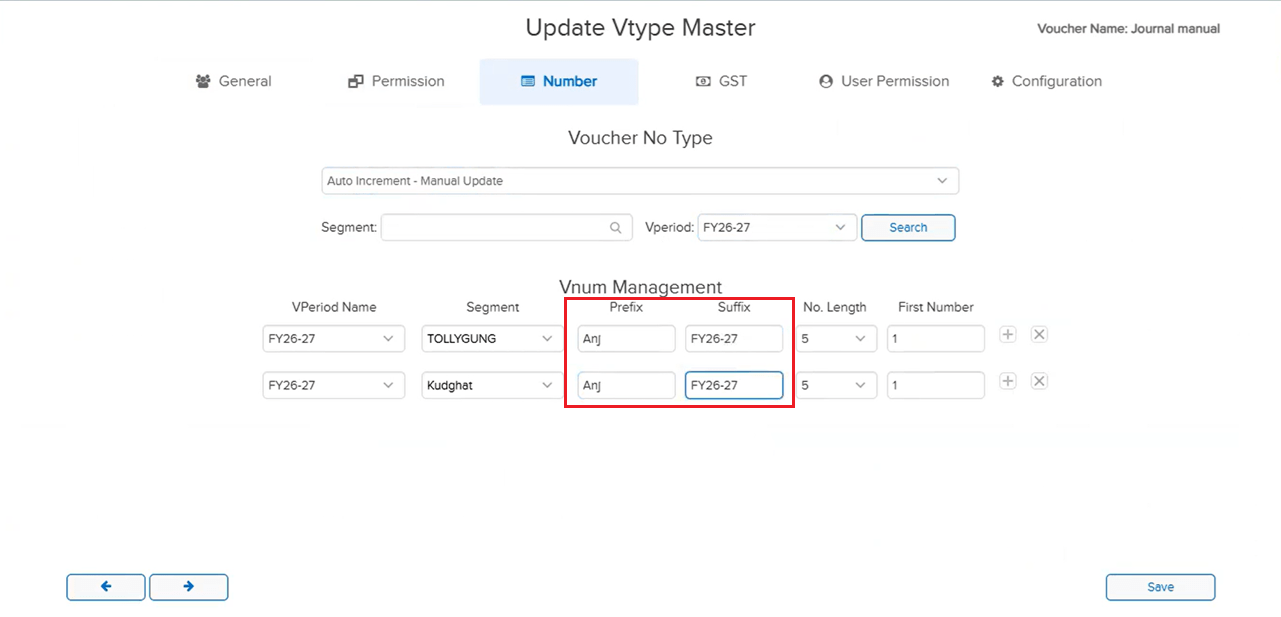
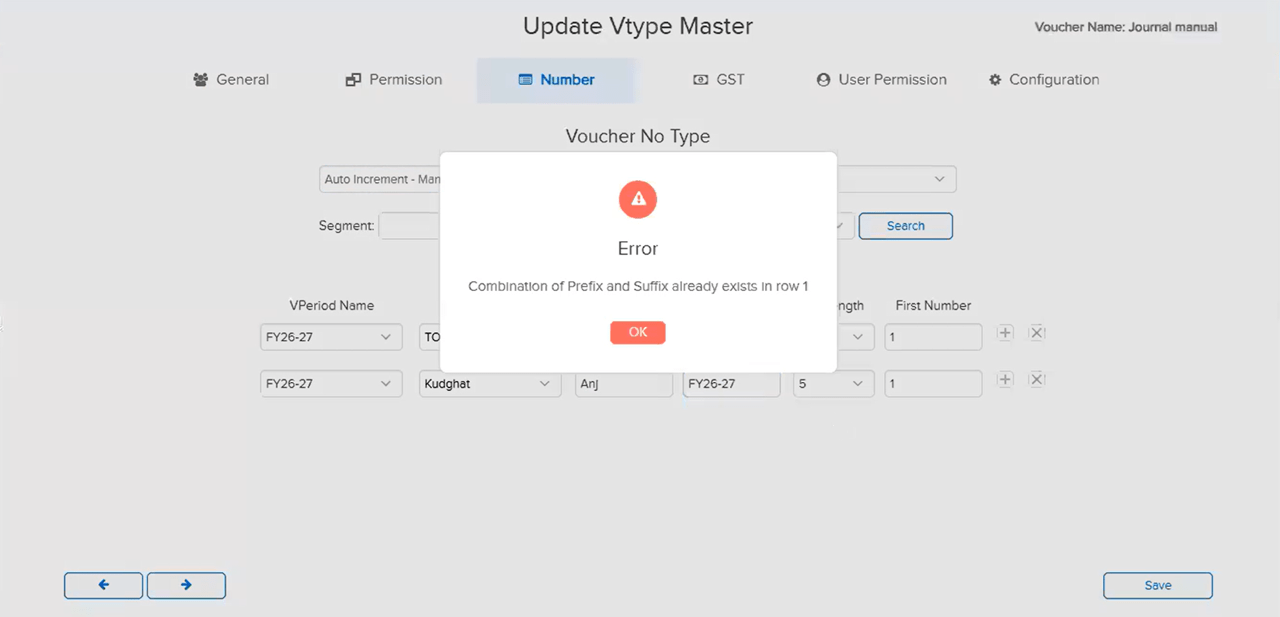
In the Auto-Increment Manual Update numbering configuration, it was possible to assign the same Prefix / Suffix combination to two different Segments under the same Voucher Type. This caused duplicate voucher numbers to be generated across those segments, since both segments shared the same numbering sequence identifier — leading to numbering conflicts within the voucher type.
🌟 How This Helps You
The system now restricts the use of the same Prefix / Suffix combination across different Segments within the same Voucher Type under Auto-Increment Manual Update — preventing duplicate voucher numbering at the source.
Note: The same Prefix / Suffix can still be used across two different Voucher Types with any Segment combination — this restriction applies only within a single Voucher Type.
🎬 Where to Find It
📷 See It in Action
📌 What Was Happening
In a Sales Order (SO), when an item was populated from a pricelist before the Party was selected, the amount reflected incorrectly — tax was calculated properly but was not included in the displayed amount. The amount only corrected itself when the user clicked the Tab key, requiring an extra manual step to trigger the recalculation.
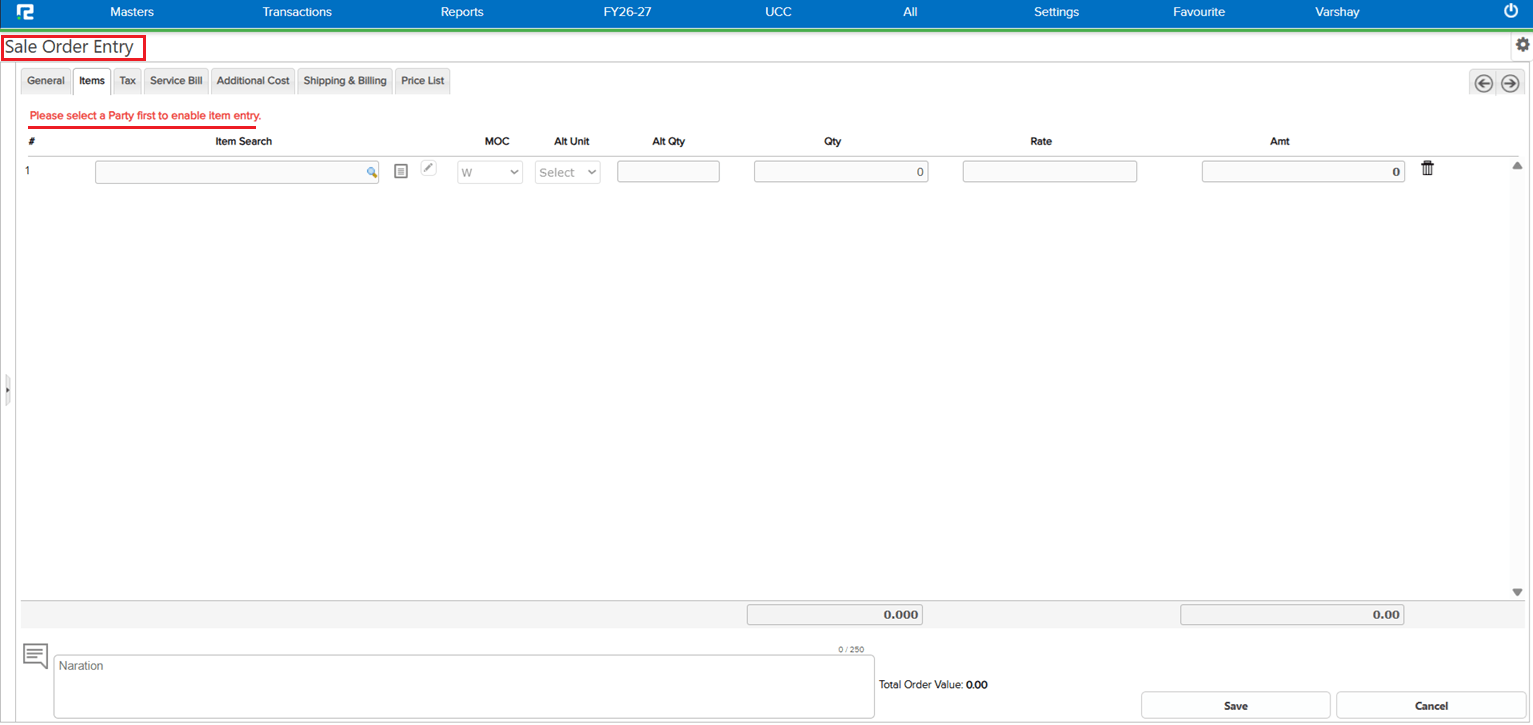
The root cause was the order of entry: adding item details before selecting the Party meant pricelist and tax values were applied without a complete party context, resulting in an incorrect amount.
🌟 How This Helps You
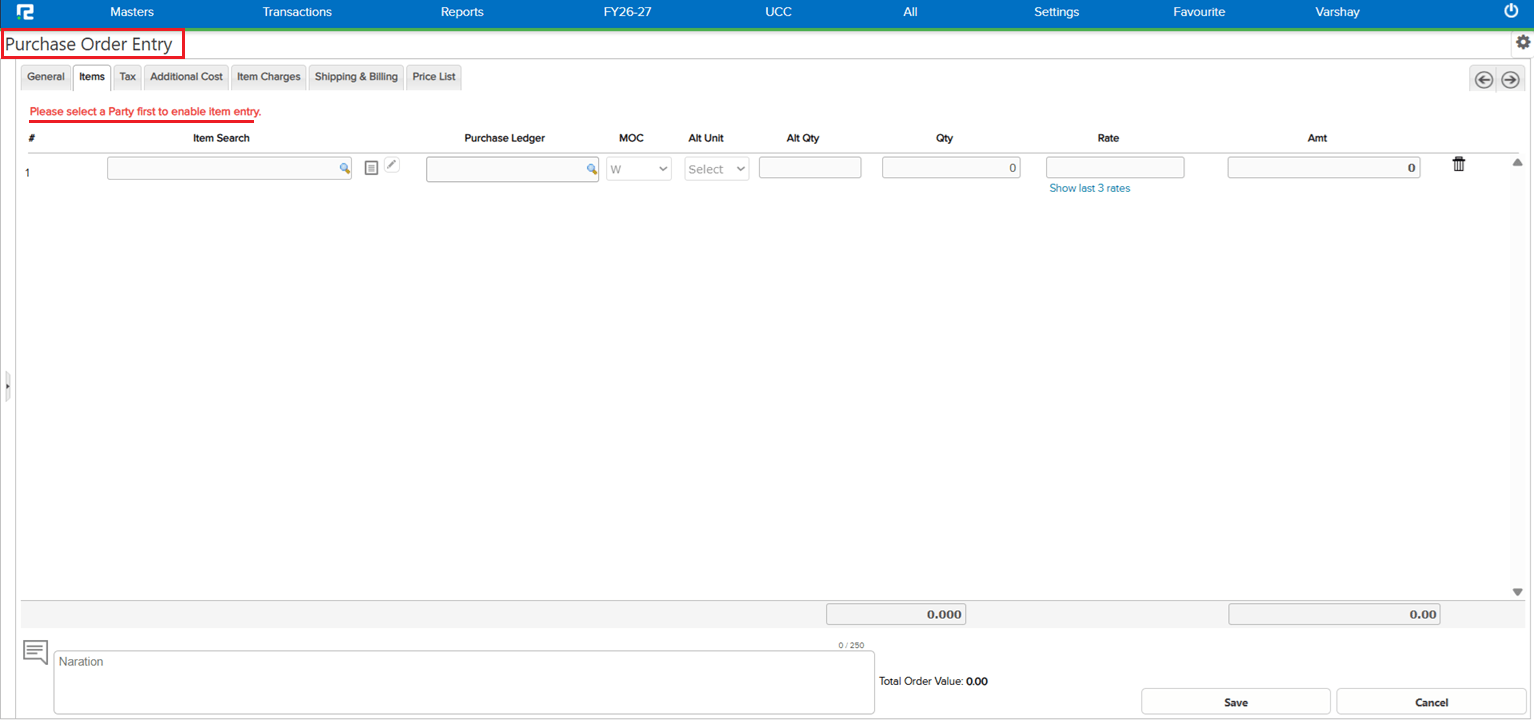
To prevent this at the source, the system now restricts users from adding items before selecting the Party in both Sales Order and Purchase Order. Party must be selected first, ensuring that pricelist values and tax are always calculated with the correct party context — the amount is accurate from the moment the item is added, with no Tab-key workaround needed.
🎬 Where to Find It
📷 See It in Action
📌 What Was Happening
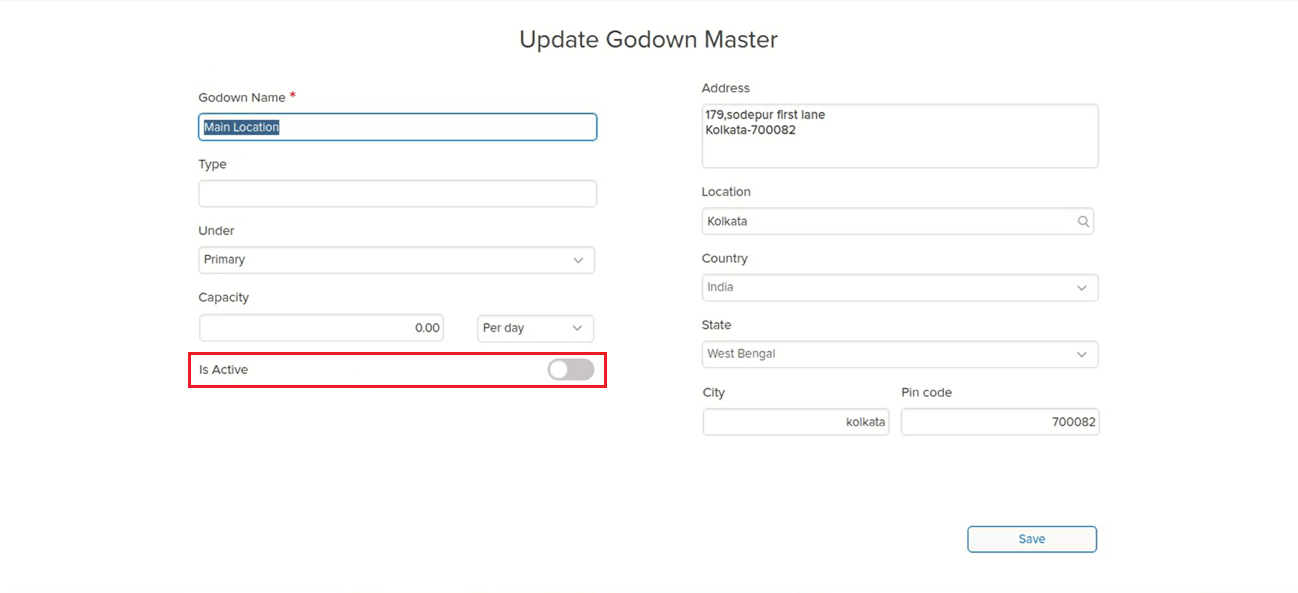
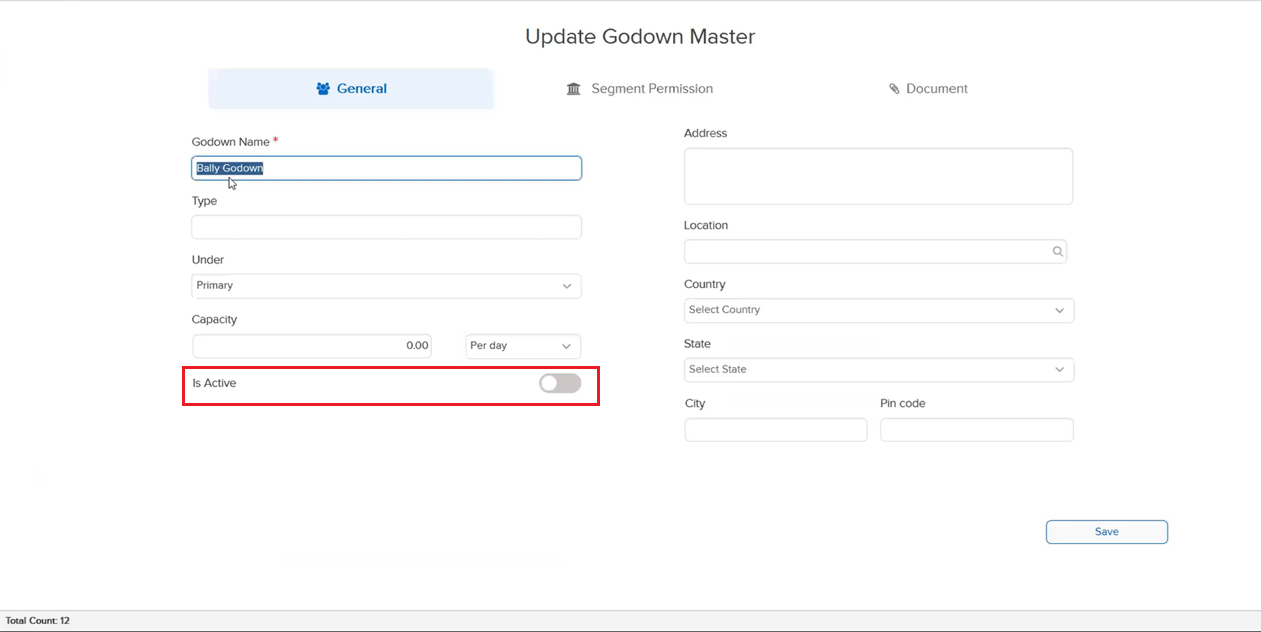
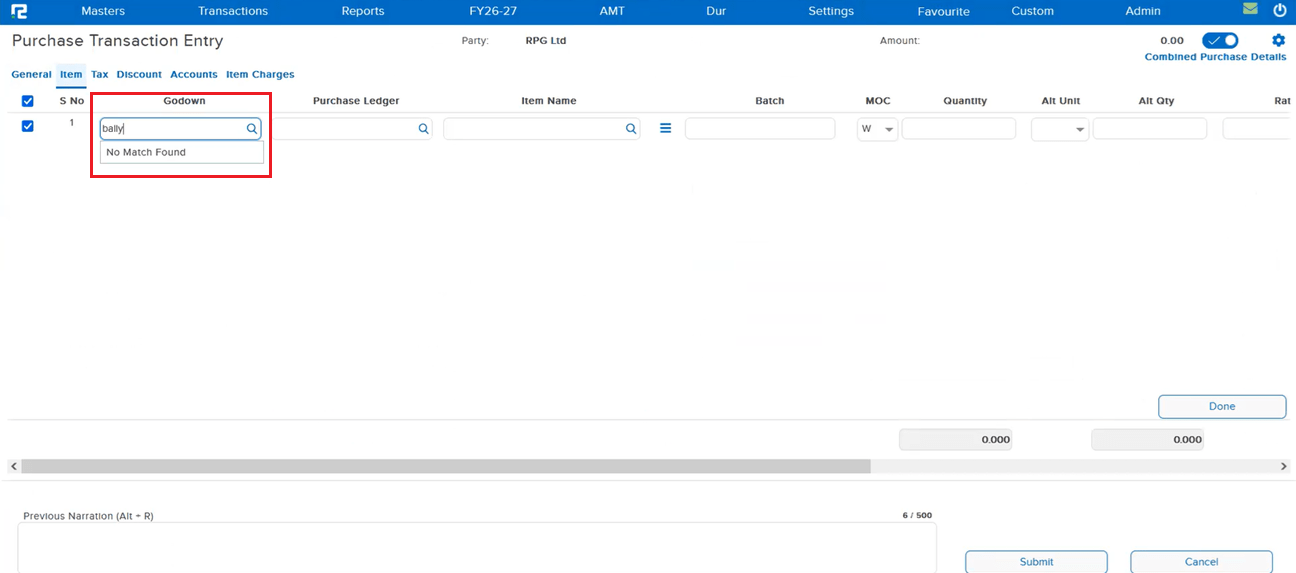
RealBooks correctly blocks manual search of an inactive godown in transaction screens. However, there was a gap when the Default Godown feature was in use:
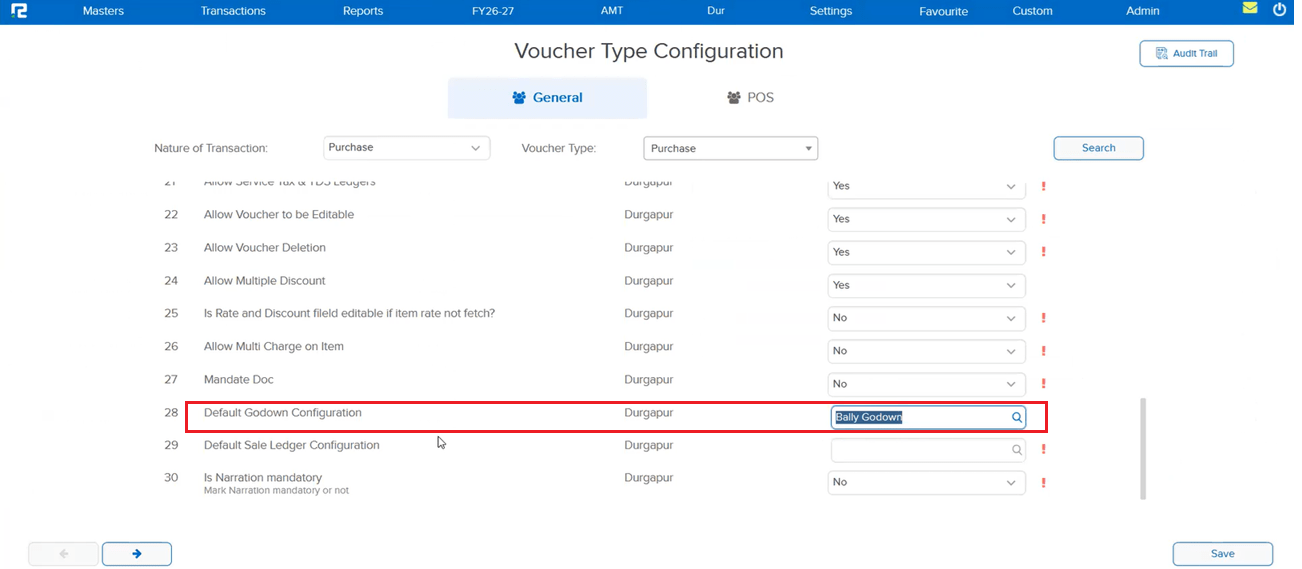
If a godown was set as the default godown in the inventory screen via Txn Configuration → Param, it would be auto-populated into the entry. If that godown was subsequently marked inactive in Godown Master, the inactivity check was not applied to this auto-populated value — allowing the inactive godown to silently slip into new and edited entries.
🌟 How This Helps You
The inactive godown validation has been extended to cover the Default Godown auto-population path on Entry pages. If the configured default godown is inactive, it will no longer be auto-populated into the entry — ensuring that only active godowns can appear in transactions, whether entered manually or filled automatically.
🎬 Where to Find It
📷 See It in Action
📌 What Was Happening
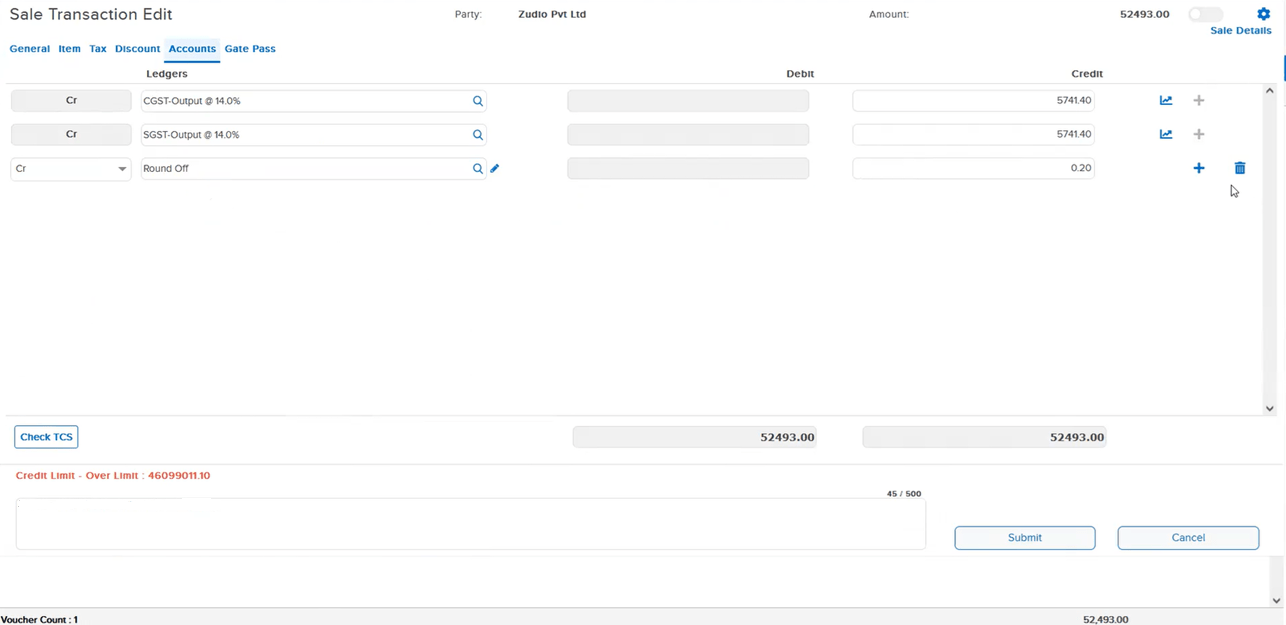
When opening a Sales Entry in Edit mode, two issues were present in the Accounts tab:
• The tax amount was not displayed — the field appeared blank even though tax had been applied to the entry
• Any ledger added in the Accounts tab during editing was not retained when the Sales Entry was saved and reopened in Edit mode — the added ledger disappeared, requiring the user to re-enter it each time
🌟 How This Helps You
Both issues in the Sales Entry Accounts tab have been corrected:
• The tax amount now displays correctly when opening a Sales Entry in Edit mode
• Ledgers added in the Accounts tab are now saved and correctly reflected when the entry is reopened in Edit mode — no more re-entering ledger details on every edit
🎬 Where to Find It
📷 See It in Action
📌 What Was Happening
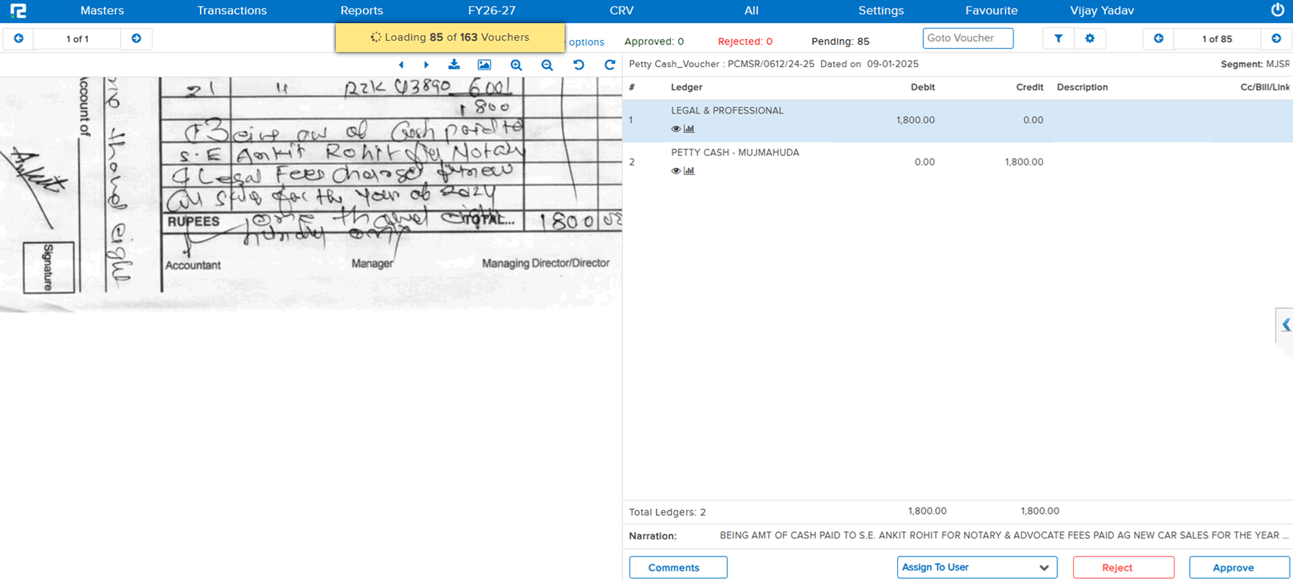
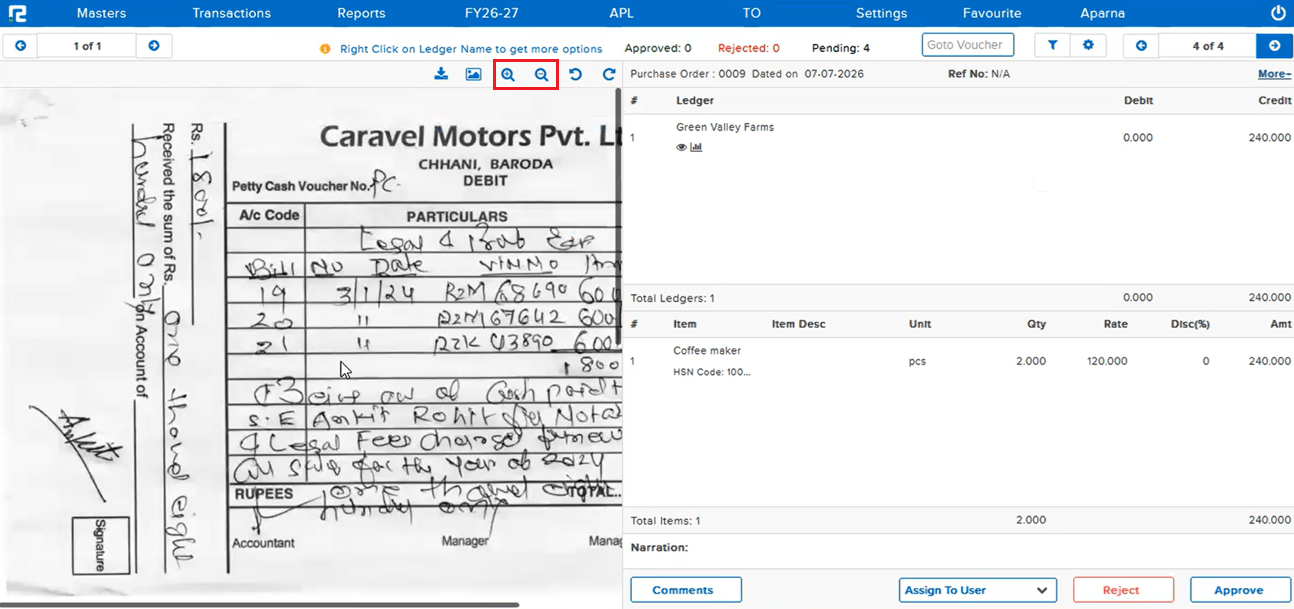
When trying to view an attached document from the Approval List, the full image of the document was not loading in the viewer. Although the zoom in / zoom out controls were present, certain documents were failing to load completely — forcing users to download the document every time just to see its full content, which was time-consuming and disruptive to the approval workflow.
🌟 How This Helps You
The document loading issue in the Approval List viewer has been fixed. Attached documents that previously failed to render fully now load completely within the viewer — users can view the full document directly from the Approval List without needing to download it. The zoom in / zoom out controls work as intended for all documents.
🎬 Where to Find It
📷 See It in Action
📌 What Was Happening
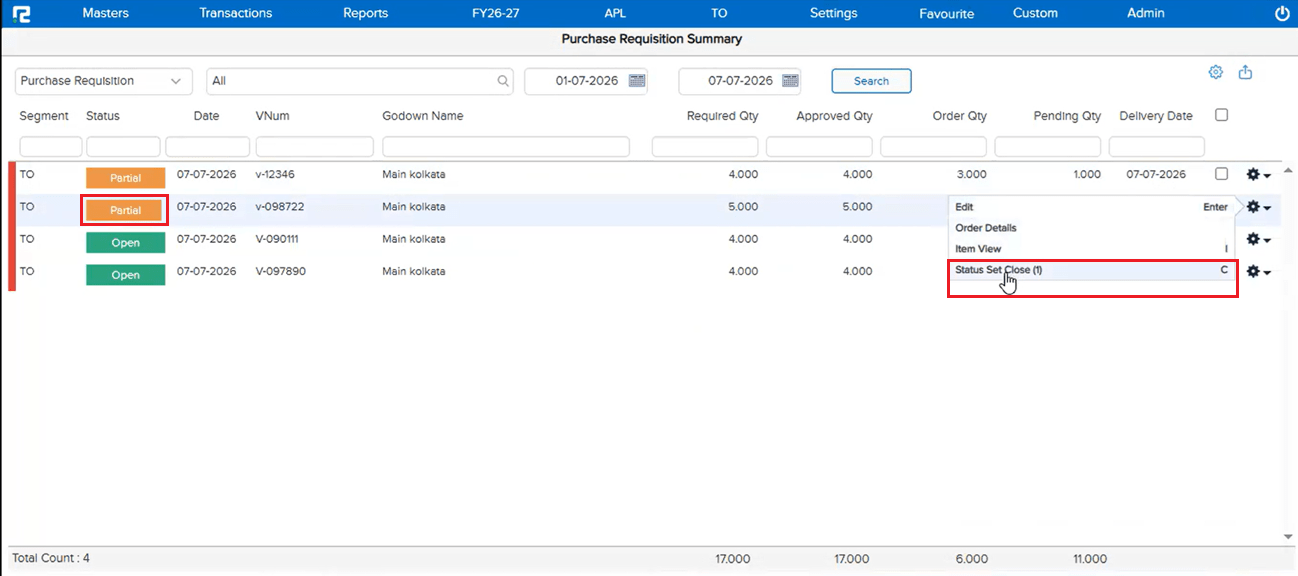
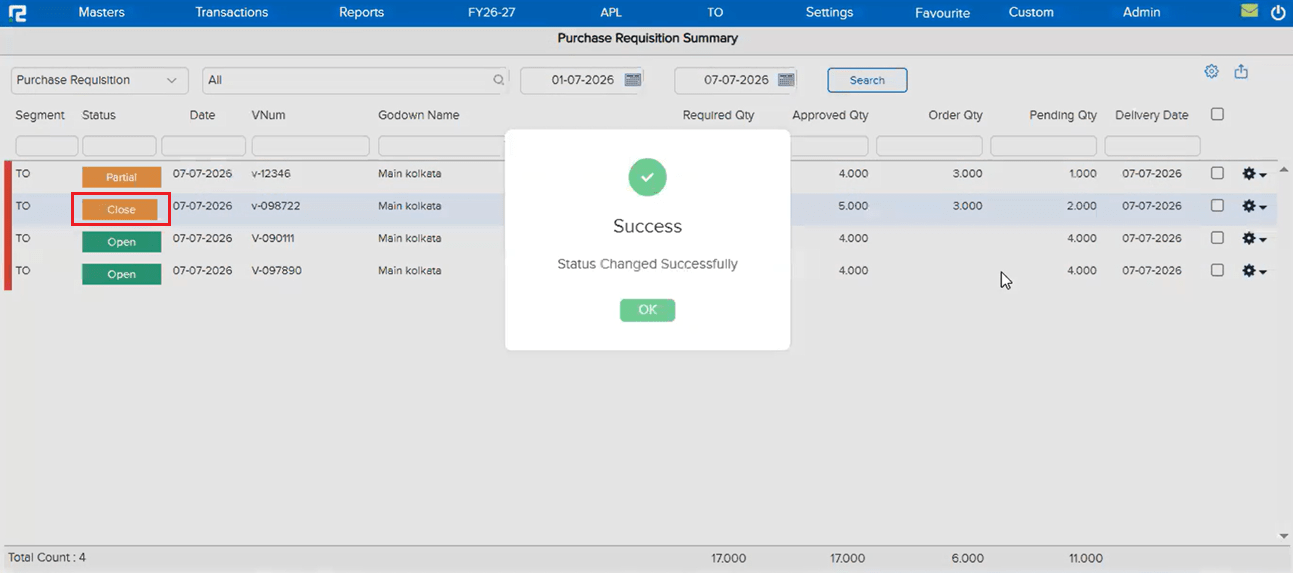
In the Purchase Requisition, when opening an entry that was in Partial status and changing its status to Open, the system displayed the message “Data not saved” — preventing the status update from being applied. Users were unable to revert a Partial requisition back to Open without this error blocking the save.
🌟 How This Helps You
The issue has been fixed. Editing a Purchase Requisition with Partial status and changing it to Open now saves correctly without any “Data not saved” error — the status update is applied and retained as expected.
🎬 Where to Find It
📷 See It in Action
📌 What Was Happening
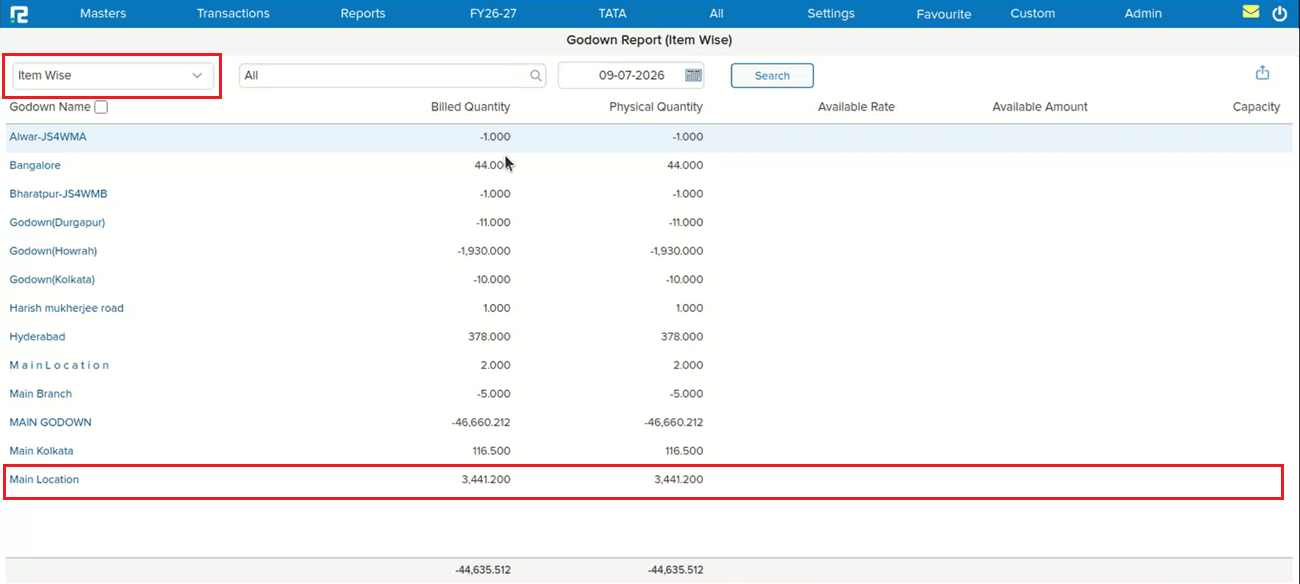
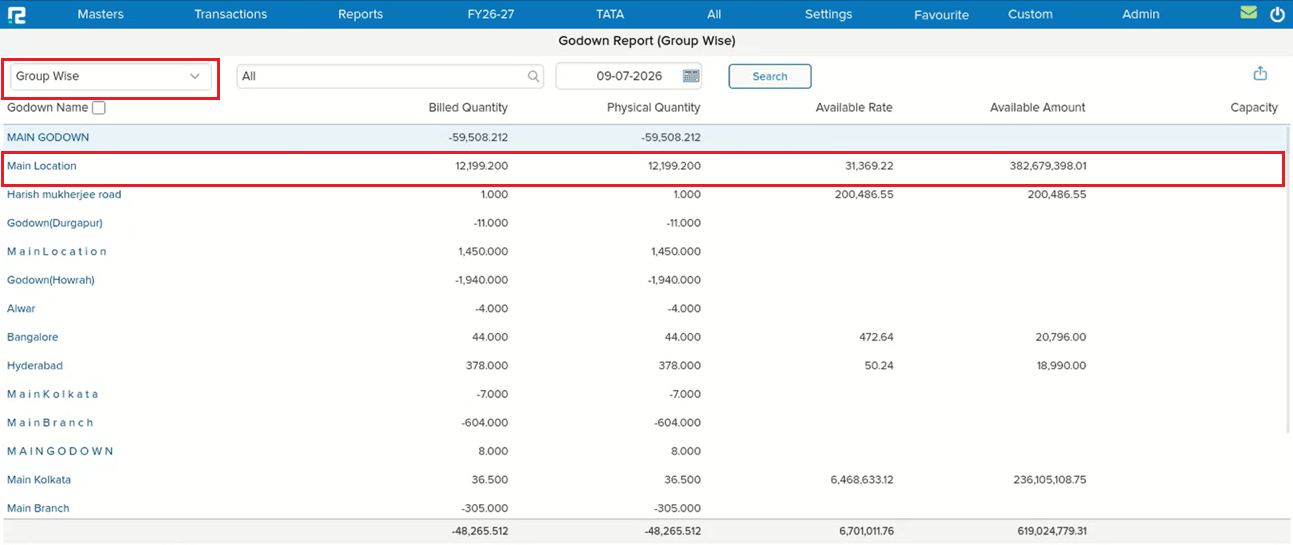
In the Godown Report, godowns that had been marked as inactive in Godown Master were not appearing in the following report variations:
• Item Wise — inactive godowns were missing from the item-level breakdown
• Group Wise — inactive godowns were missing from the group-level breakdown
This meant that stock held in or associated with an inactive godown was silently excluded from these report views, leading to incomplete data.
🌟 How This Helps You
The Godown Report now correctly reflects inactive godowns in both the Item Wise and Group Wise variations. Stock data associated with inactive godowns is no longer excluded from these views — giving a complete and accurate picture across all godowns regardless of their active / inactive status.
🎬 Where to Find It
📷 See It in Action