Beta Release — 10-06-2026
📌 What Was Happening
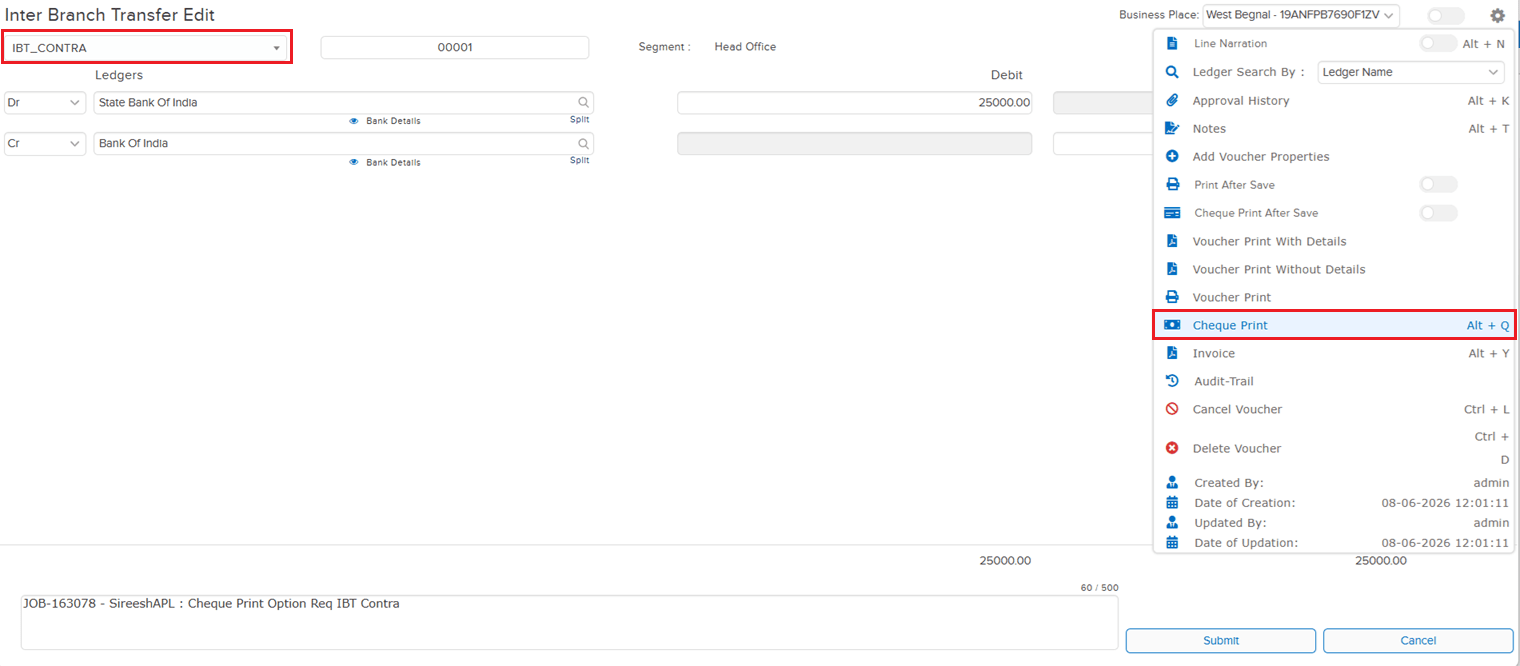
The Cheque Print option was available in the regular (non-IBT) Contra Voucher Type, but was not available in the Parent IBT Contra Voucher Type. Users creating inter-branch contra entries had no way to print cheques directly from the IBT Contra screen — forcing them to use a workaround or process the cheque separately, adding unnecessary steps to the workflow.
🌟 What This Means for You
The Cheque Print option is now available in the Parent IBT Contra Voucher Type, matching the behaviour of the regular Contra Voucher. You can now print cheques directly from IBT Contra entries — bringing consistency across contra voucher types and removing the need for any workaround when processing inter-branch contra transactions with cheque payments.
🎬 Where to Find It
📷 See It in Action
📌 What Was Happening
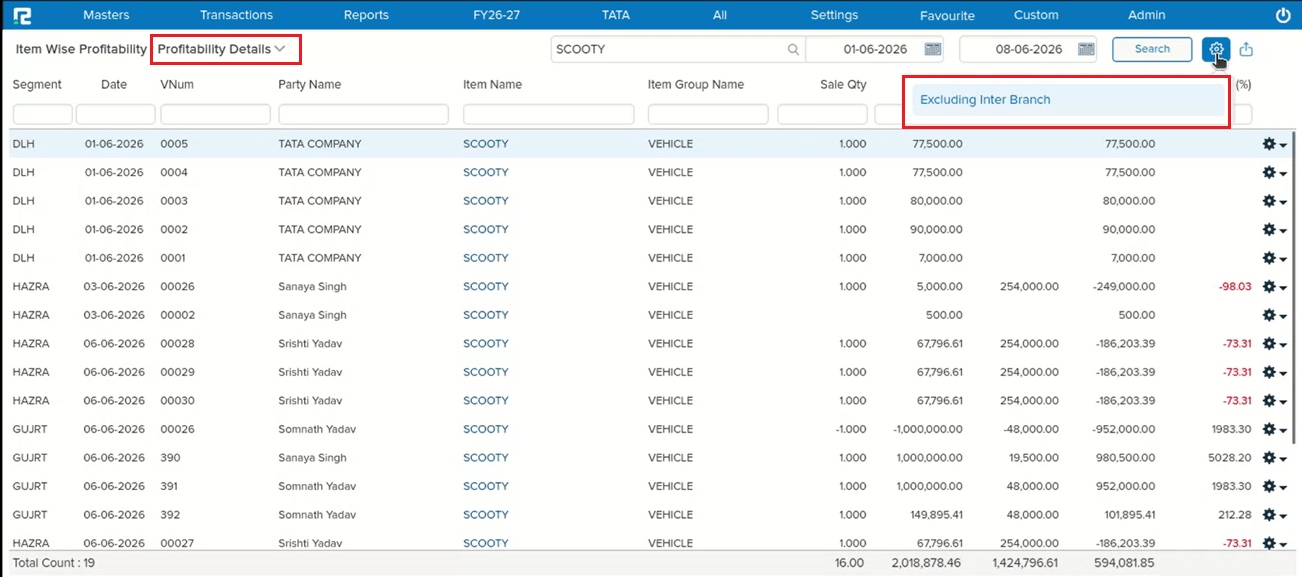
In the Item-wise Profitability → Profitability Details report, there was no option to exclude inter-branch transactions from the results. The “Exclude Inter-Branch” filter was already available in the Batch-wise Profitability Details report, but users viewing the item-wise breakdown had no equivalent control — meaning inter-branch transfers were always included, which could skew profitability figures for companies operating across multiple branches.
🌟 What This Means for You
The “Exclude Inter-Branch” option is now available in the Item-wise Profitability → Profitability Details report options, bringing it in line with the Batch-wise Profitability Details report. You can now filter out inter-branch transactions when analysing item-level profitability — giving a cleaner, more accurate picture of actual sales and margins without inter-branch noise.
🎬 Where to Find It
📷 See It in Action
📌 What Was Happening
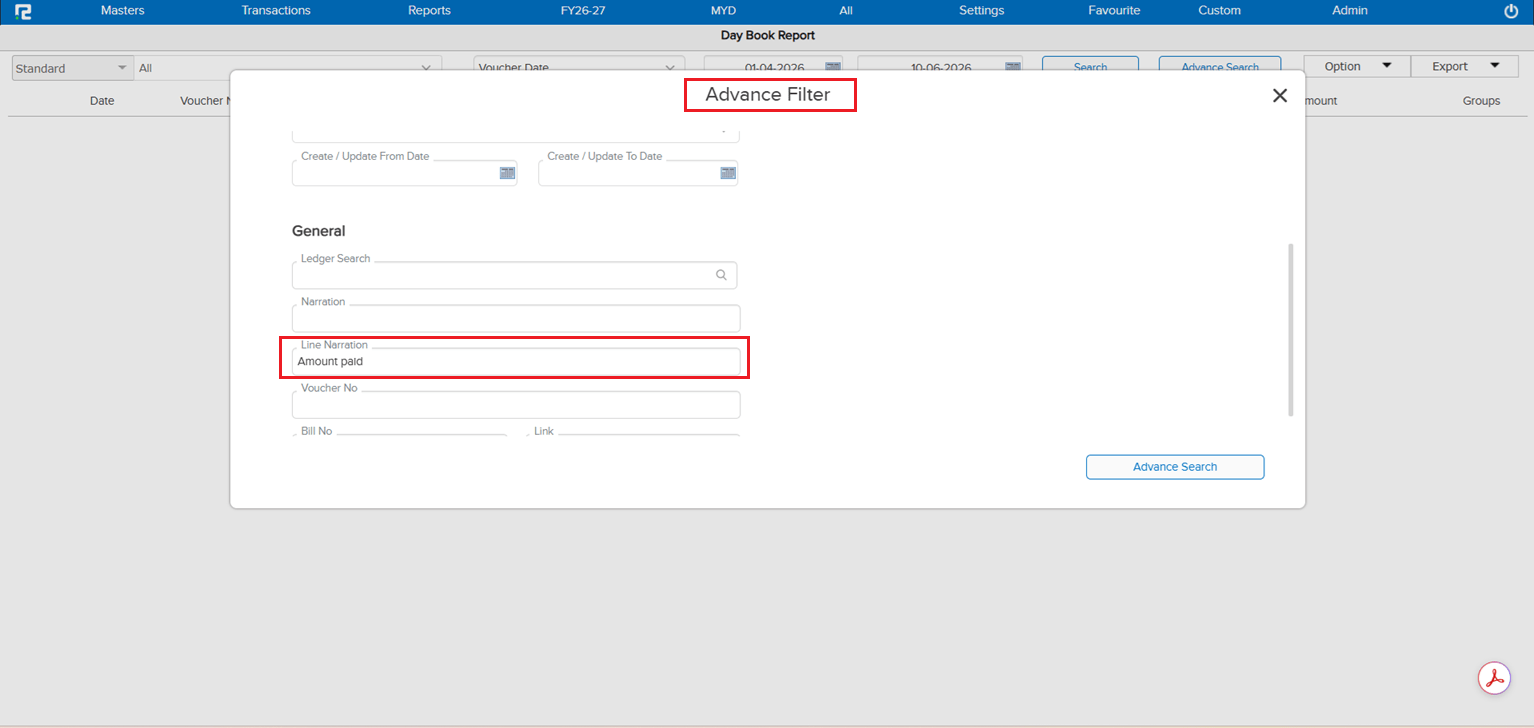
In the Daybook Advance Search, users could search by various fields but there was no option to search by Line Narration. When entries had narration recorded at the line level, there was no way to locate them using that narration text through the advance search — making it difficult to trace specific transactions where only the line narration was known.
🌟 What This Means for You
A Line Narration search option has been added to the Daybook Advance Search. You can now search daybook entries by line-level narration text — making it faster and easier to locate specific transactions when only the line narration is available as a reference.
🎬 Where to Find It
📷 See It in Action
📌 What Was Happening
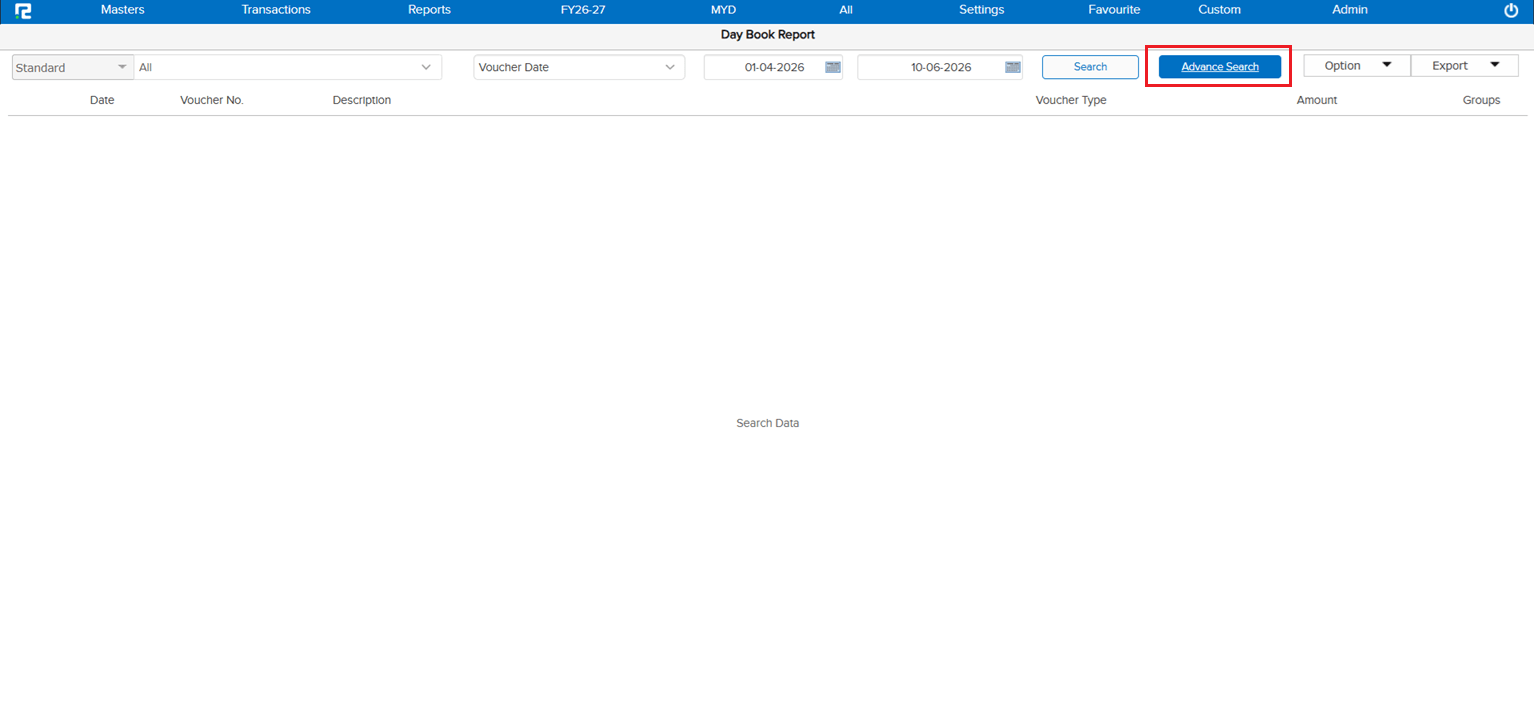
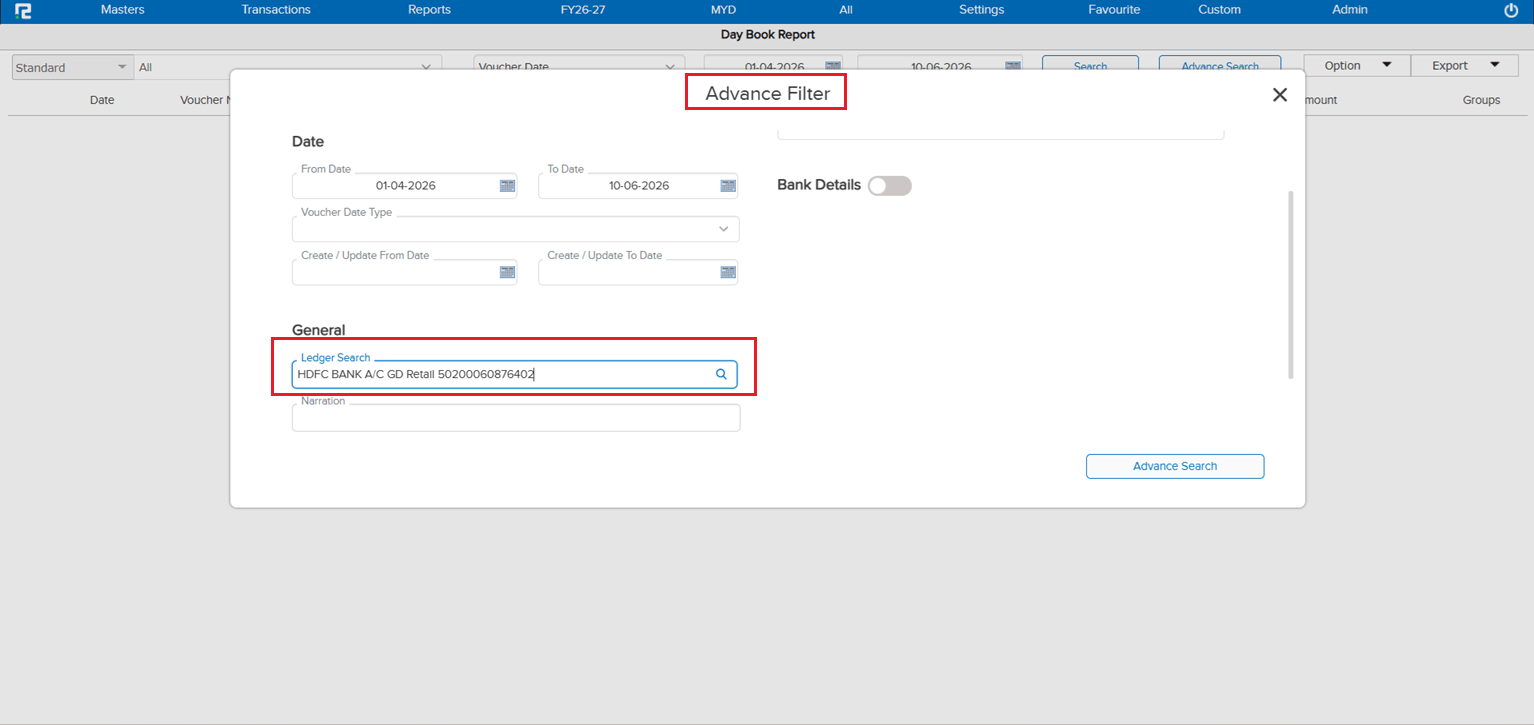
In the Daybook Advance Search, the Ledger Search was not functioning correctly — when a ledger name was entered in the search field, the data was not getting filtered or returned, leaving users unable to narrow down daybook entries by ledger through the advance search screen.
🌟 How This Helps You
The issue has been fixed. The Ledger Search in Daybook Advance Search now works correctly — entering a ledger name will filter and return the matching entries as expected, restoring full search functionality in the advance search screen.
🎬 Where to Find It
📷 See It in Action
📌 What Was Happening
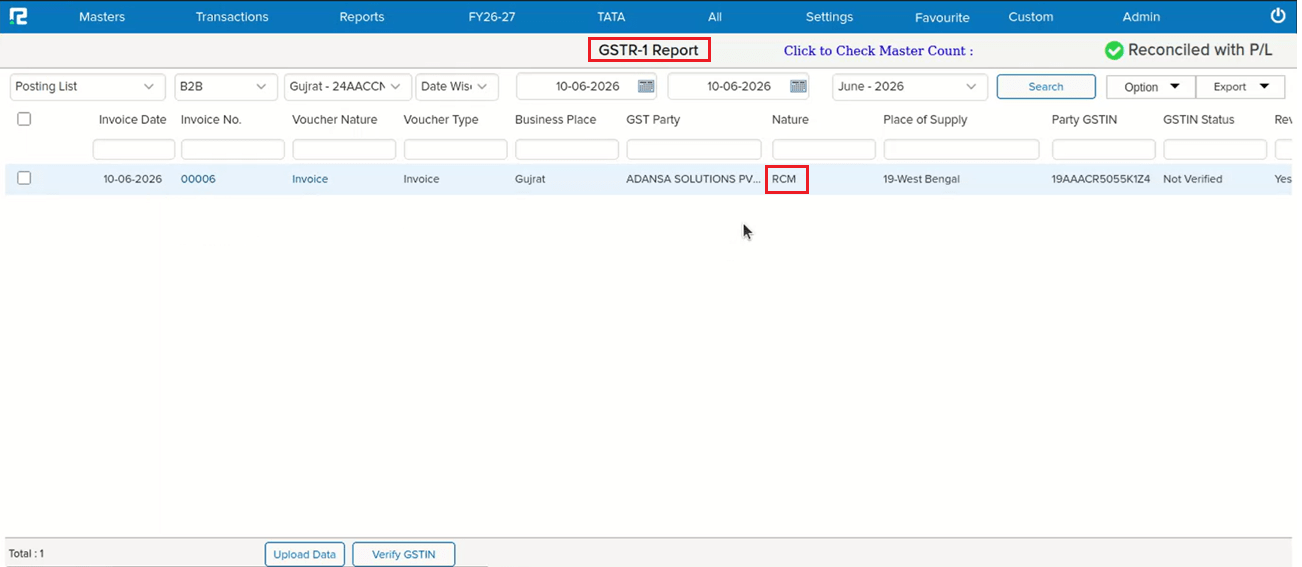
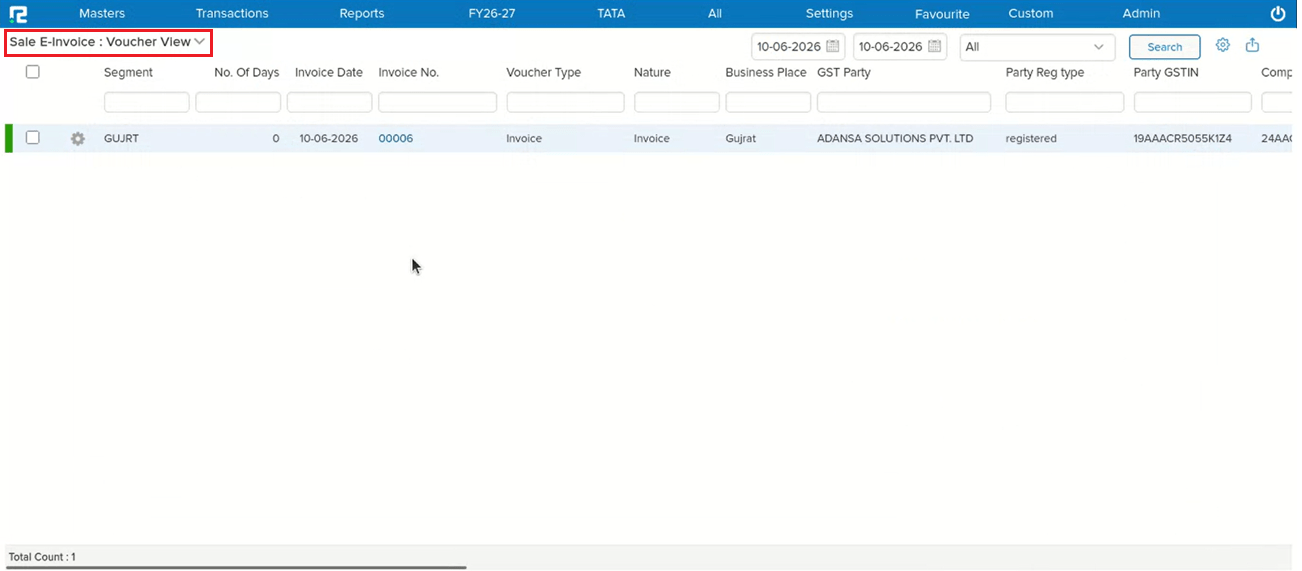
When an Income Ledger was configured with “Nature of Supply (GST)” set to Tax Payable Under RCM, and the transaction involved a B2B party, the entry was not appearing in the GST e-Invoice screen — even though it should have been reflected there for e-invoice processing.
🌟 How This Helps You
The issue has been fixed. RCM-tagged income ledger transactions with B2B parties will now reflect correctly in the e-Invoice screen as per the following behaviour:
• Registered Party: Transaction is displayed under RCM, shown in the B2B dropdown as “under posting”, and appears in the Sales e-Invoice Report
• Unregistered Party: Transaction is displayed under error and does not appear in the Sales e-Invoice Report
🎬 Where to Find It
📷 See It in Action
📌 What Was Happening
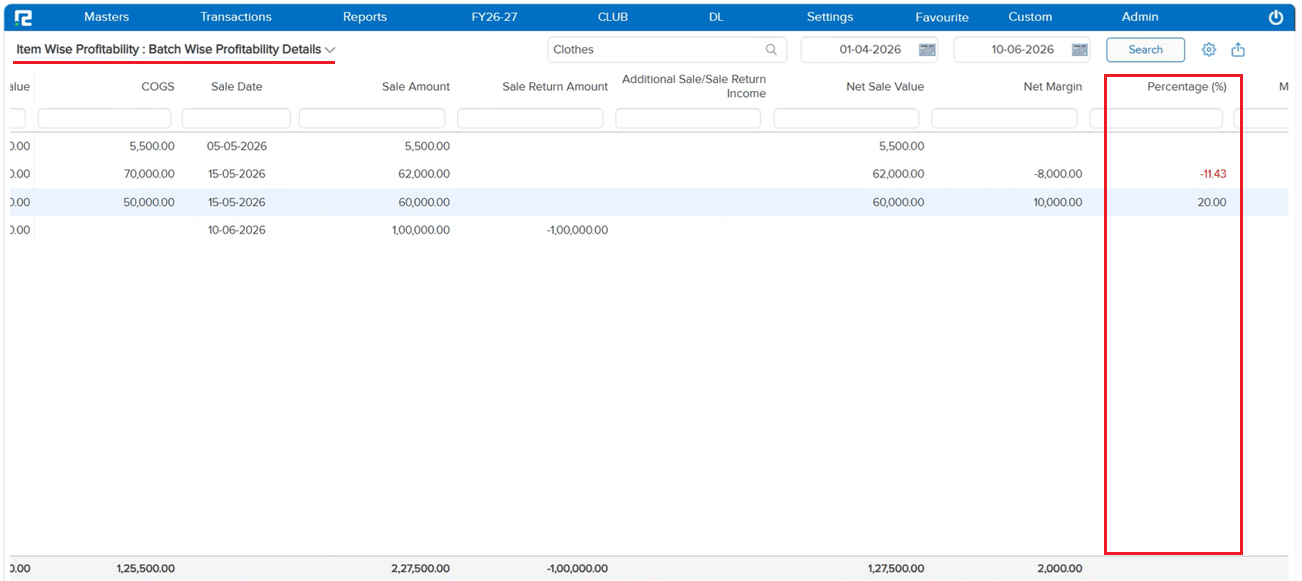
In the Batch-wise Profitability Details report, the Percentage (%) column was not displaying any value. The calculation logic was missing or incorrect, leaving the % field blank for all batch-wise profitability entries regardless of the data available.
🌟 How This Helps You
The percentage calculation has been corrected. The % column in the Batch-wise Profitability Details report will now display values based on the following logic:
• If COGS data is available: % = (Net Margin ÷ COGS) × 100
• If COGS is blank: % = −(Net Margin ÷ Sale Return Amount) × 100
• If Net Margin is 0: % = 0
🎬 Where to Find It
📷 See It in Action