Beta Release — 18-07-2026
📌 What Was Happening
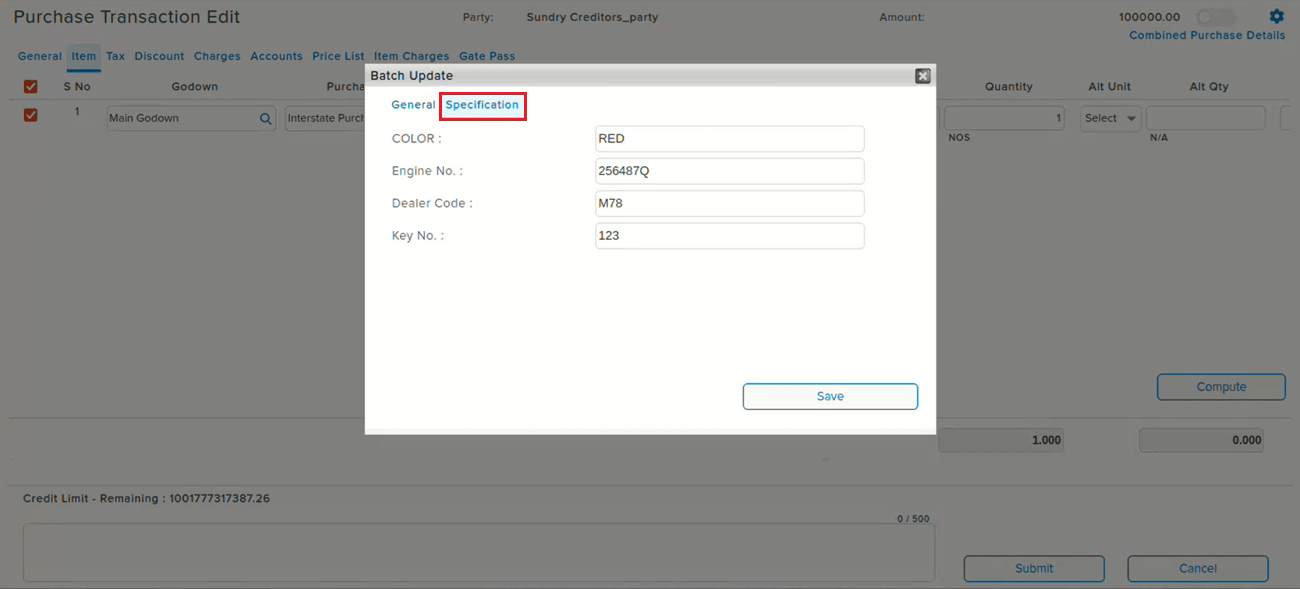
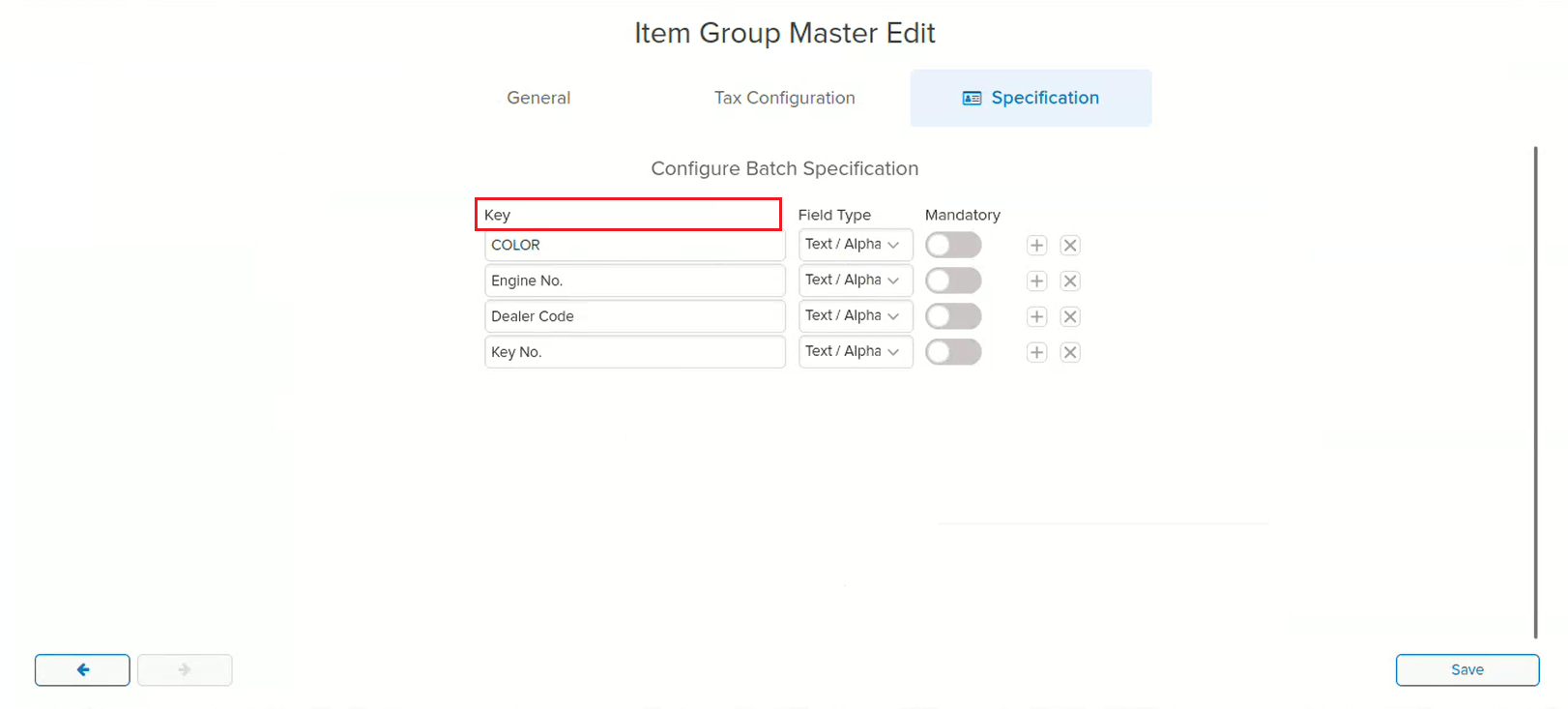
The Key Name under Batch Specification in Item Group Master was editable even after transactions using that batch specification already existed. If a transaction was created using a Batch Specification, and the Key Name was later modified in the Item Group and then changed back to its original value and saved, the Batch Specification shown in the existing transaction was displayed incorrectly — even though the Key Name reverted to what it originally was.
🌟 How This Helps You
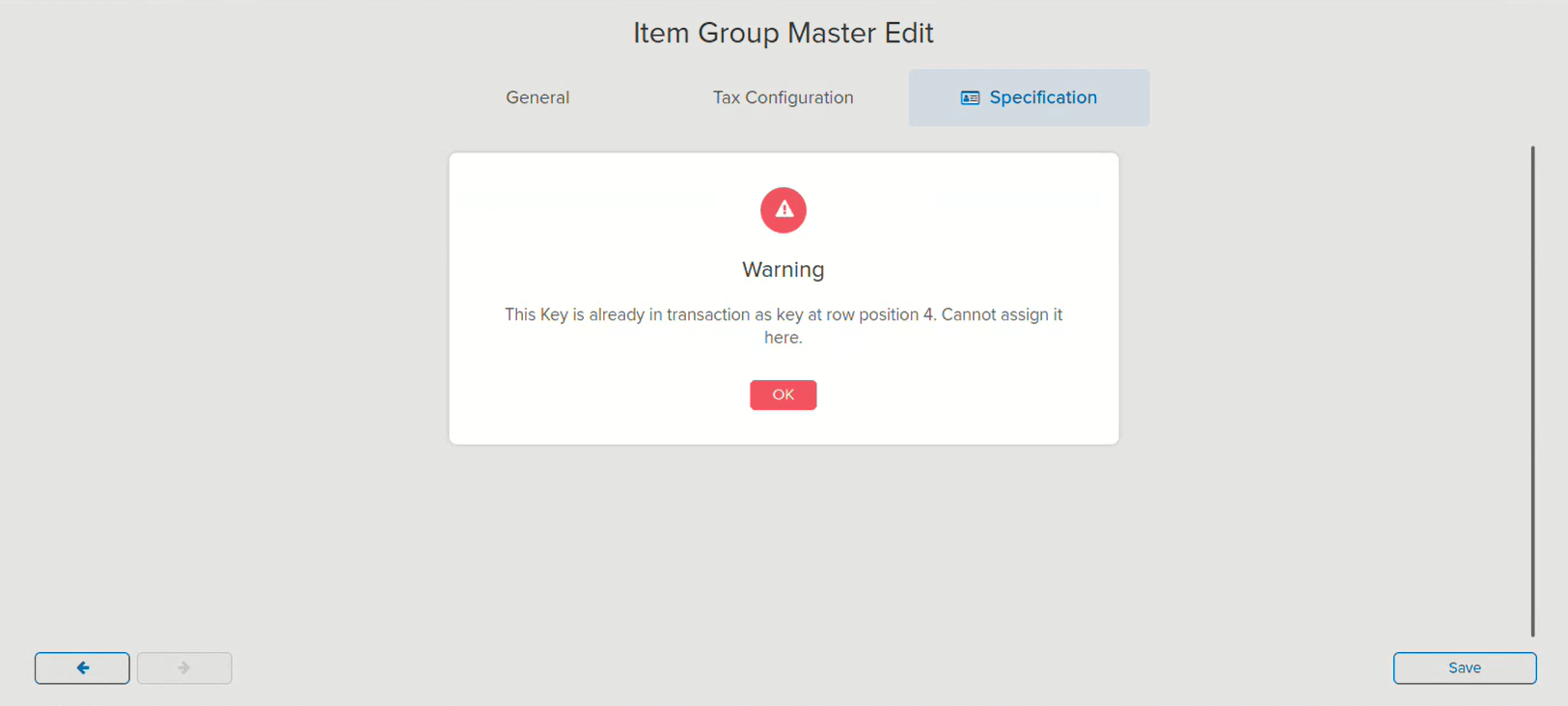
The Key Name in Batch Specification is now locked (non-editable) once it has been used in a transaction. Attempting to reassign a Key Name that is already in use as a key in a transaction now shows a warning — preventing the edit at the source and keeping the Batch Specification on existing transactions accurate.
🎬 Where to Find It
📷 See It in Action
📌 What Was Happening
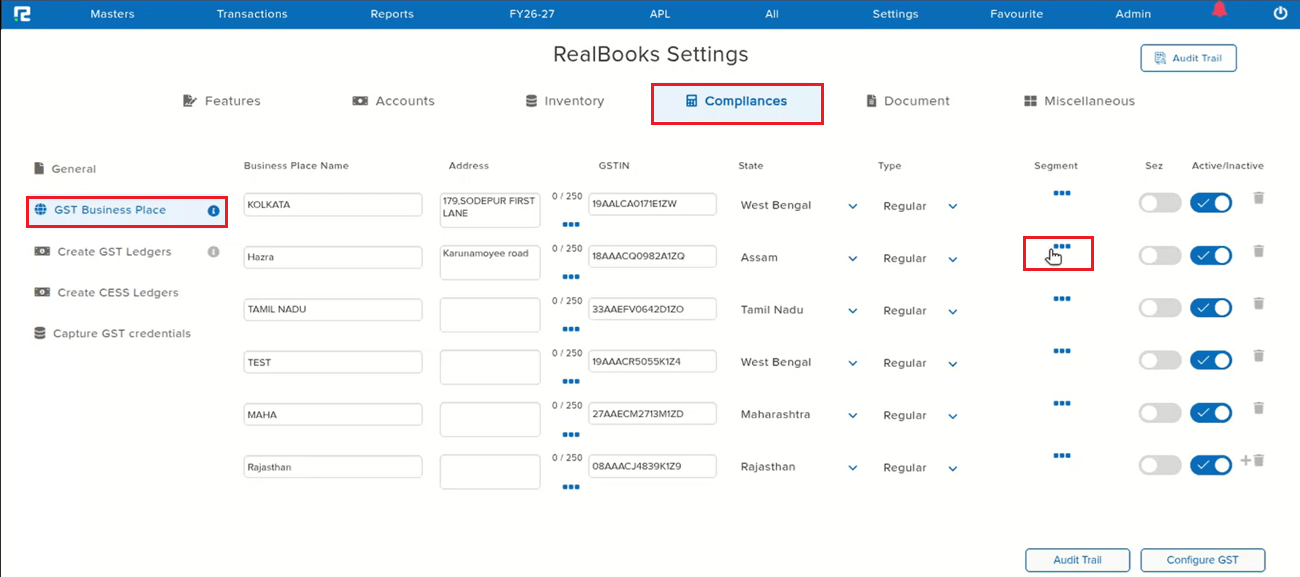
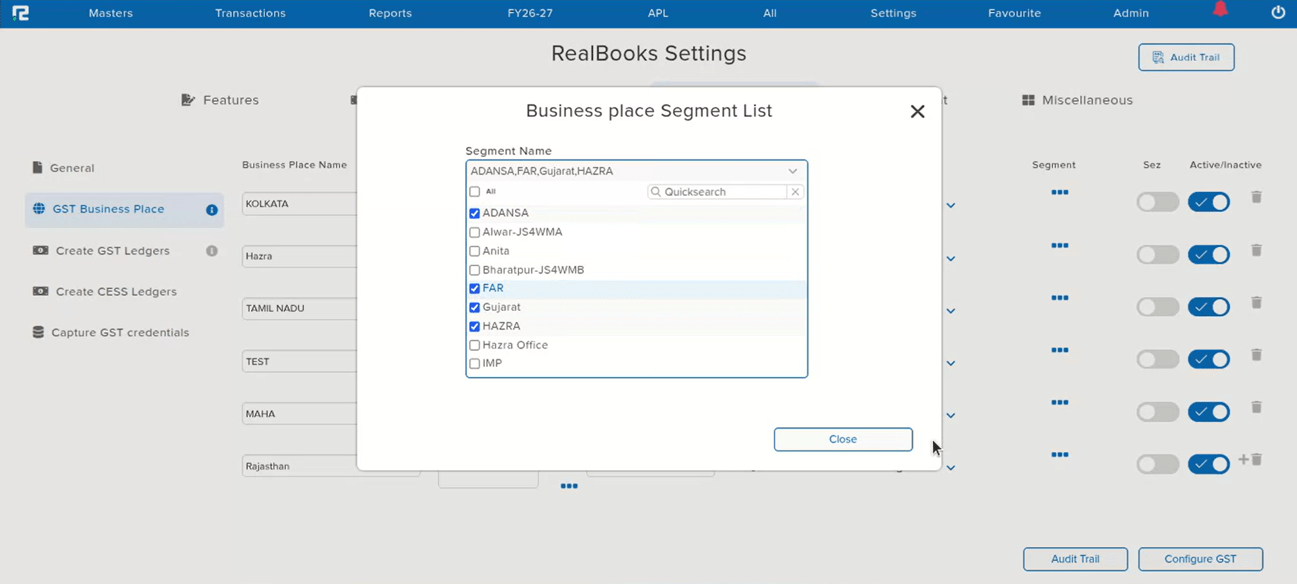
When configuring the Business Place Segment List under GST Business Place and removing any segment, the change was not reflected — the removed segment continued to be displayed as if it were still assigned. The root cause was that the Segment ID and Voucher ID were the same, which caused the business place configuration to save incorrectly.
🌟 How This Helps You
The Segment ID / Voucher ID conflict has been corrected. Removing a segment from the Business Place Segment List now saves and reflects correctly — a removed segment no longer continues to appear against the business place.
🎬 Where to Find It
📷 See It in Action
📌 What Was Happening
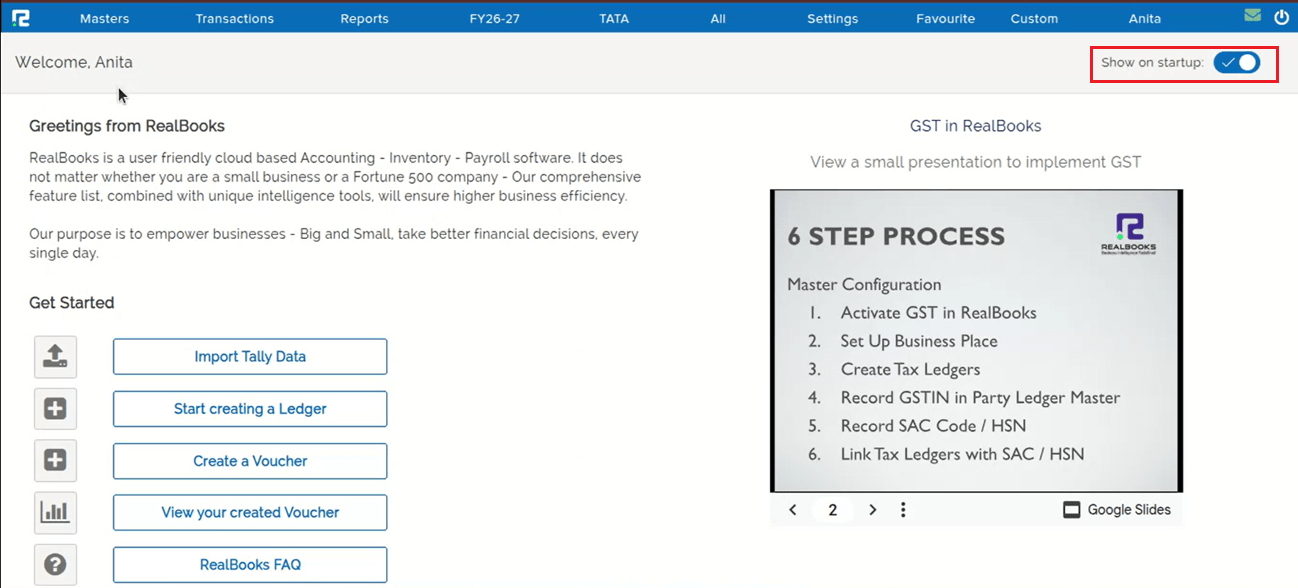
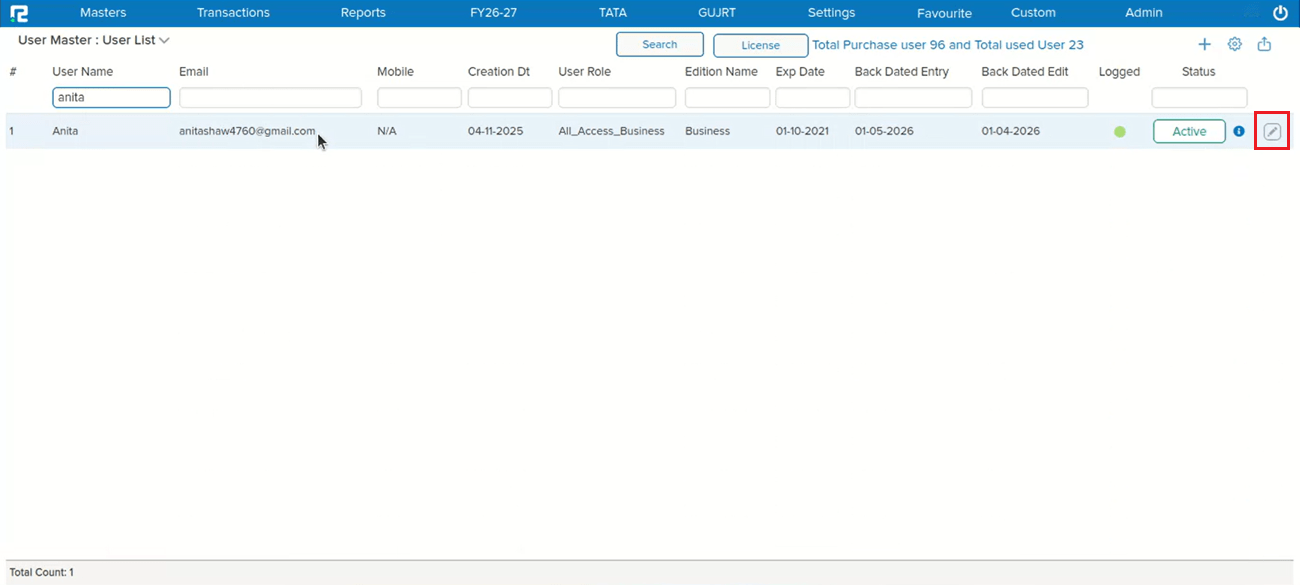
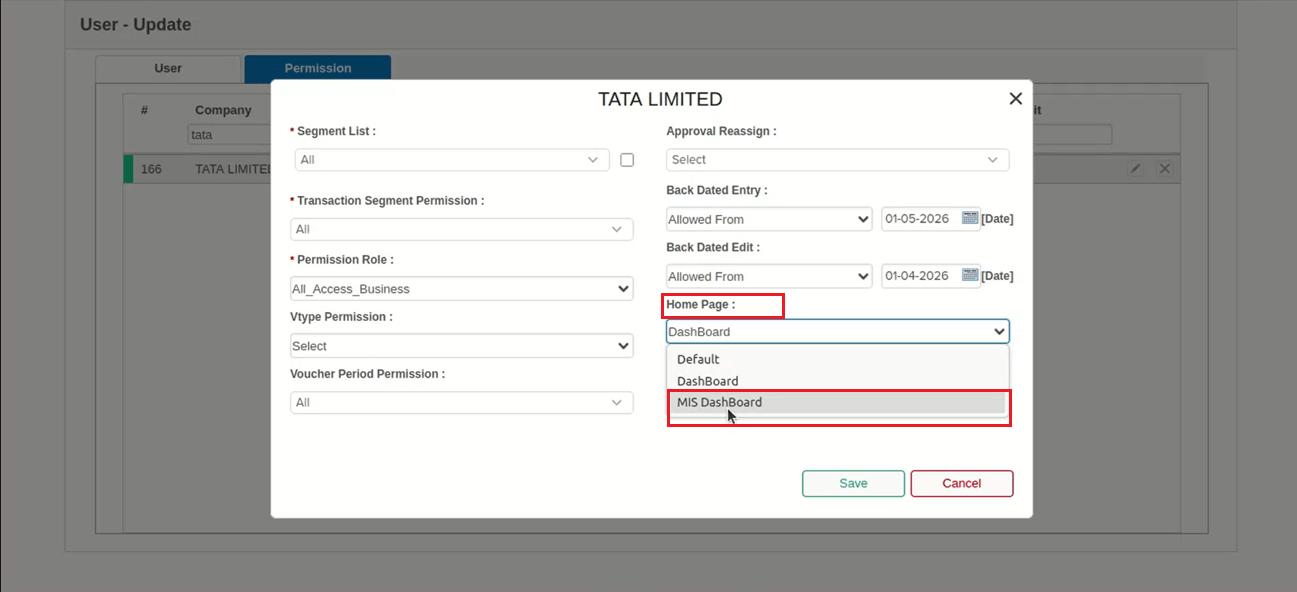
Users were unable to set or switch the Home Page to MIS DashBoard in User Master → Permission — even after saving, the same issue persisted. The root cause: if the user’s Home Page had “Show on startup” enabled (already bookmarked) and that page got loaded, a duplicate value was inserted in the database for home_page. This duplicate param caused the user to remain unable to view the MIS DashBoard, even when it was correctly assigned in User Master.
🌟 How This Helps You
The duplicate home_page parameter issue has been corrected. Setting or switching the Home Page to MIS DashBoard in User Master → Permission now saves correctly, and the assigned dashboard loads as expected — including when “Show on startup” is enabled.
🎬 Where to Find It
📷 See It in Action
📌 What Was Happening
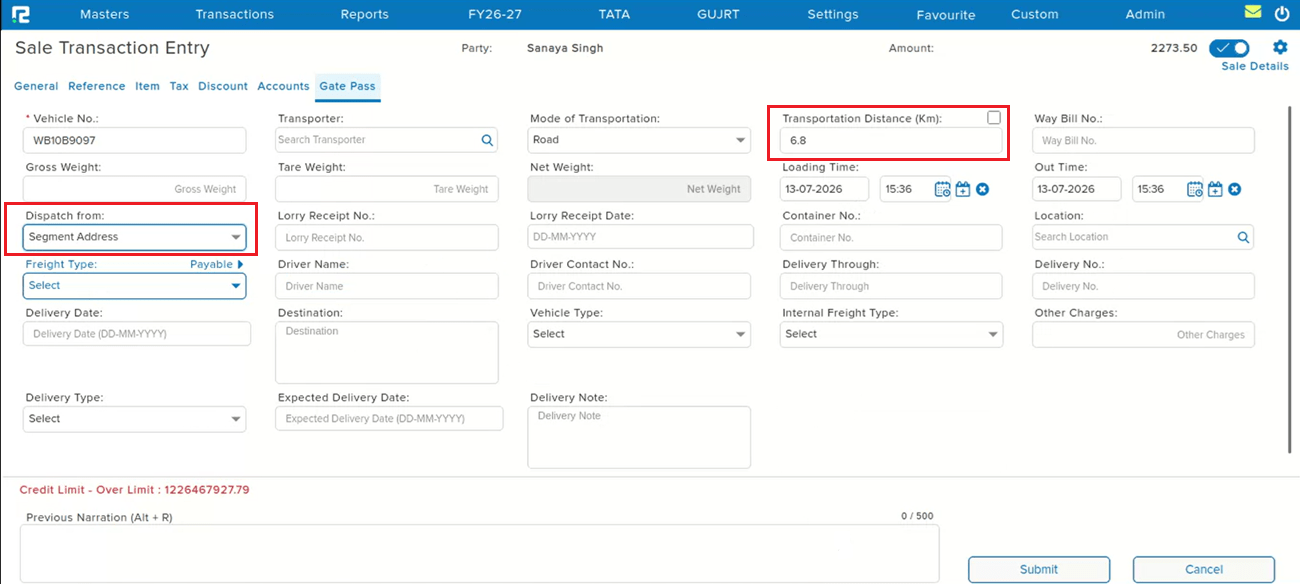
In the Gate Pass tab of transaction entries, the Transportation Distance (Km) was not being fetched even when both the Party PIN Code and Godown PIN Code were provided. Additionally, when the Dispatch from: Segment option was selected, the Transportation Distance was not calculated in that case either. Entries saved during this issue retained a distance value of 0.00.
🌟 How This Helps You
The Transportation Distance (Km) is now correctly fetched and calculated in the Gate Pass tab — both when Party and Godown PIN Codes are provided, and when Dispatch from: Segment is selected.
🎬 Where to Find It
📷 See It in Action
📌 What Was Happening
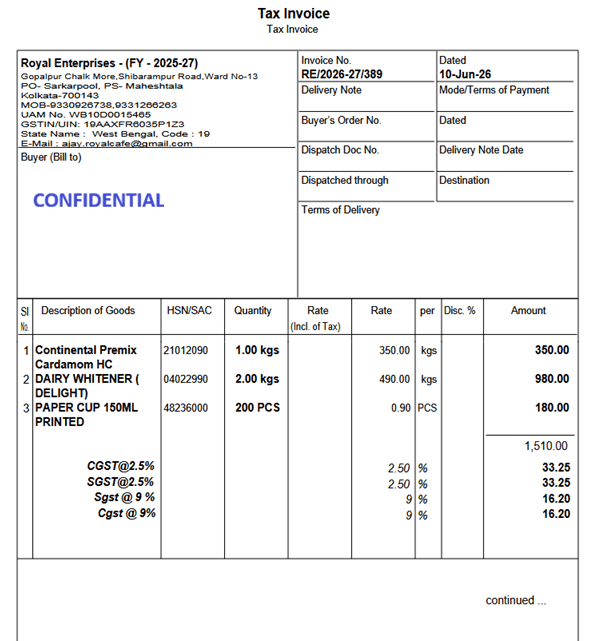
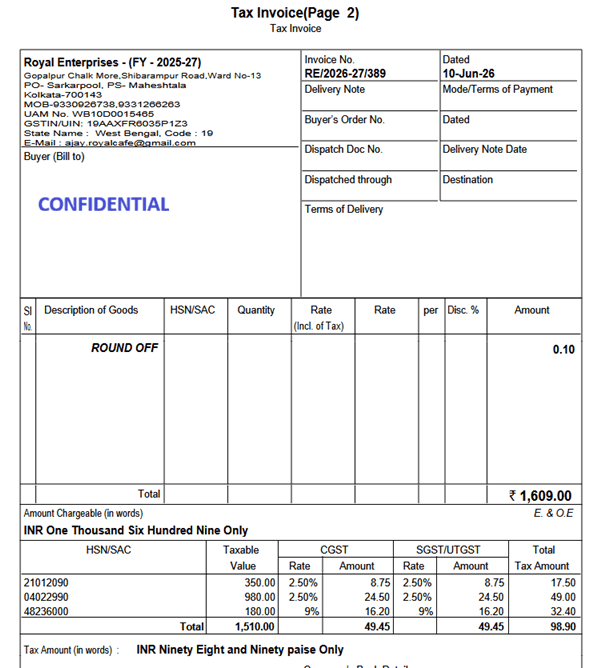
When a Voucher AI–processed invoice had multiple line items taxed at different GST rates, the system combined the Purchase Ledger values into a single entry instead of posting them separately. Because the values were merged, GST was also calculated on the combined amount rather than per line item, resulting in incorrect GST posting.
Example:
• Item 1 — Taxable Value: ₹1,330 @ 5% GST → GST = ₹66.50
• Item 2 — Taxable Value: ₹180 @ 18% GST → GST = ₹32.40
Instead of keeping these separate, the Purchase Ledger was posted as a single combined entry of ₹1,510, with GST calculated on that combined logic — leading to incorrect accounting entries. This occurred only when multiple GST rates existed within a single invoice.
🌟 How This Helps You
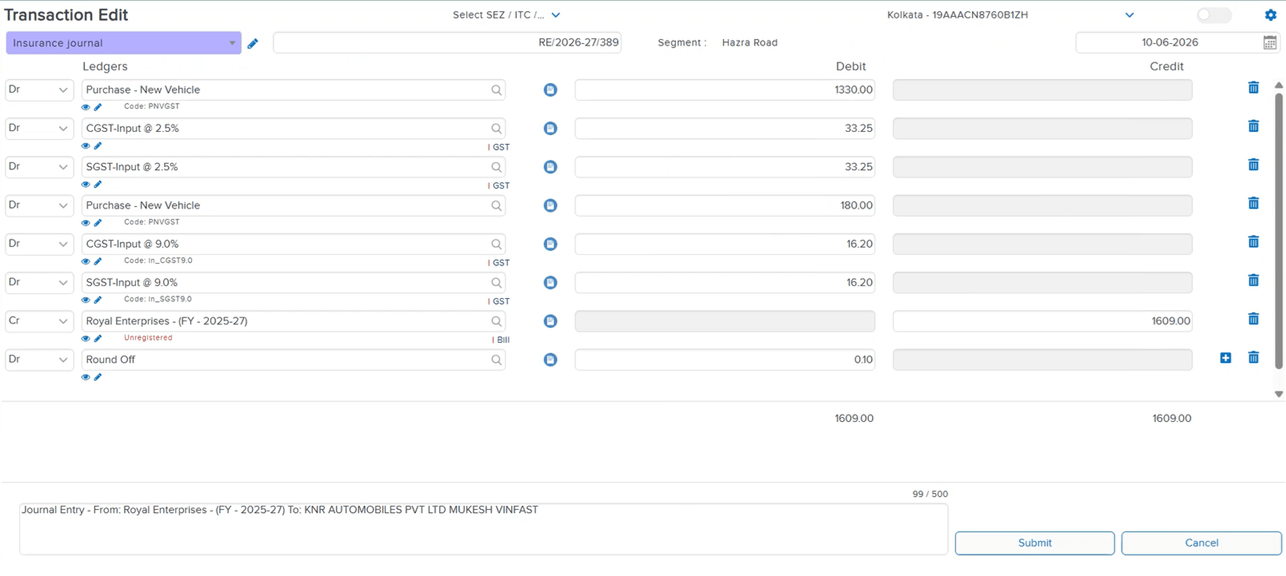
The system now posts separate Purchase Ledger entries based on GST rate instead of combining them:
• Purchase Ledger — ₹1,330 (@ 5% GST)
• Purchase Ledger — ₹180 (@ 18% GST)
CGST/SGST is now calculated separately for each line item based on its own taxable value and rate, and taxable values are no longer combined when GST rates differ — ensuring accurate accounting entries for every invoice with mixed GST rates.
🎬 Where to Find It
📷 See It in Action
📌 What Was Happening
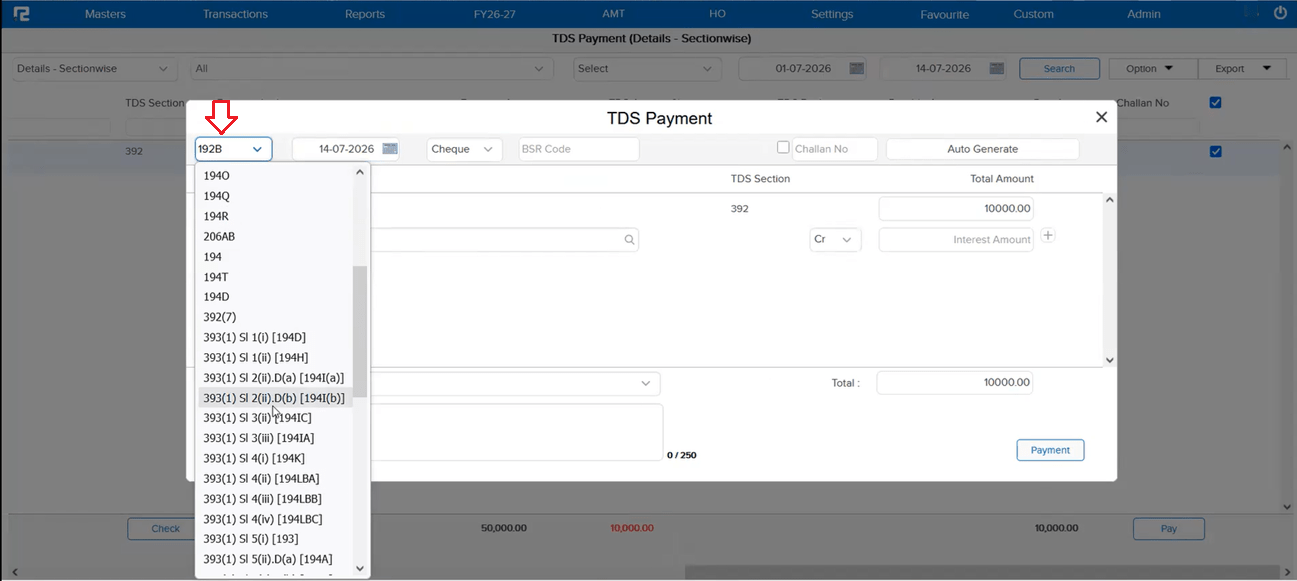
While making a TDS payment, the TDS Challan Tagging pop-up screen was not reflecting newly added TDS sections in RealBooks. This left users unable to tag payments against the latest TDS sections from within the Challan Tagging popup.
🌟 How This Helps You
The TDS Challan Tagging pop-up now correctly reflects all new TDS sections in RealBooks — the section dropdown stays in sync with the latest sections, so payments can be tagged accurately without any missing entries.
🎬 Where to Find It
📷 See It in Action
📌 What Was Happening
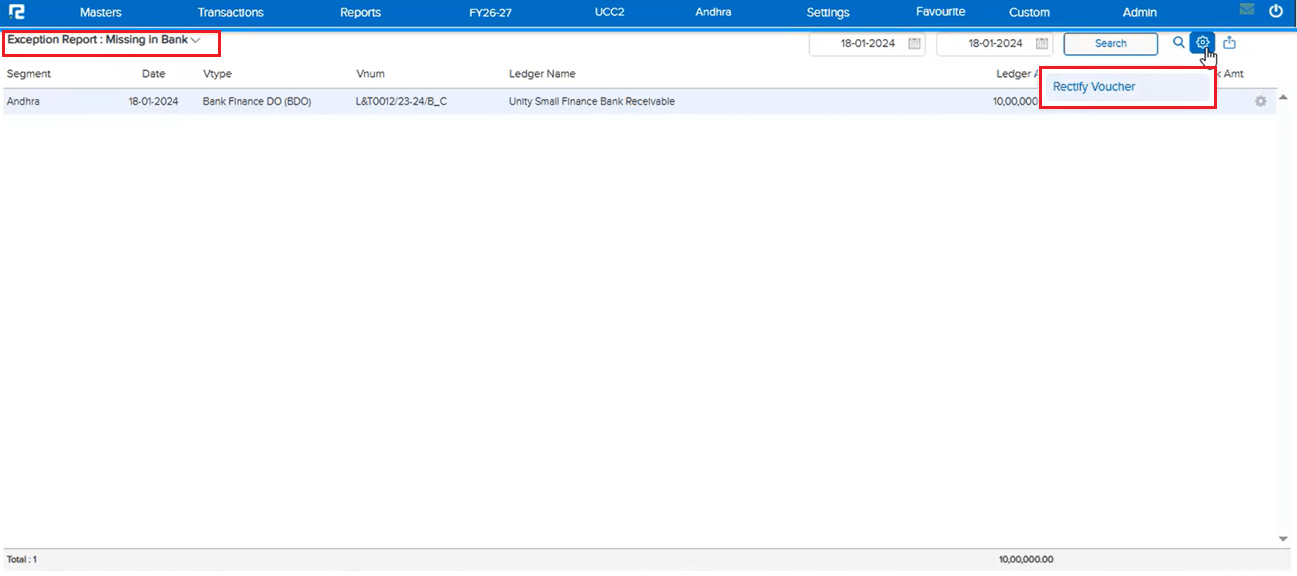
An entry was not reflecting in the BRS (Bank Reconciliation Statement) screen. To correct this, the entry was fired from the Exception Report: Missing in Bank using the Rectify Voucher option — but it got refired twice by mistake due to multiple clicks on the option. As a result, the entry started reflecting twice in the BRS screen instead of once.
🌟 How This Helps You
The Rectify Voucher option on the Exception Report: Missing in Bank screen now blocks multiple clicks, ensuring the entry is fired only once. This prevents duplicate entries in BRS caused by accidentally clicking Rectify Voucher more than once.
🎬 Where to Find It
📷 See It in Action
📌 What Was Happening
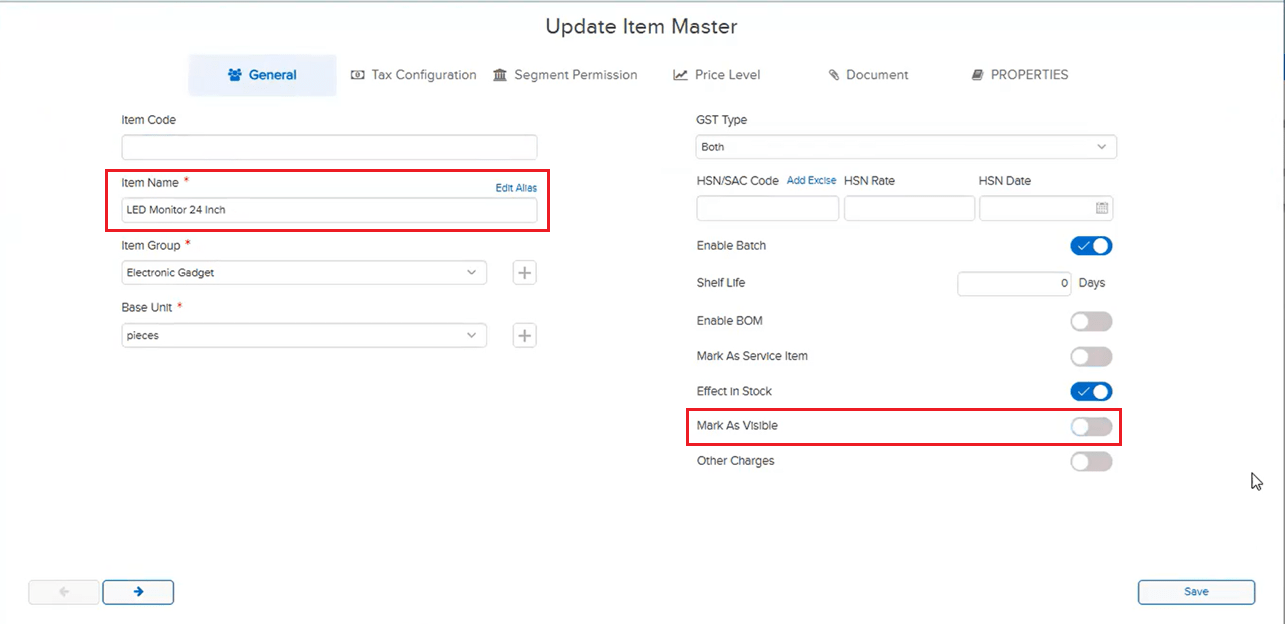
Multiple items were not getting searched in Reports. These items had the Mark As Visible toggle disabled in Item Master — but visibility being off should only affect selection in transaction entry screens, not report search. Because the same restriction was incorrectly applied to report search, these items could not be found in report item filters.
🌟 How This Helps You
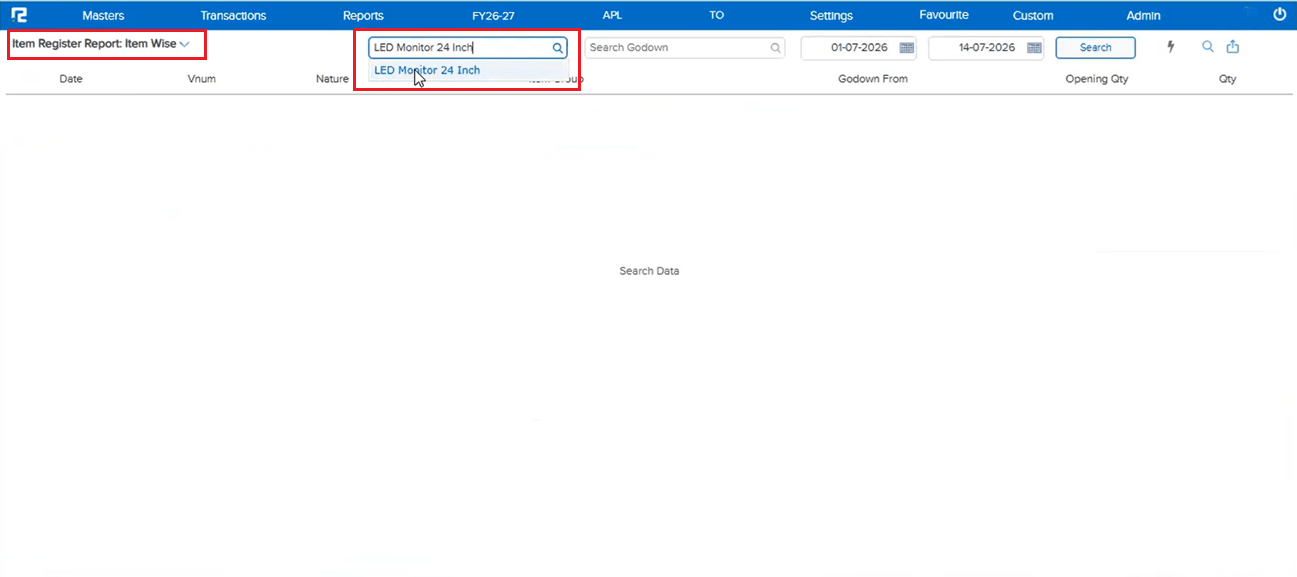
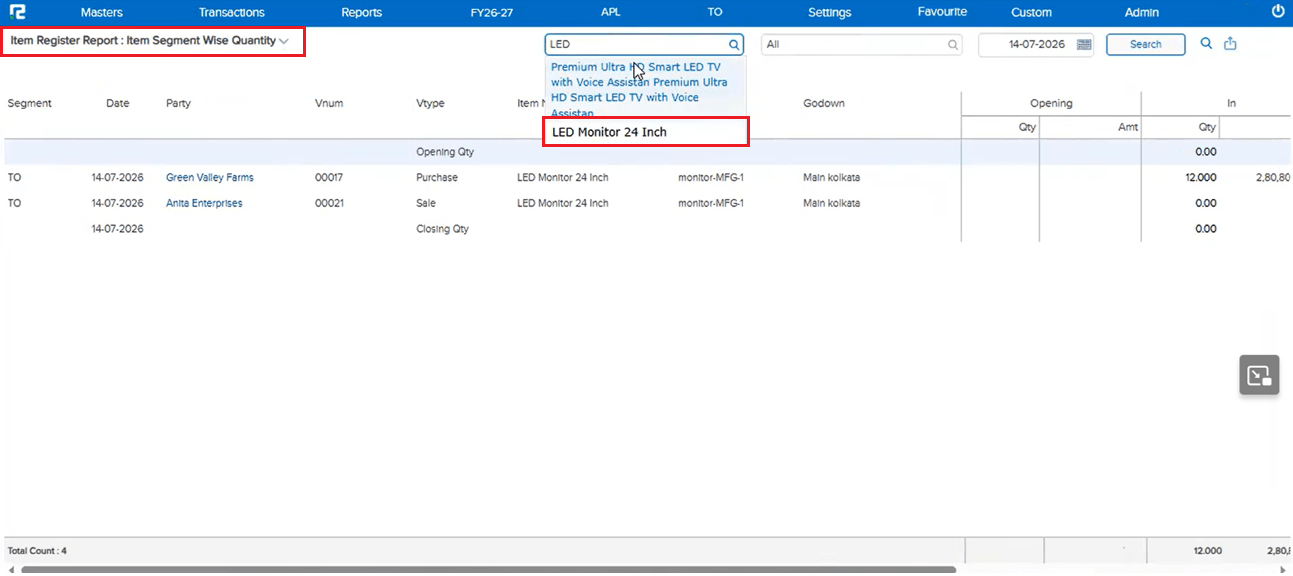
Items with Mark As Visible disabled now appear correctly in report search across Item Register Reports (Item Wise and Item Segment Wise Quantity, and other report item filters) — the visibility setting no longer blocks an item from being searched and reported on.
🎬 Where to Find It
📷 See It in Action