Beta Release — 27-07-2026
📌 What Was Needed
There was no way to enforce entry of the GST Party field on transaction screens where it was applicable, leaving it optional even when a business wanted to make it compulsory.
🌟 What This Means for You
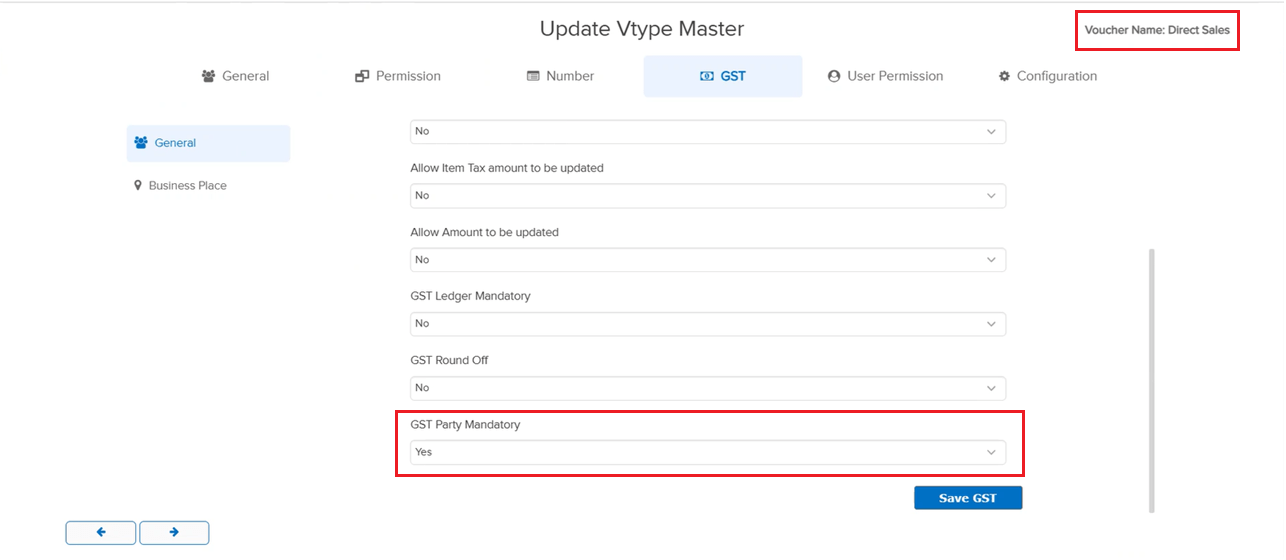
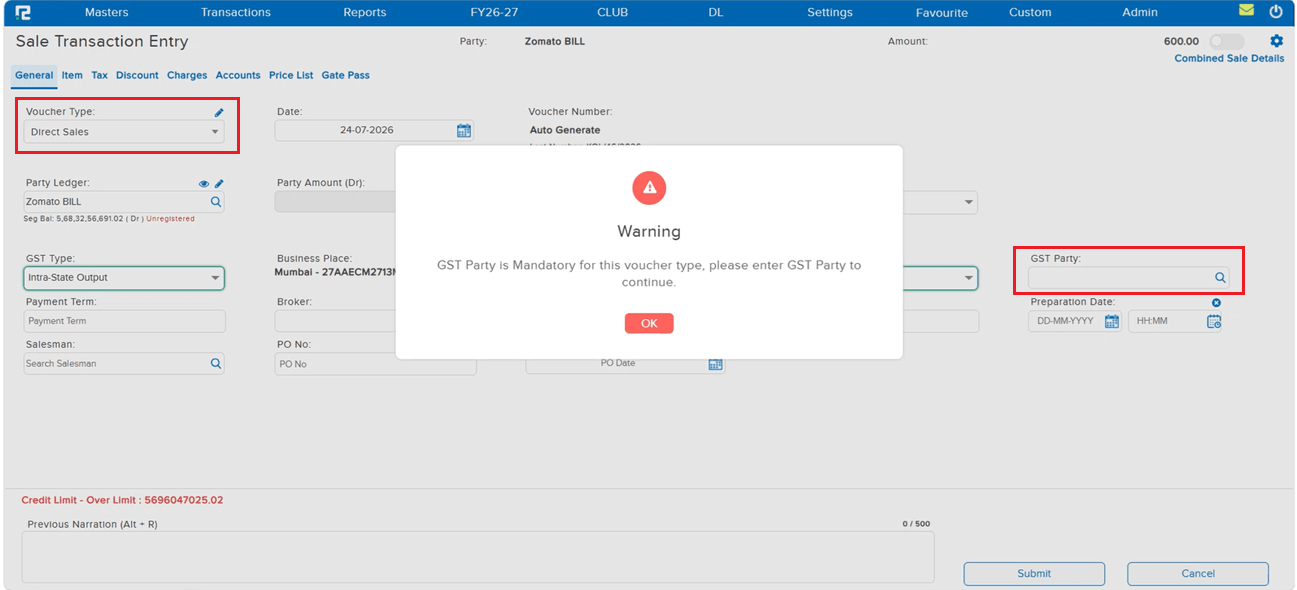
A new GST Party Mandatory option has been added under Voucher Type Master → GST (disabled by default). When enabled for a voucher type, the GST Party field becomes mandatory on that voucher’s entry screen — a warning blocks submission until it is filled. Available for: Sale, Sale Return, Purchase, Purchase Return, Invoice, Journal, Debit Note, Credit Note, and Price Difference.
🎬 Where to Find It
📷 See It in Action
📌 What Was Needed
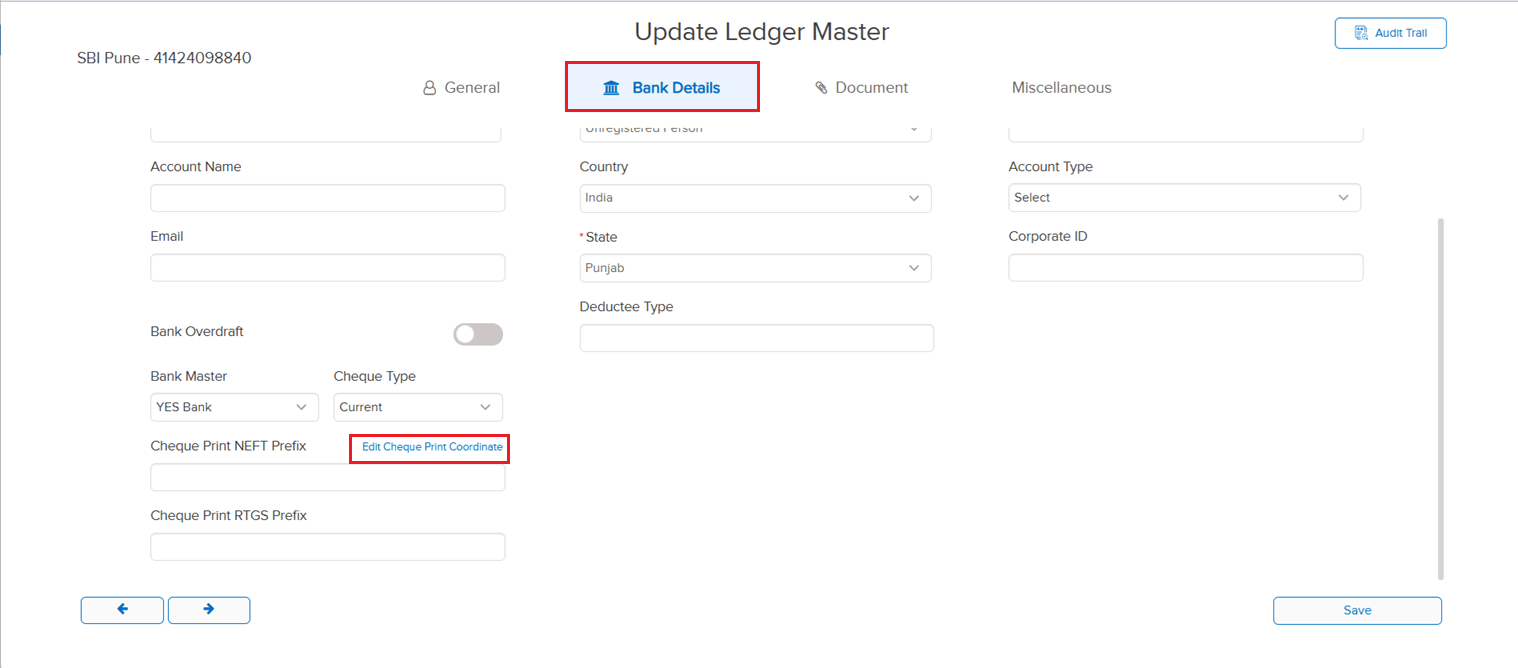
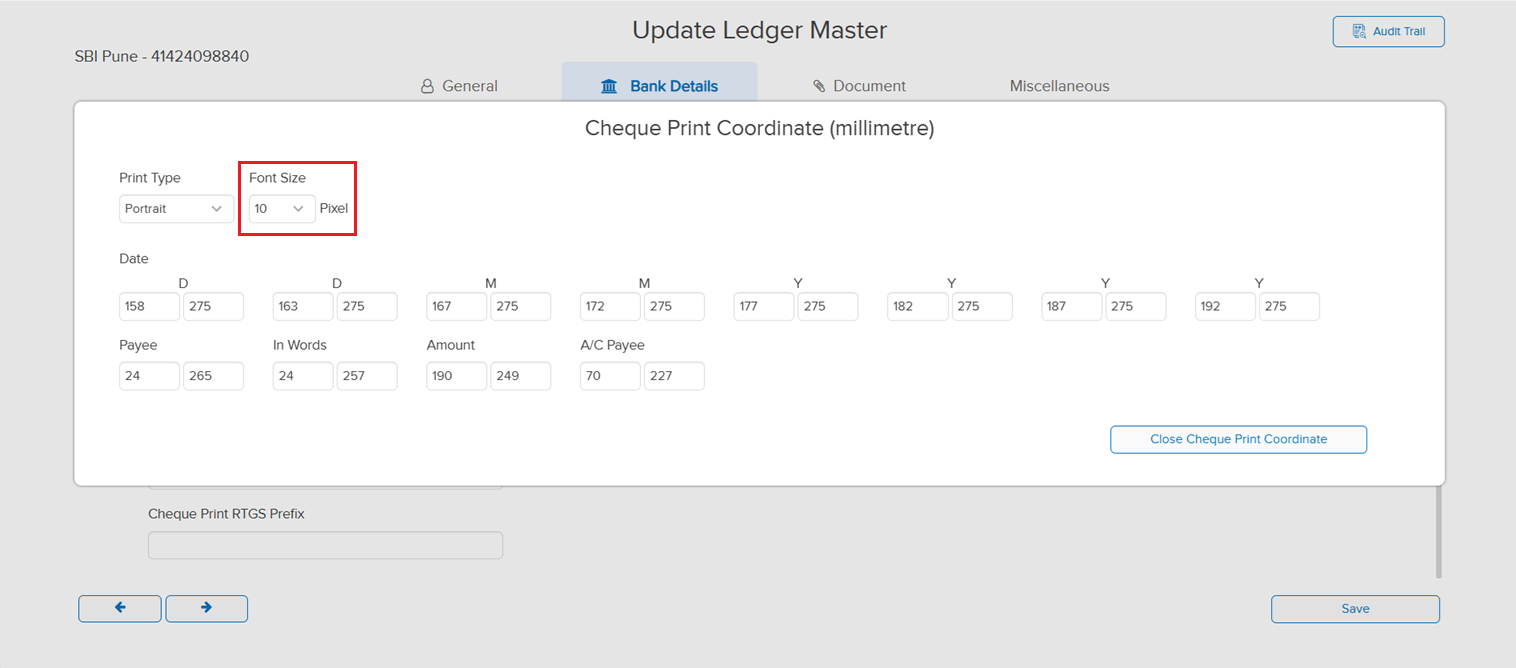
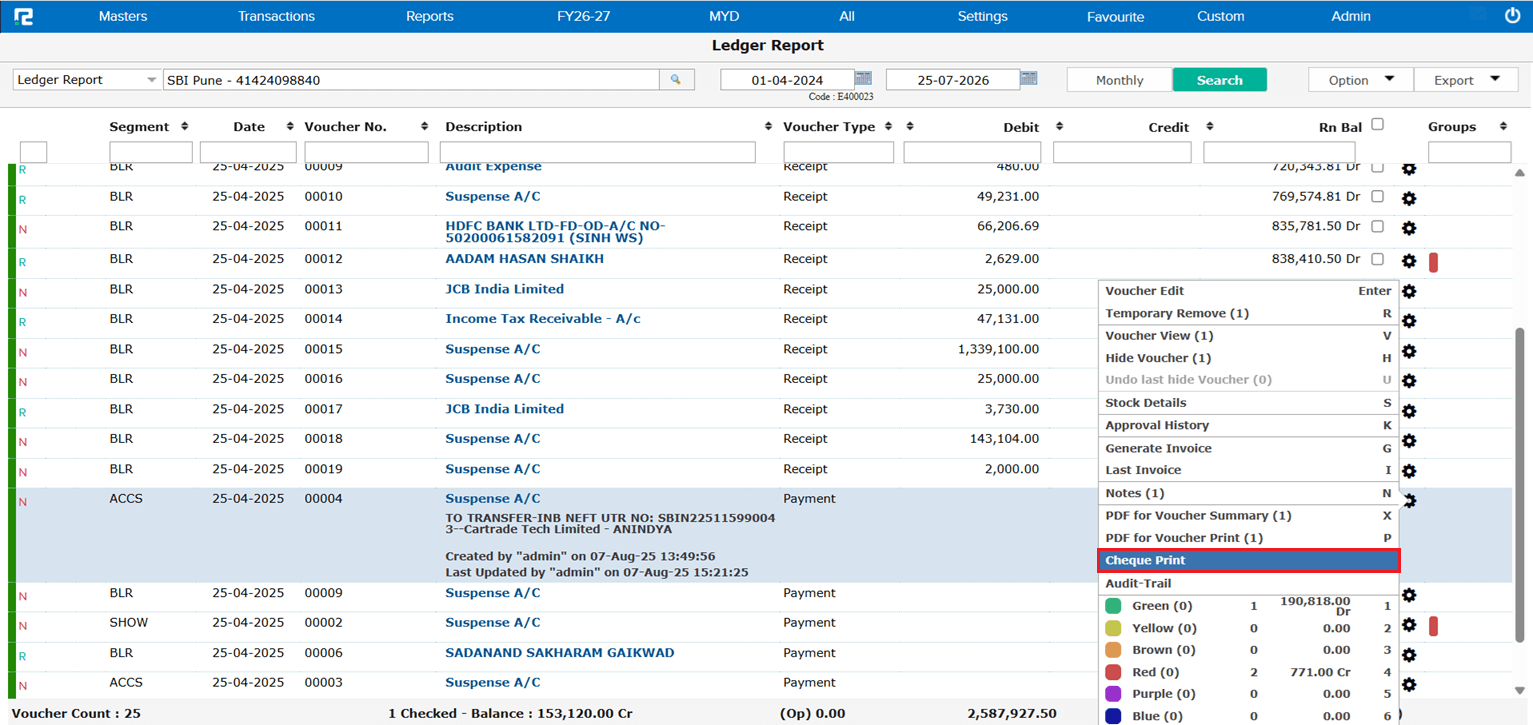
The Cheque Print Coordinate setup did not offer a way to adjust the font size of printed cheque text, limiting control over how the cheque printout appeared.
🌟 What This Means for You
A new Font Size option (in Pixels) has been added to the Cheque Print Coordinate setup, letting you increase or decrease the print font size to match your cheque leaf and printer settings.
🎬 Where to Find It
📷 See It in Action
📌 What Was Needed
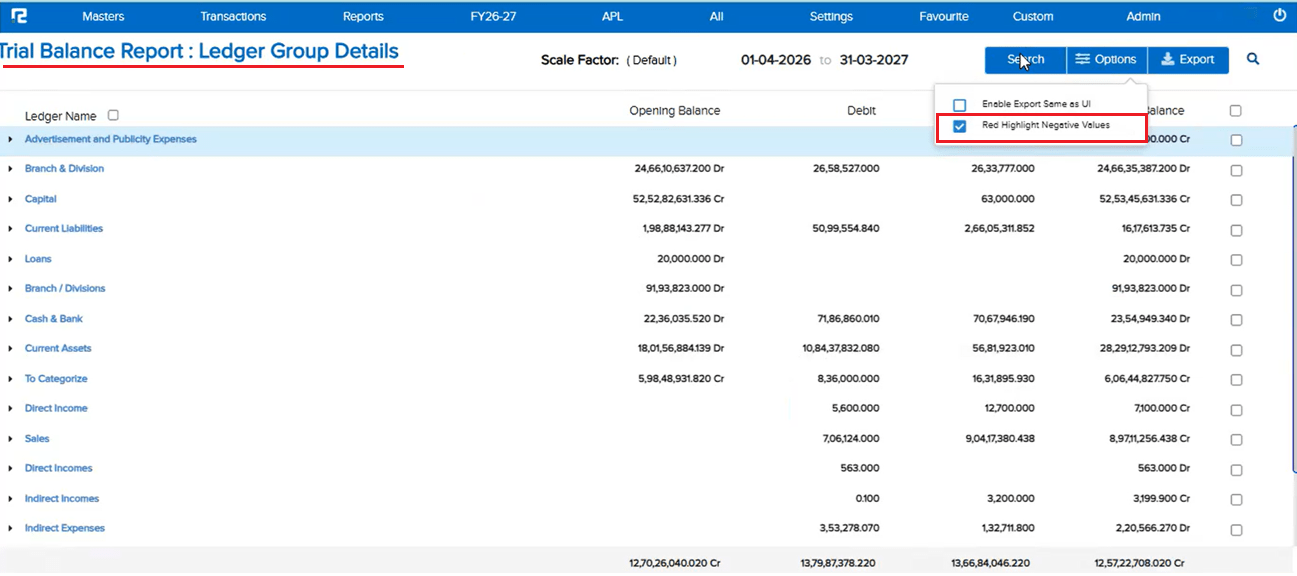
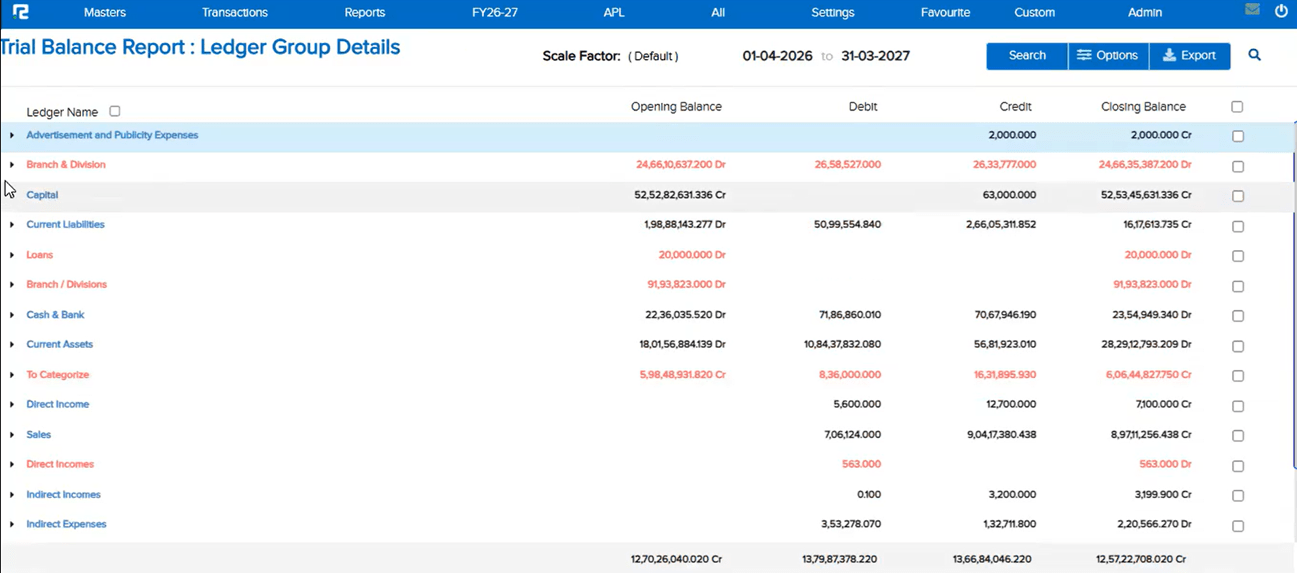
In the Trial Balance Report (Standard), there was no way to visually flag Ledger Groups showing a negative or opposite balance — an Asset group with a Credit closing balance, or a Liability group with a Debit closing balance — based purely on Closing Balance figures (not Opening).
🌟 What This Means for You
A new “Red Highlight Negative Values” checkbox is now available under Options (and in the Search popup) on the Trial Balance Report. When enabled, both the Ledger Name and Value are shown in red for any Asset group in Credit or Liability group in Debit, based on Closing Balance. The highlight applies consistently across the UI, PDF (Standard), and Excel (Standard) exports, with the checkbox available separately so you can choose to download with or without highlighting.
🎬 Where to Find It
📷 See It in Action
📌 What Was Happening
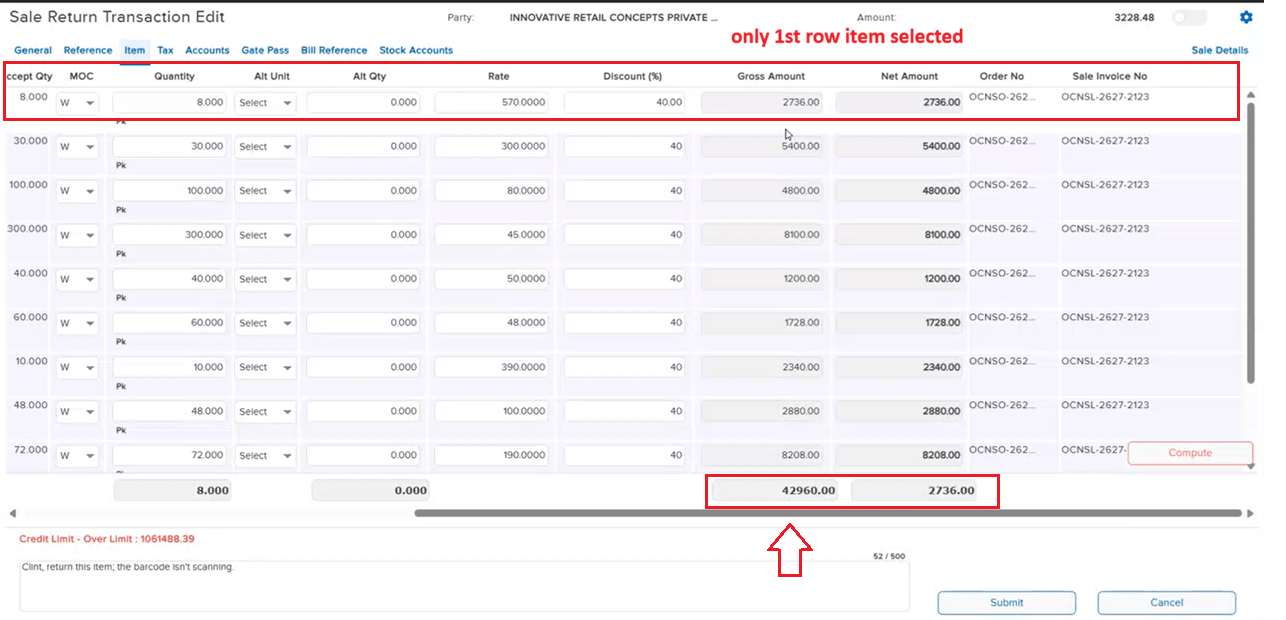
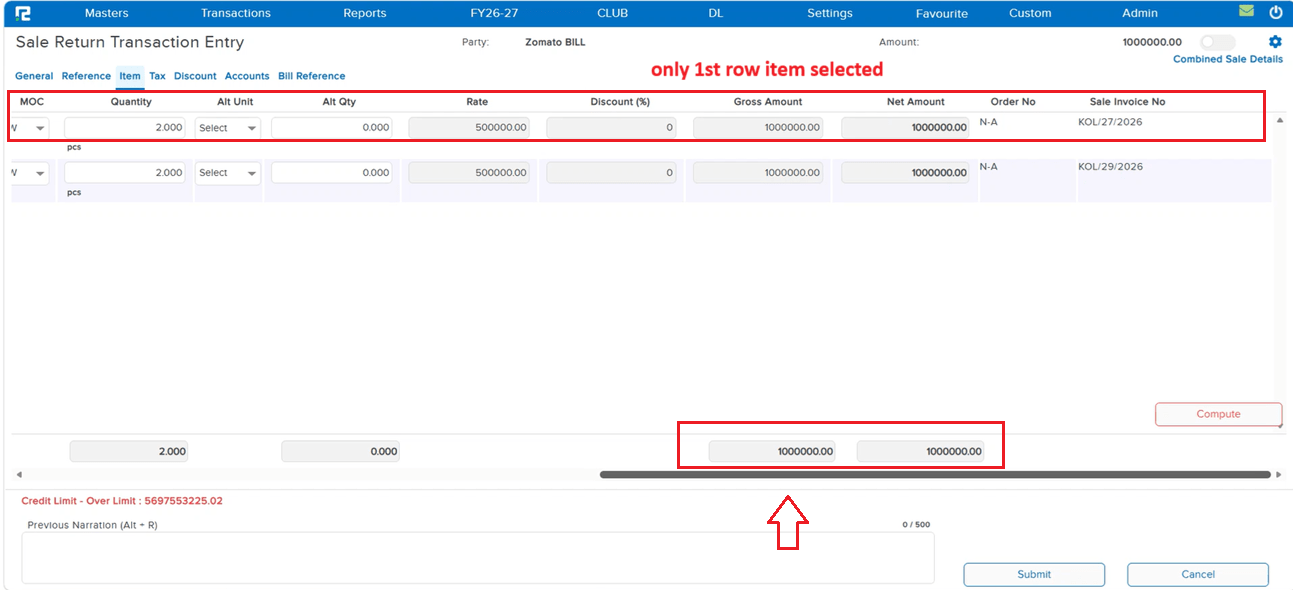
In the Sale Return voucher, clicking Search under the Reference tab displayed an incorrect Gross Amount. Even when only a specific item (or subset of items) was selected, the Gross Amount shown reflected the total of all items in the voucher instead of just the selected one(s).
🌟 How This Helps You
The Gross Amount under Reference tab Search in the Sale Return voucher now correctly reflects the amount of only the selected item(s), matching the Net Amount and giving an accurate figure to work with.
🎬 Where to Find It
📷 See It in Action
📌 What Was Happening
Ideally, Sale Order (SO) quantity can be greater than or equal to the Sale quantity, but never less. When a Sale was created by tagging an SO, and the setting to allow changing SO qty after tagging was enabled, that setting was meant only to allow increasing the SO qty. However, if the user went back to the SO, added a new row, and then edited the qty of an item already tagged to the Sale, they were able to decrease its SO qty below the tagged Sale qty — creating a discrepancy between SO qty and Sale qty.
🌟 How This Helps You
The allow to change SO qty after tagging setting now correctly permits only an increase in SO qty for items already tagged to a Sale — decreasing it below the tagged Sale qty is no longer possible, keeping SO qty and Sale qty consistent.
🎬 Where to Find It
📌 What Was Happening
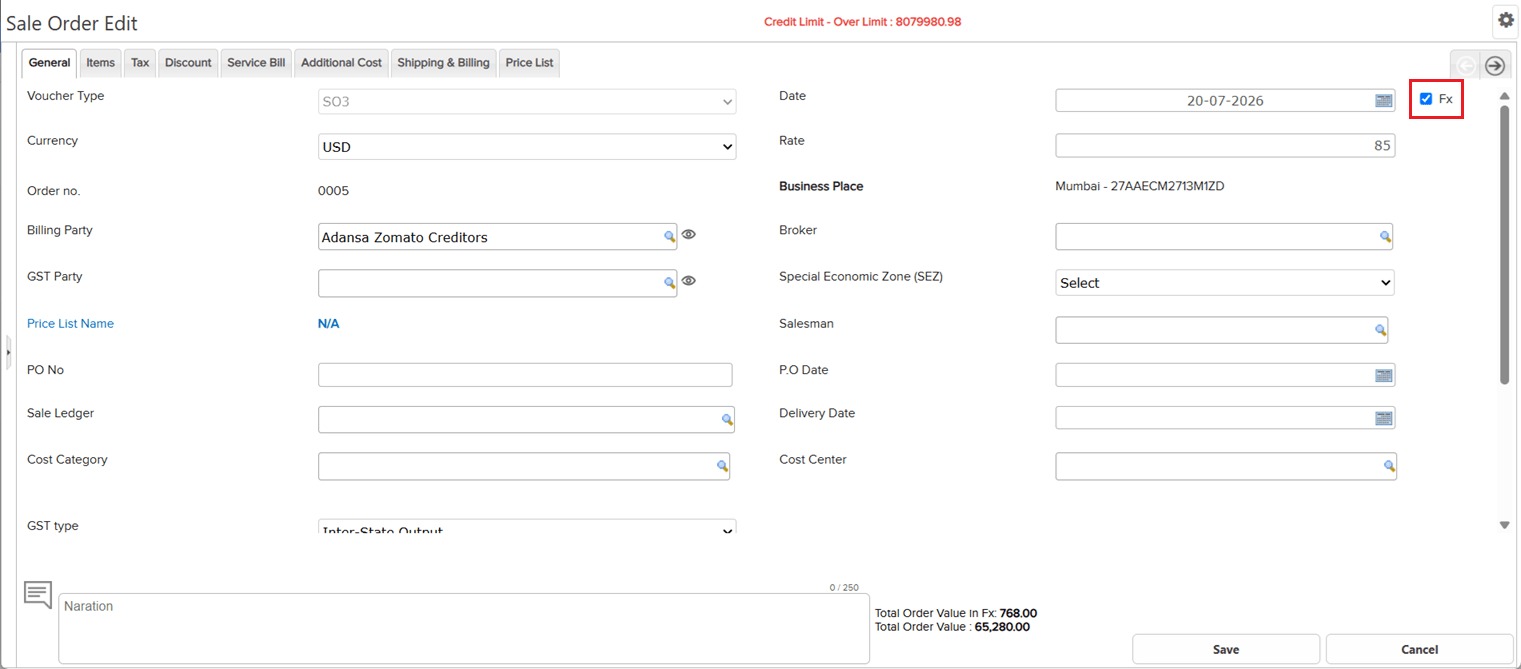
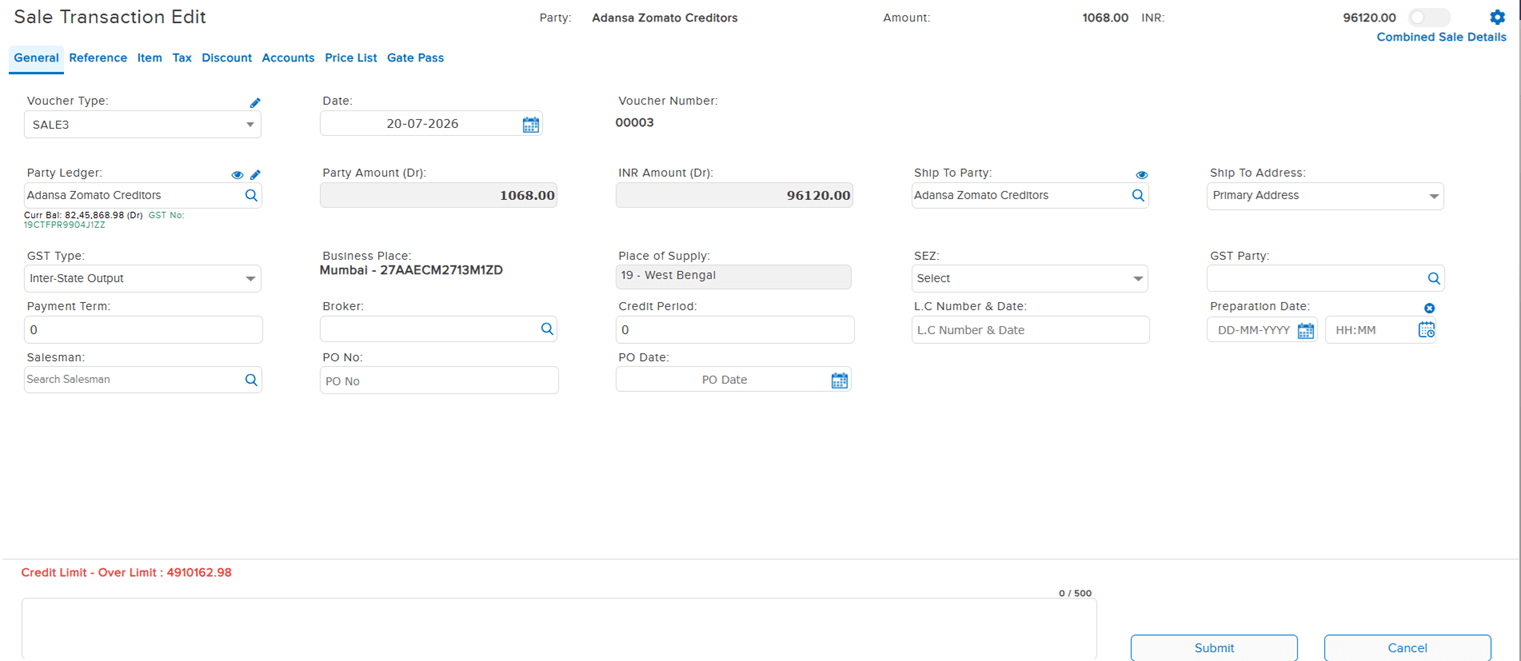
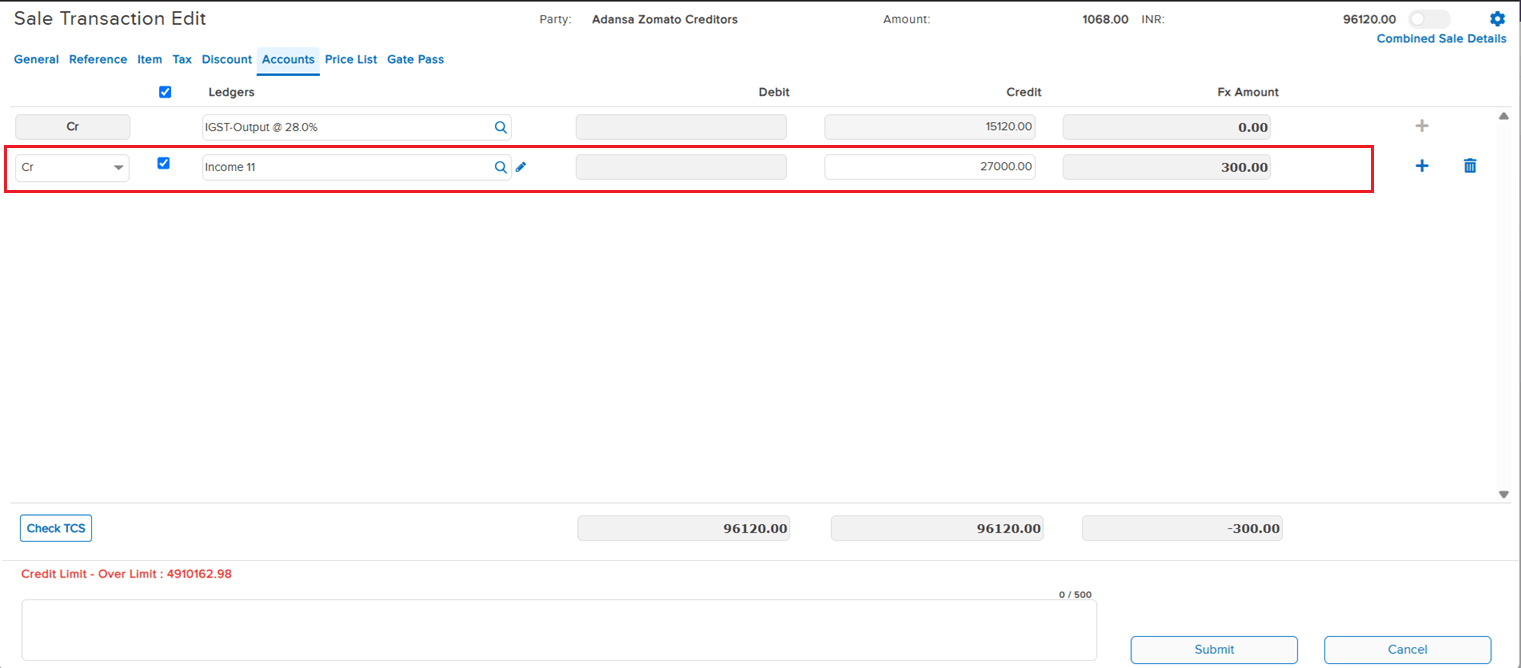
When a Sale entry was saved with the Fx (foreign currency) option enabled, and the Accounts tab had additional ledger data added, reopening that entry in Edit mode failed to load its Item details correctly.
🌟 How This Helps You
Item details now load correctly when editing a Sale entry that was saved with Fx enabled and has data in the Accounts tab — no more missing item information on edit.
🎬 Where to Find It
📷 See It in Action
📌 What Was Happening
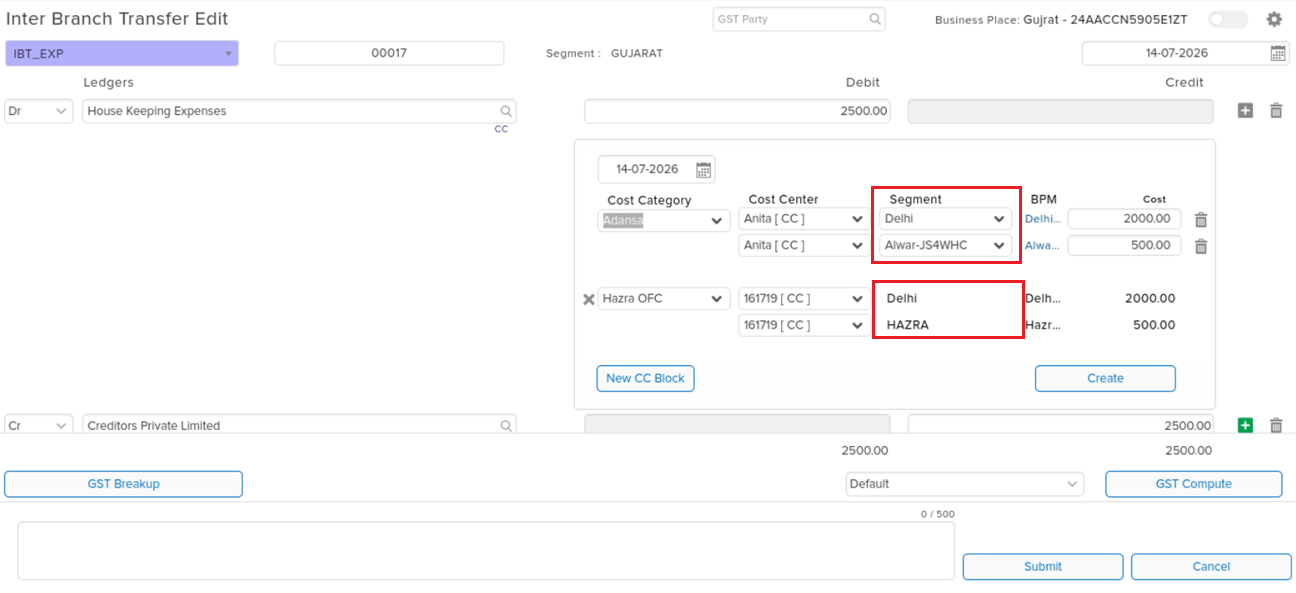
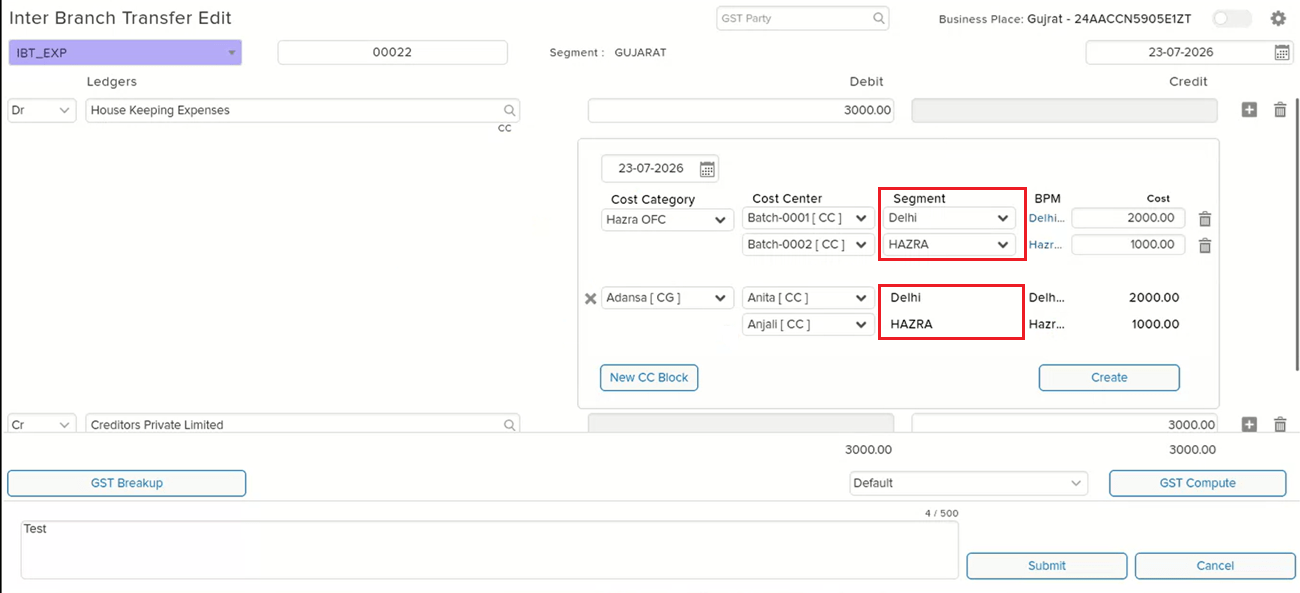
In the Cost Center (CC) view within transaction entry, it was possible to assign two different Segments across two separate CC blocks on the same ledger line — this should not have been allowed, since a single ledger line’s CC blocks are expected to stay within a consistent Segment assignment.
🌟 How This Helps You
The CC view now prevents assigning mismatched Segments across CC blocks on the same ledger line, keeping Segment assignment consistent and avoiding incorrect cost allocation.
🎬 Where to Find It
📷 See It in Action
📌 What Was Happening
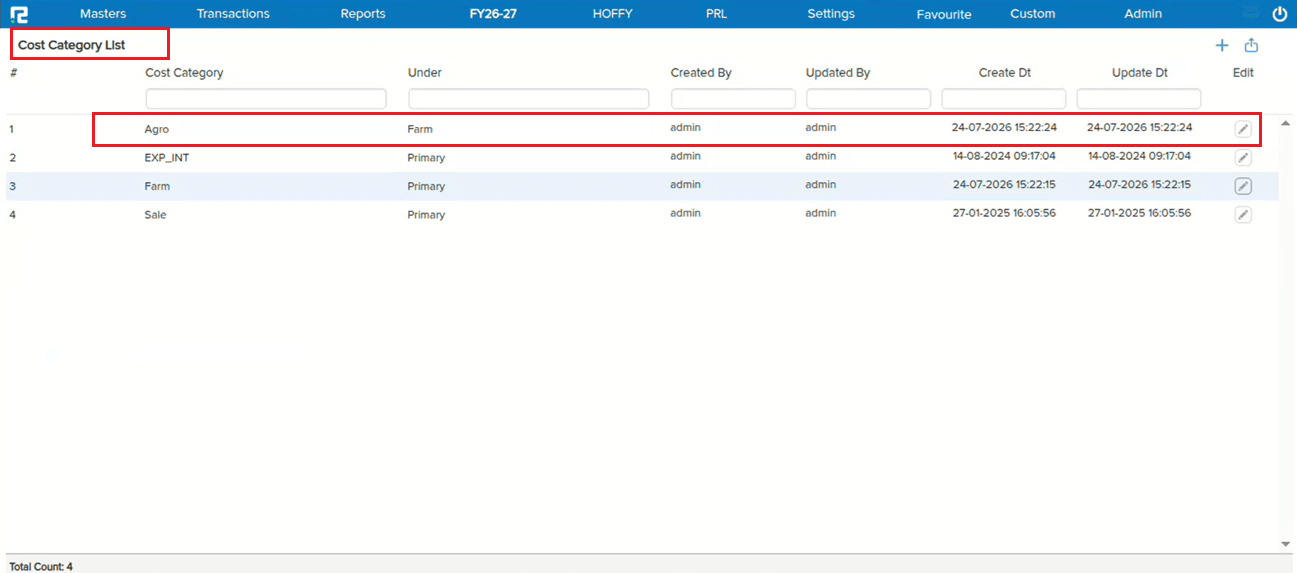
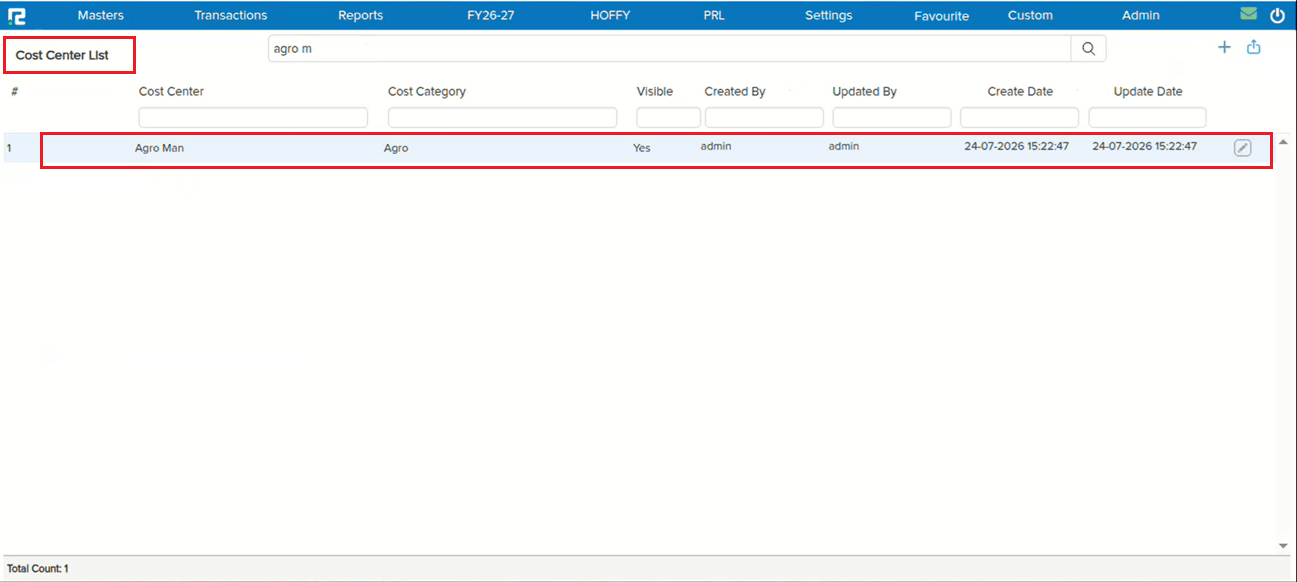
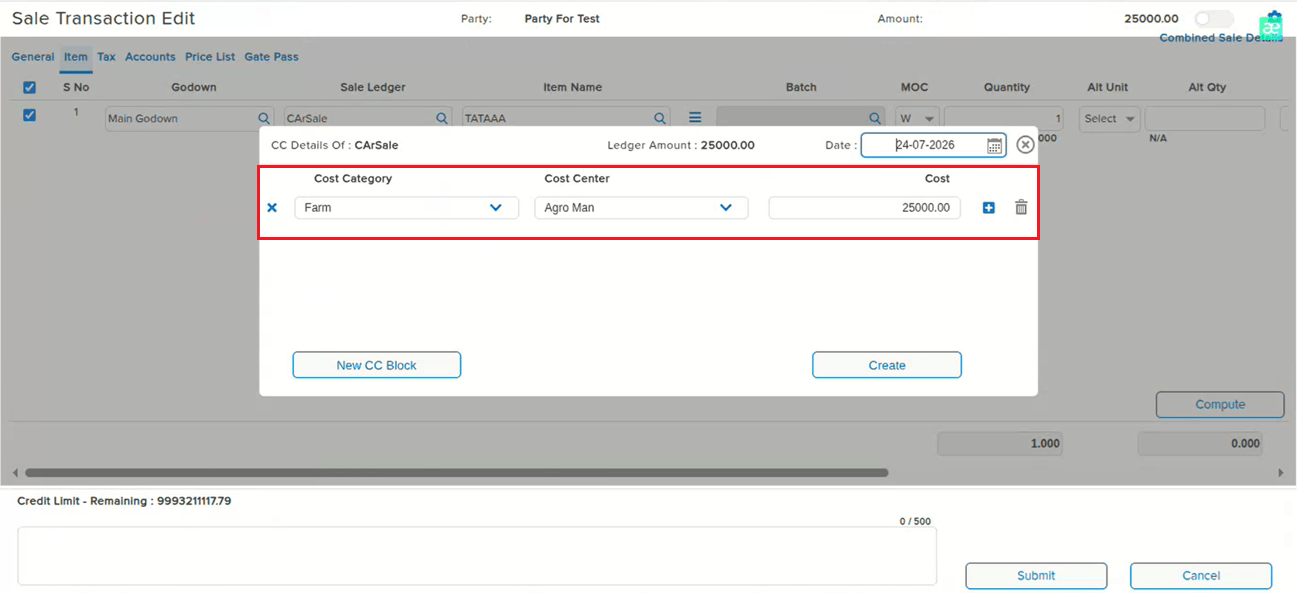
When the Cost Center hierarchy was structured with a Cost Category nested under another Cost Category (e.g. Cost Category 1 → Cost Category 2 → Cost Center A) and the Single Cost Centre feature was enabled for the company, reopening a transaction in Edit mode showed the Cost Category as blank — even though the correct Cost Category and Cost Center were already saved in the database.
🌟 How This Helps You
The Cost Category now correctly reflects in Edit mode for transactions using a nested Cost Center hierarchy with Single Cost Centre enabled, matching what was actually saved.
🎬 Where to Find It
📷 See It in Action
📌 What Was Happening
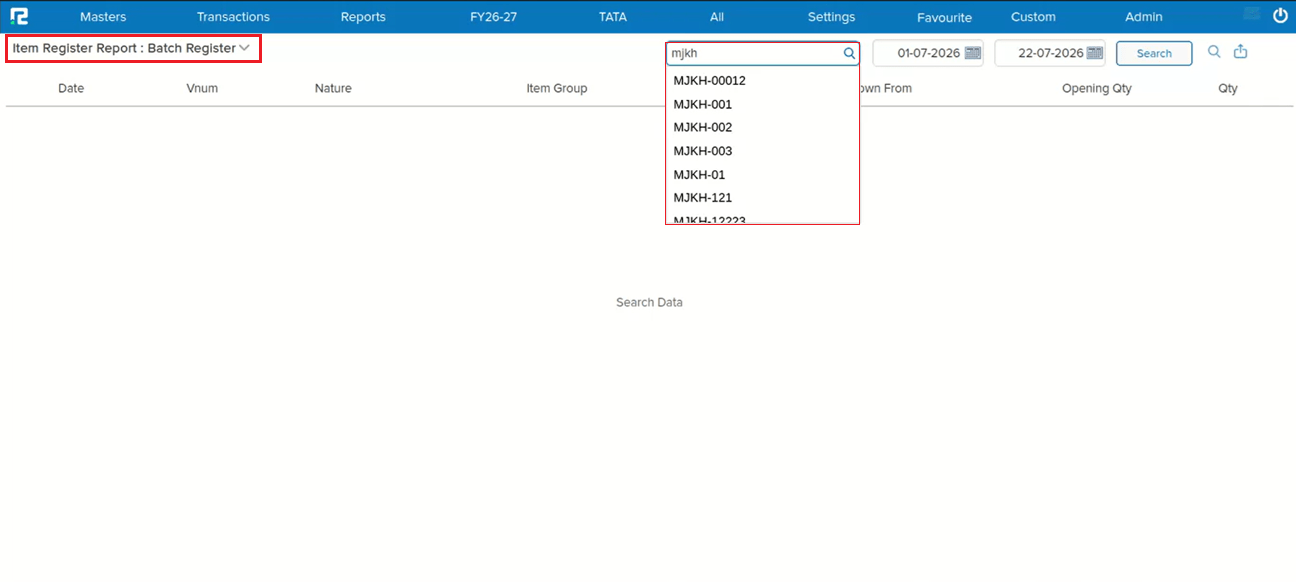
In the Batch Register search field, the text being typed automatically disappeared mid-entry, making it difficult to search for the intended batch.
🌟 How This Helps You
The Batch Register search field now retains typed text correctly — the auto-clearing issue has been fixed, allowing uninterrupted searching.
🎬 Where to Find It
📷 See It in Action
📌 What Was Happening
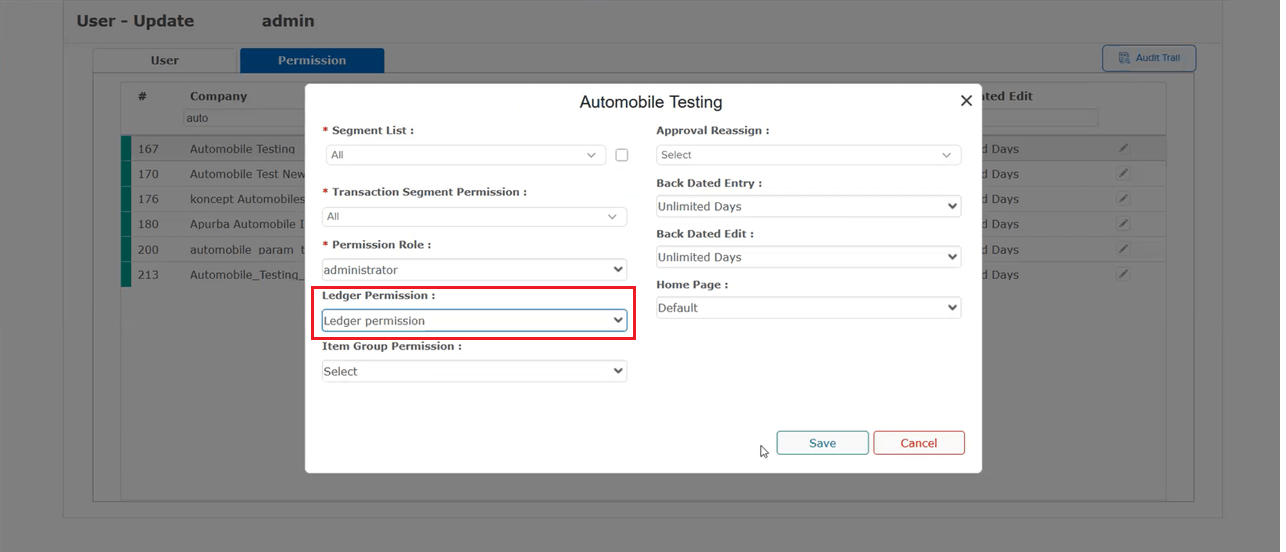
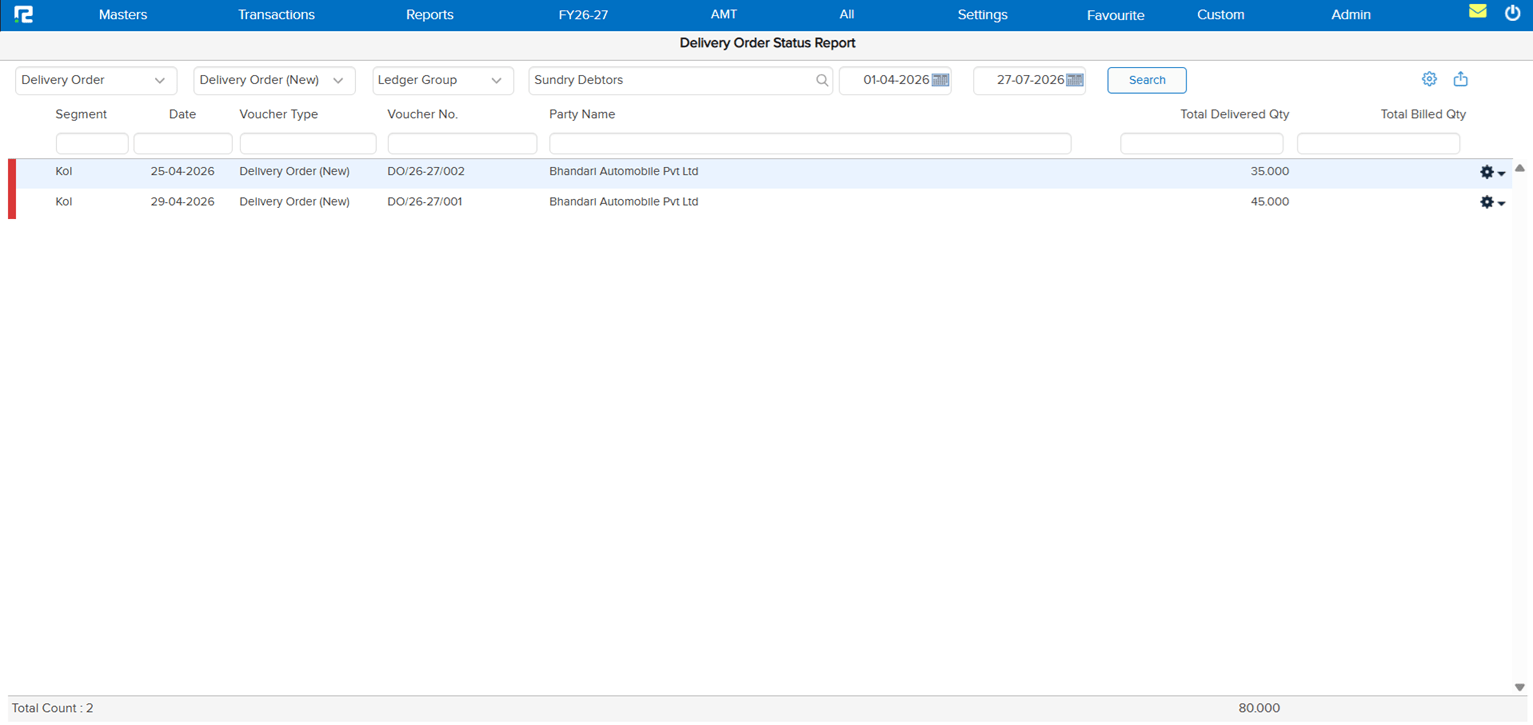
The Delivery Order (DO) Status Report was not working — it kept buffering indefinitely without loading results. The root cause: when a user without full Ledger / Ledger Group permission searched using the Ledger Group filter, the report threw an error instead of loading.
🌟 How This Helps You
The Delivery Order Status Report now loads correctly for users with restricted Ledger / Ledger Group permission — searching by Ledger Group no longer errors out or leaves the report stuck buffering.
🎬 Where to Find It
📷 See It in Action
📌 What Was Happening
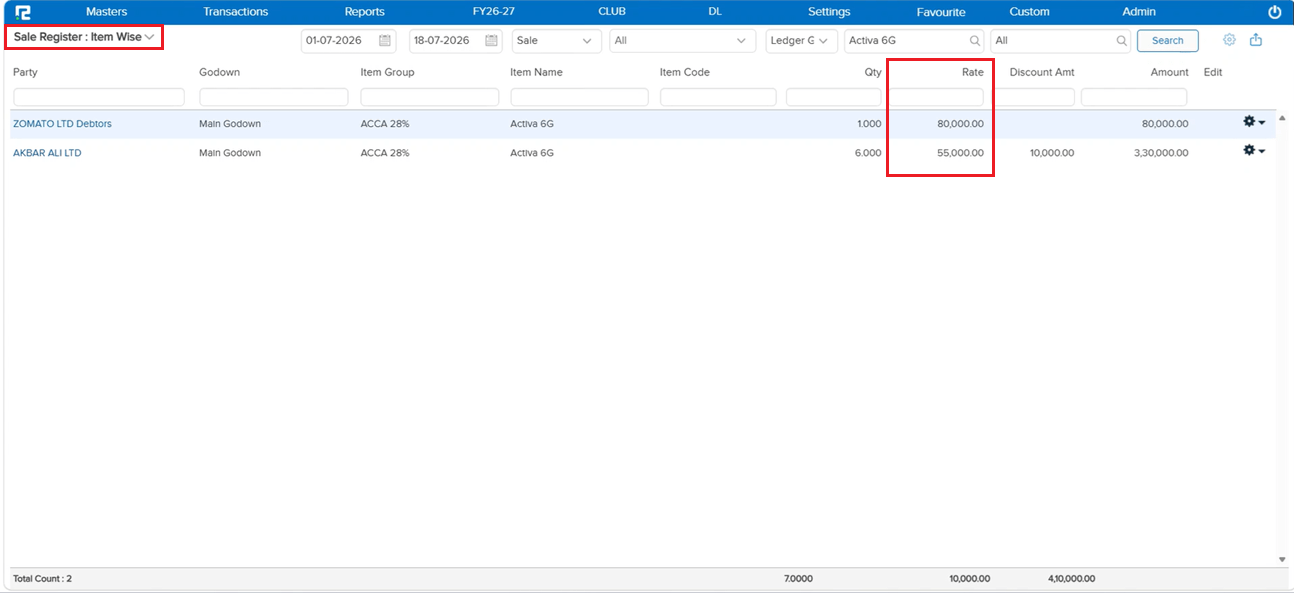
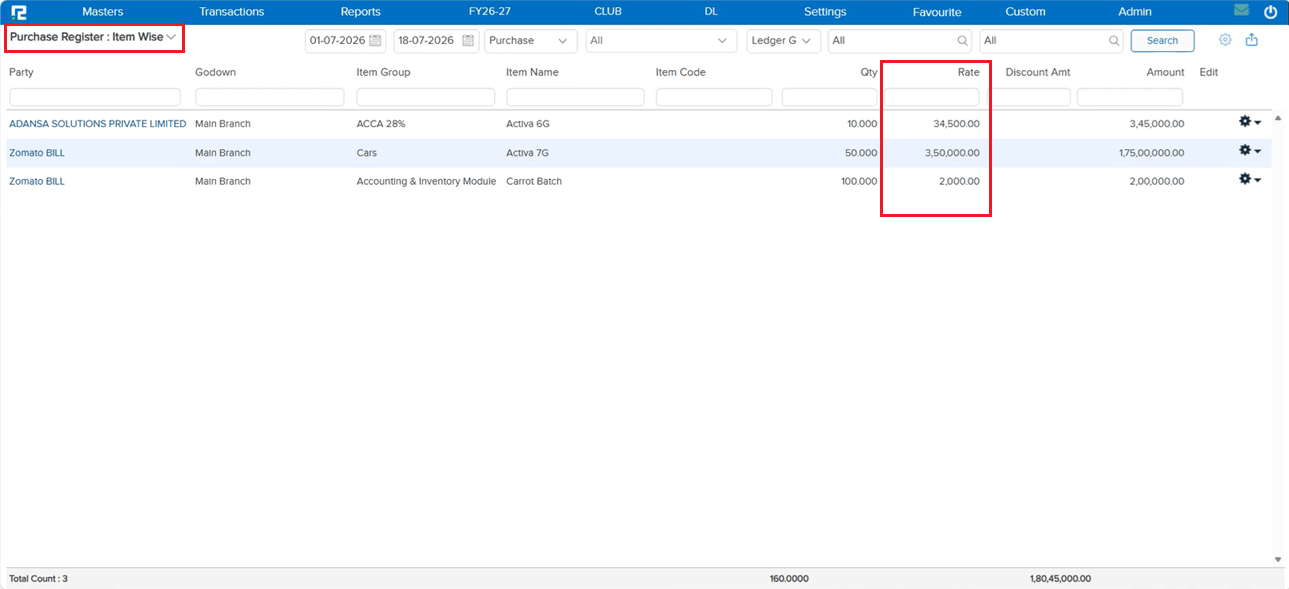
The Rate column in Sale Register: Item Wise and Purchase Register: Item Wise was showing the last rate of an item instead of its average rate when multiple entries existed for the same item at different rates — producing a misleading Rate figure.
🌟 How This Helps You
The Rate column now correctly shows the average rate, calculated from Total Amount ÷ Total Quantity, in both the Sale Register and Purchase Register (Item Wise) — giving an accurate rate figure across all matching entries.
🎬 Where to Find It
📷 See It in Action