Beta Release — 18-06-2026
📌 What Was Happening
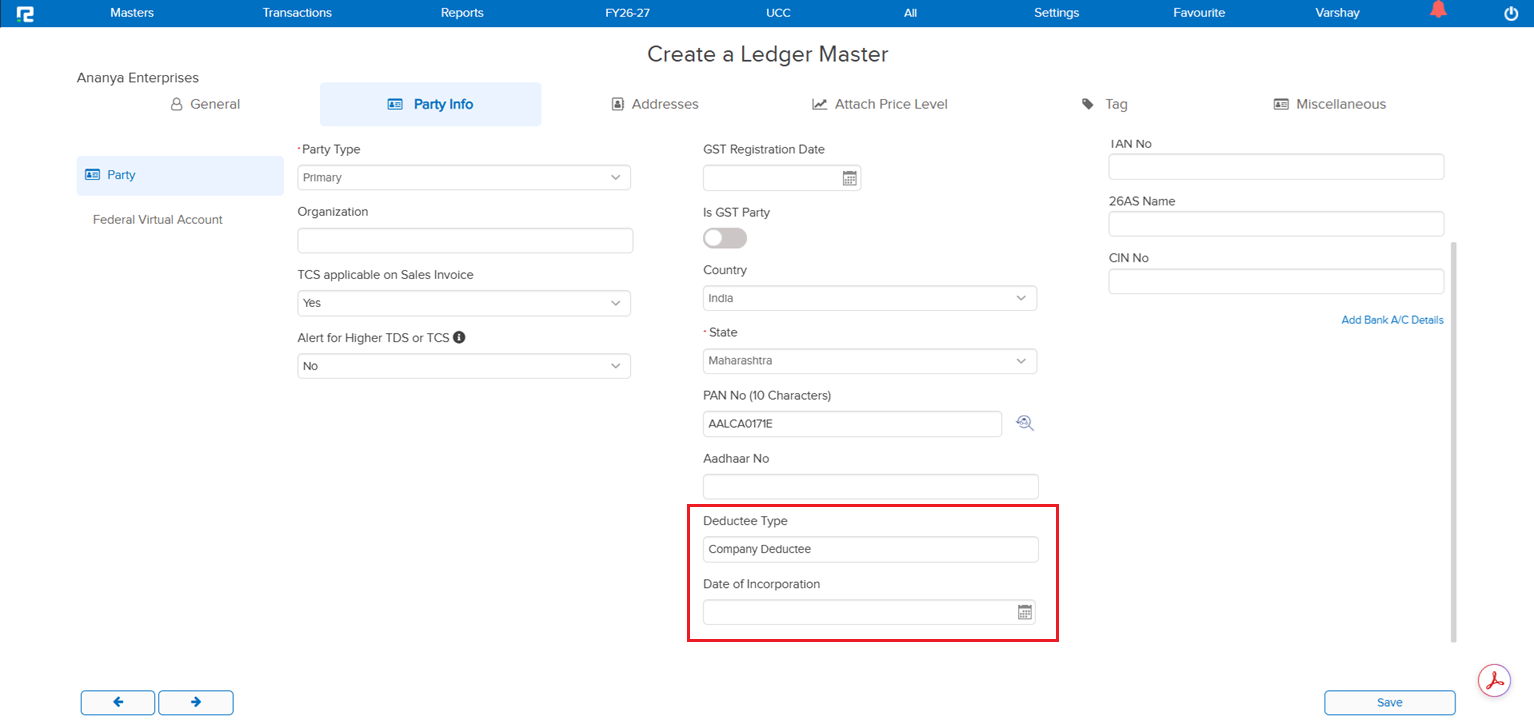
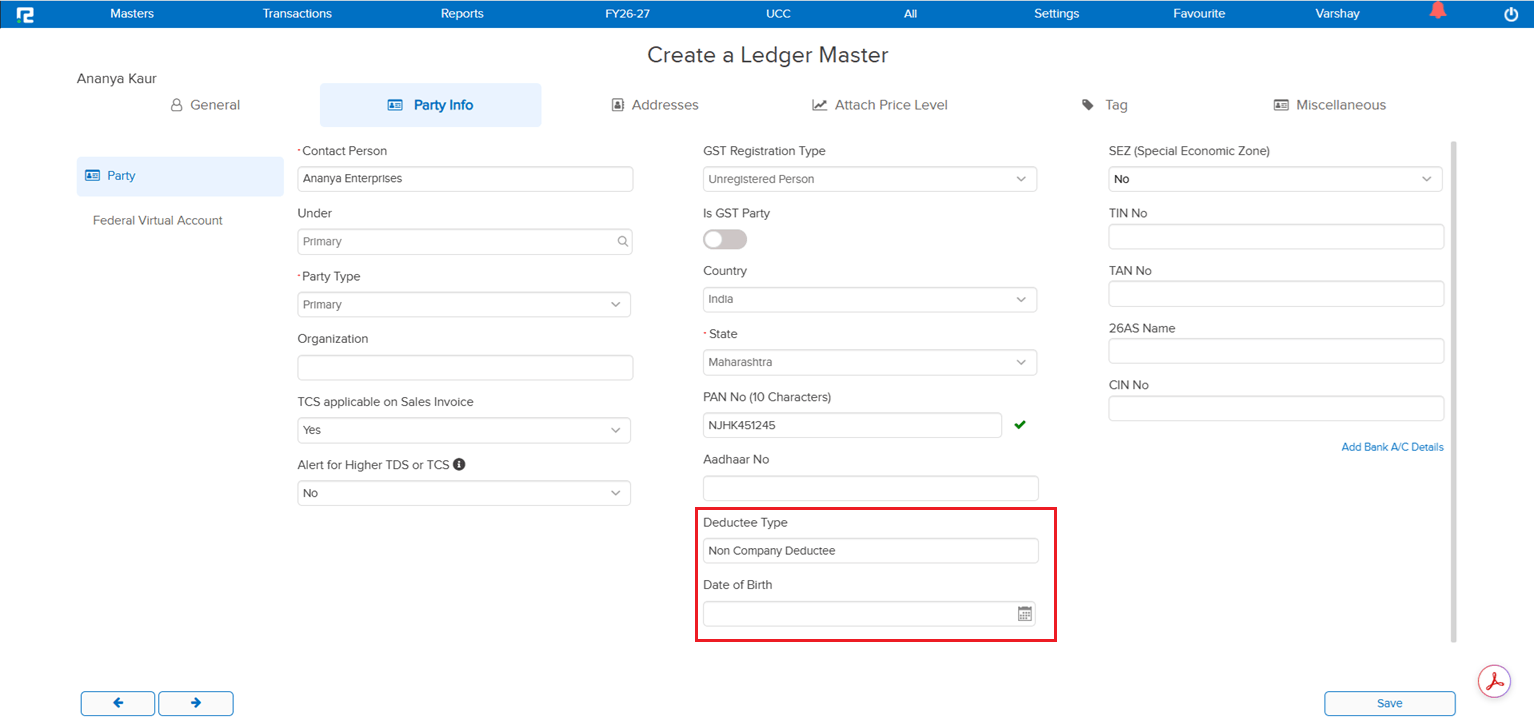
In the Ledger Master → Party Information section, after PAN verification there was no provision to capture Date of Birth or Date of Incorporation. These details are statutorily relevant and depend on the Deductee Type derived from the PAN — without dedicated fields, users had no clean way to record them against the party ledger.
🌟 What This Means for You
Two new fields have been added to the Party Information section of the Ledger Master, displayed conditionally based on the Deductee Type returned from PAN verification:
• Deductee Type = Company: only the Date of Incorporation field is displayed in the popup
• Deductee Type = Non-Company: only the Date of Birth field is displayed in the popup
This keeps the screen clean by showing only the field that is relevant for the verified PAN, while ensuring the correct statutory detail is captured against every party ledger.
🎬 Where to Find It
📷 See It in Action
📌 What Was Happening
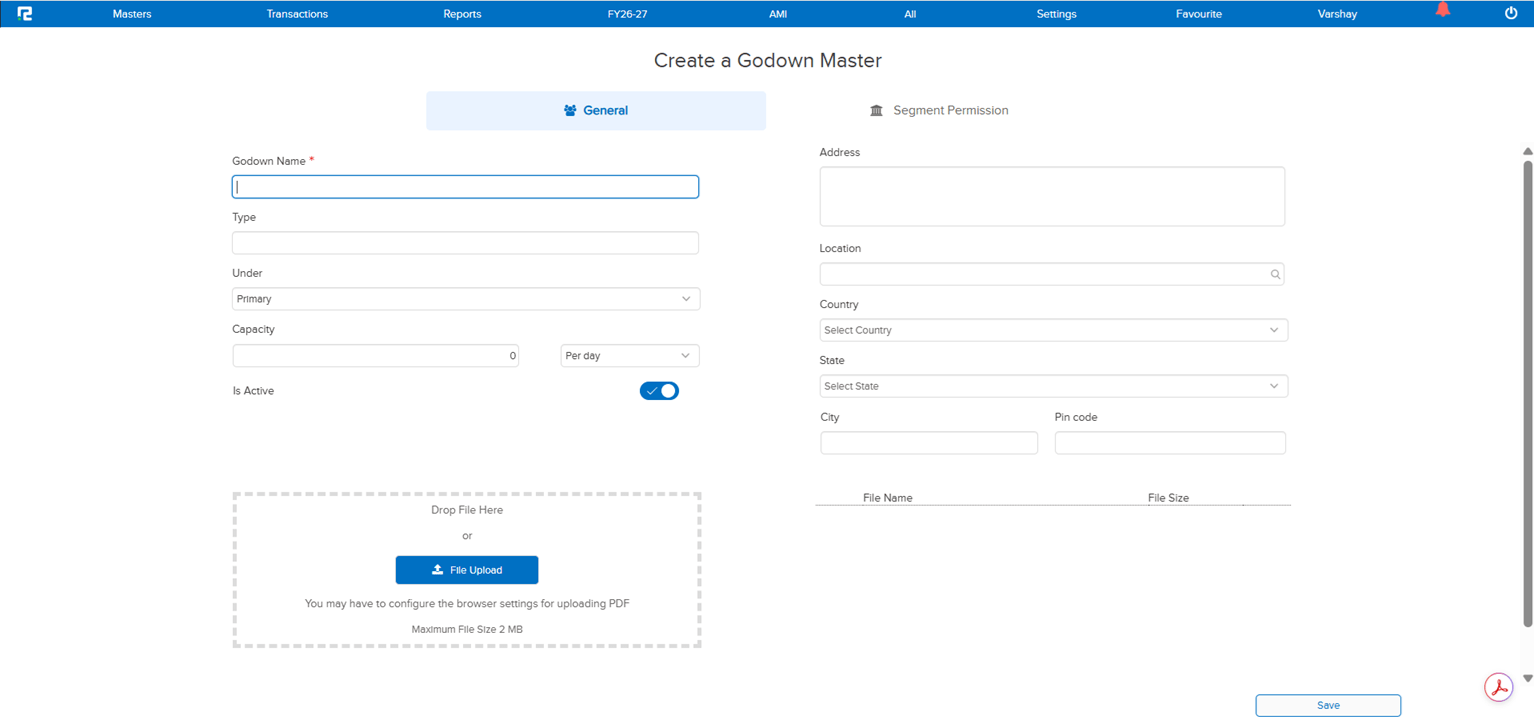
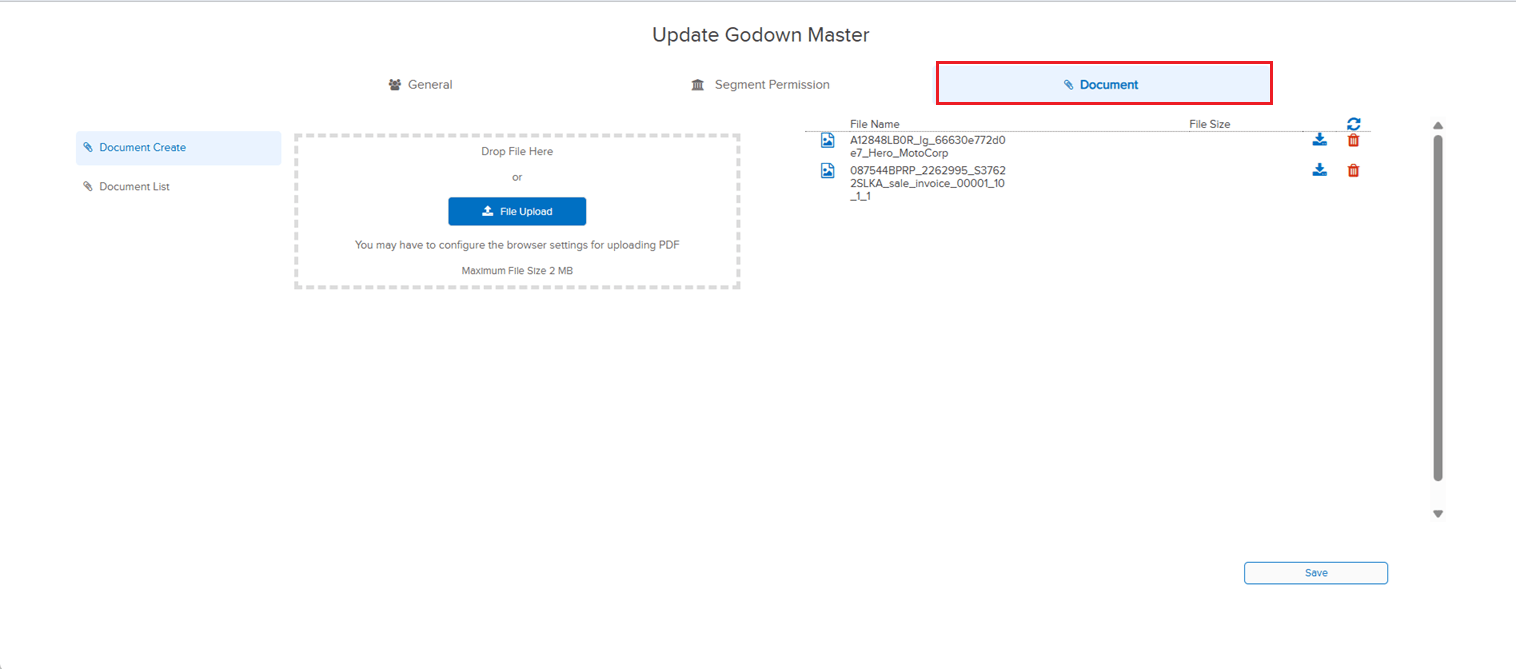
The Godown Master had no option to attach supporting documents against a godown record. The Ledger Master already supported document attachments with the ability to view them back in the edit screen, but the same capability did not exist for godowns — so any related paperwork (rental agreements, licences, location proofs, etc.) had to be kept outside the system or attached against an unrelated record.
🌟 What This Means for You
A Document Attachment option has been added to the Godown Master, mirroring the behaviour available in the Ledger Master:
• Attach documents directly against a godown record
• View attached documents from the Godown edit screen
All godown-related paperwork can now sit alongside the master record itself — consistent with how attachments are already handled for ledgers.
🎬 Where to Find It
📷 See It in Action
📌 What Was Happening
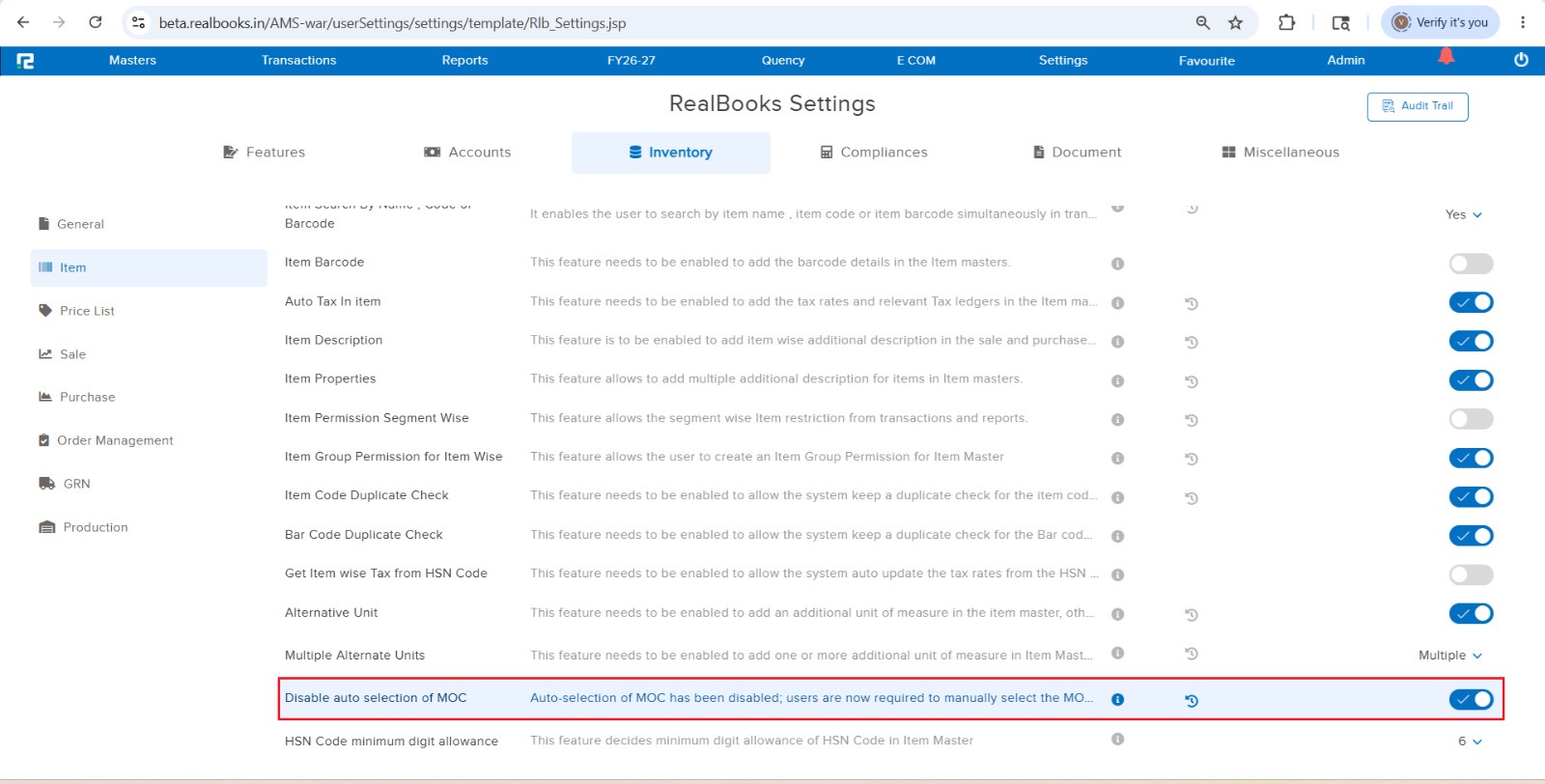
During Purchase Entry creation, selecting the Alt Unit caused the MOC to change from “W” to “P”. The equivalent setting on the Sale Entry side did not change the MOC on Alt Unit selection — because the existing settings parameter that controlled this behaviour was scoped to Sales only. As a result, the same business setup behaved differently in Sales vs Purchase, which was inconsistent for users entering Purchase vouchers.
🌟 What This Means for You
The existing settings parameter has been extended to cover both Sale and Purchase entries. Purchase Entry will now follow the same MOC behaviour on Alt Unit selection as Sale Entry — if the parameter is configured so that MOC does not change on Alt Unit selection in Sales, the same will apply to Purchase. Sales and Purchase flows are now consistent and driven by a single configuration.
🎬 Where to Find It
📷 See It in Action
📌 What Was Happening
The Stock Journal edit screen was carrying the older inventory transaction edit logic and could be slow to open, especially for entries with multiple line items. The same performance optimisation had already been rolled out earlier for Sale, Sale Return, Purchase and Purchase Return edit screens, but Stock Journal had not yet been brought in line — leaving an inconsistent edit experience across inventory voucher types.
🌟 What This Means for You
The Stock Journal edit screen has now been optimised in line with Sale / Sale Return / Purchase / Purchase Return. The edit screen opens faster and delivers noticeably better performance than before — bringing Stock Journal up to par with the other inventory transactions and giving a consistent, snappy edit experience across the board.
🎬 Where to Find It
📌 What Was Happening
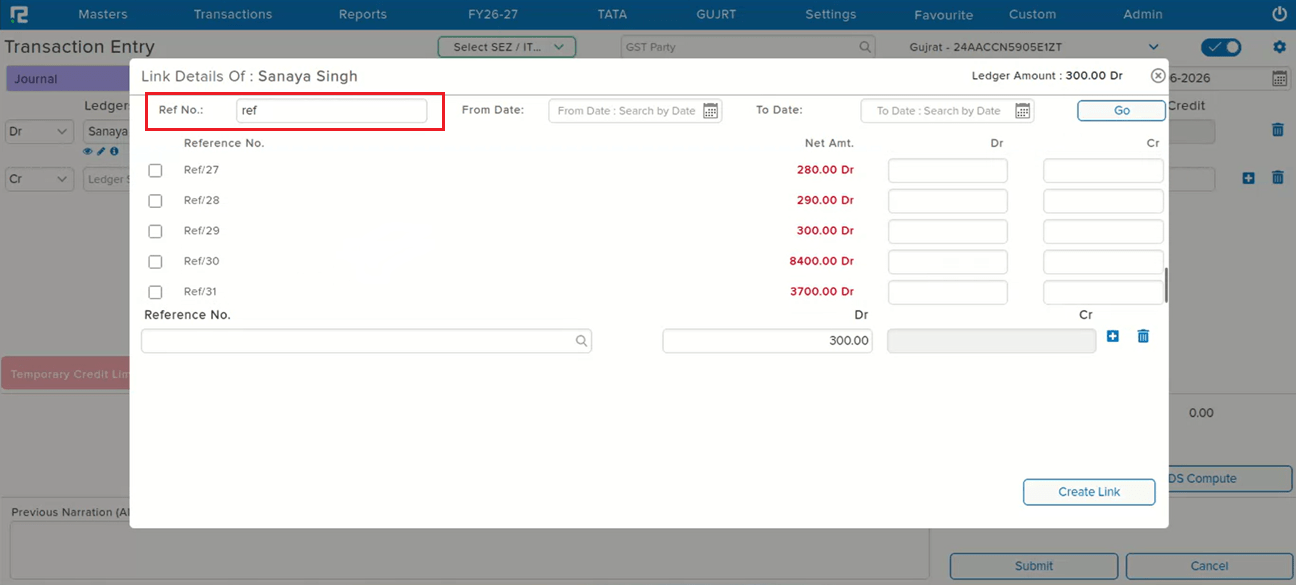
Vouchers could be linked to a reference (Link Ref) for traceability, but there was no dedicated search option to look up entries by that Link Ref on the voucher screens. Users had to scroll or filter by other fields to locate vouchers tied to a particular reference, which was slow when the reference was the only handle available.
🌟 What This Means for You
A Link Ref search option has been added to both the Voucher Entry and Voucher Edit screens. You can now search and pull up vouchers directly by their Link Ref from either screen — faster lookup when reconciling, reviewing, or following the trail from one linked entry to another.
🎬 Where to Find It
📷 See It in Action
📌 What Was Happening
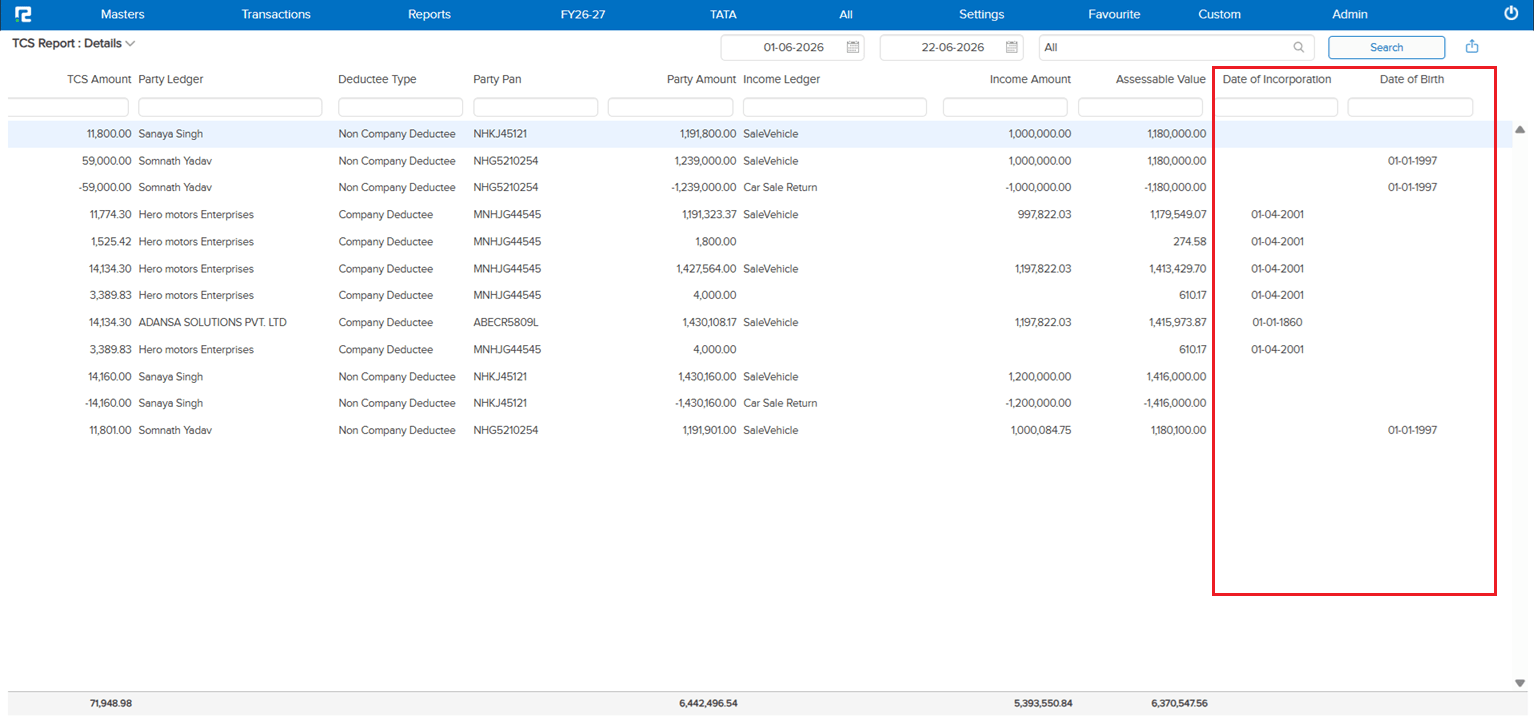
The new Date of Incorporation and Date of Birth fields being added to the Ledger Master → Party Information (see E1 / JOB-163337) were not being pulled into the TCS Report → Details. Without these party-level statutory dates in the TCS Details output, users had to cross-reference the ledger master separately when validating or filing TCS data.
🌟 What This Means for You
The Date of Incorporation and Date of Birth captured in the Ledger Master will now be fetched into the TCS Report → Details:
• Visible on the UI alongside the existing TCS detail columns
• Exportable via Excel so the dates flow through to downloaded reports as well
This keeps all party-level statutory information together in the TCS output — no extra lookup against the ledger master needed during validation or filing.
🎬 Where to Find It
📷 See It in Action
📌 What Was Happening
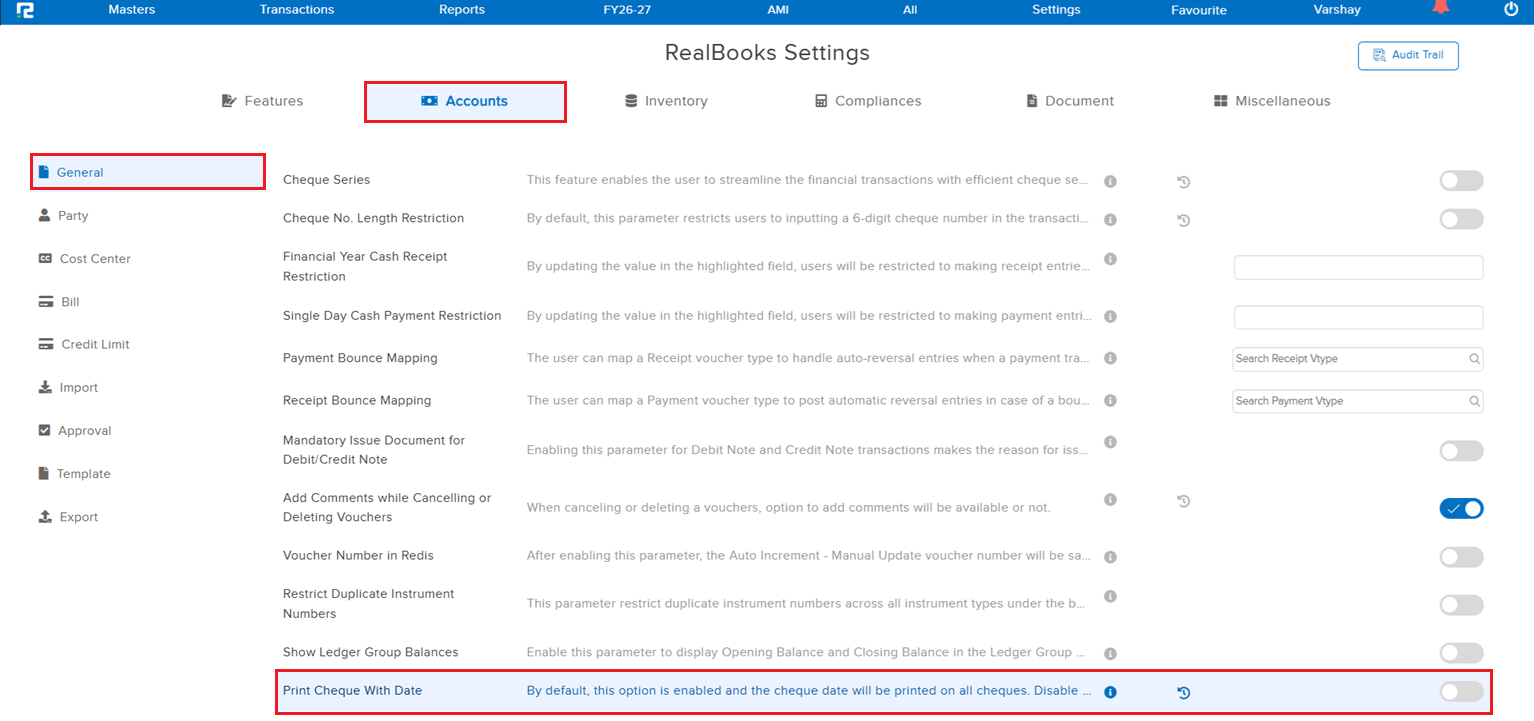
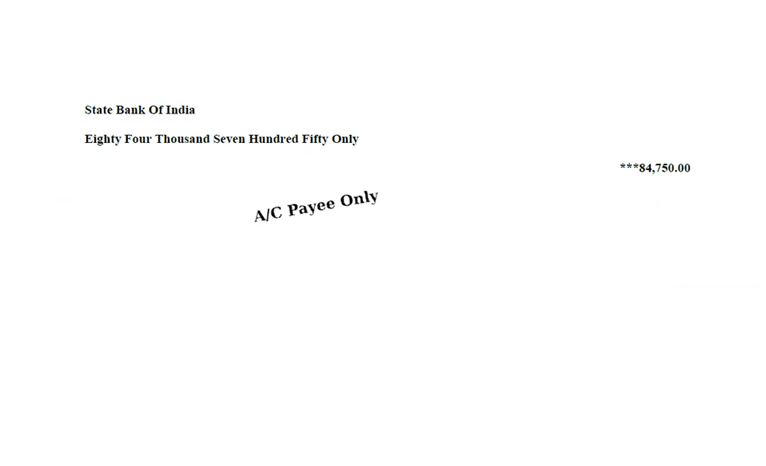
The Cheque Print option always printed the cheque date on the output — there was no way to print a cheque without the date. Users who needed to issue undated cheques (post-dated handover, manual date filling, etc.) had no setting to suppress the date from the printed cheque.
🌟 What This Means for You
A new parametric setting has been introduced to control whether the date prints on the cheque:
• Enabled (default): the cheque date is printed, matching the existing behaviour
• Disabled: the cheque date is suppressed and the cheque is printed without a date
Existing setups continue to work exactly as before with no change — the new option only kicks in when explicitly disabled.
🎬 Where to Find It
📷 See It in Action
📌 What Was Happening
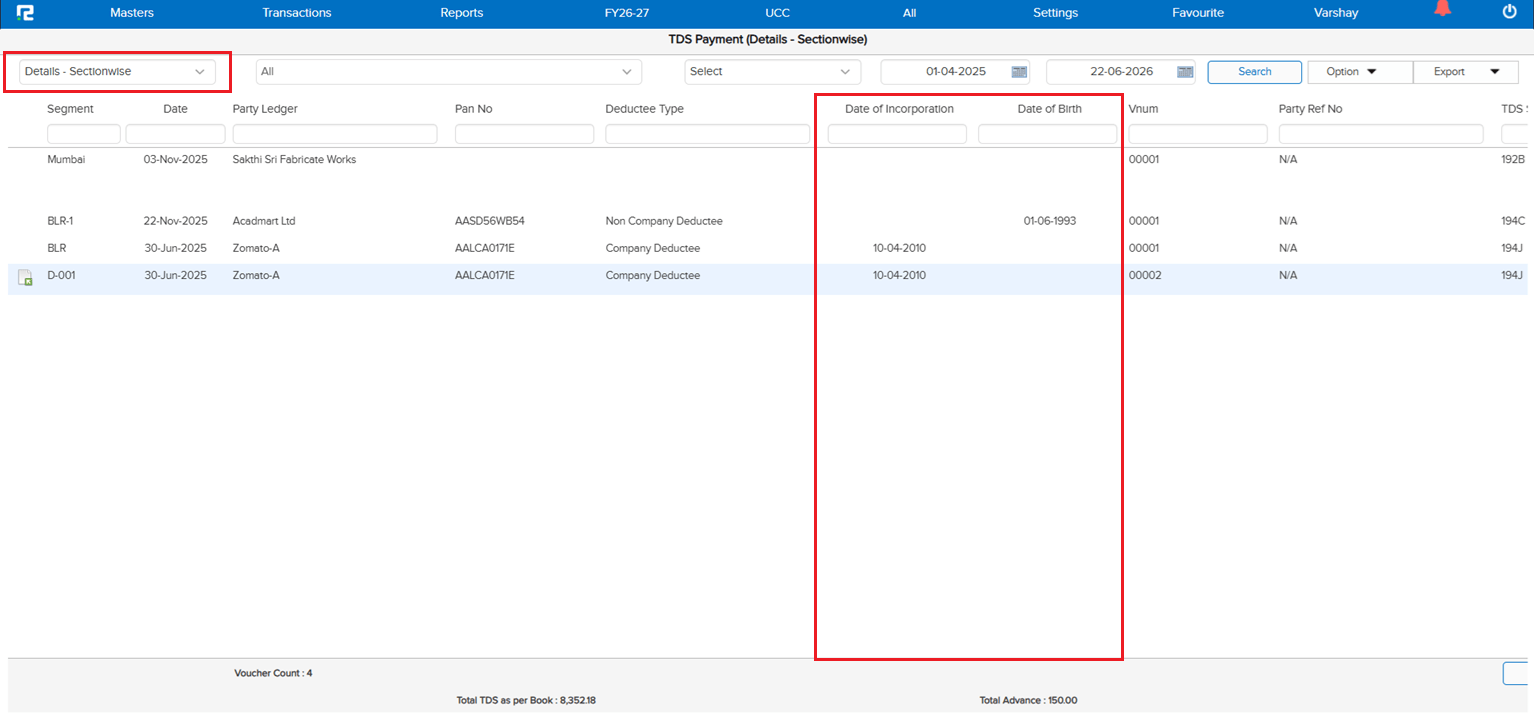
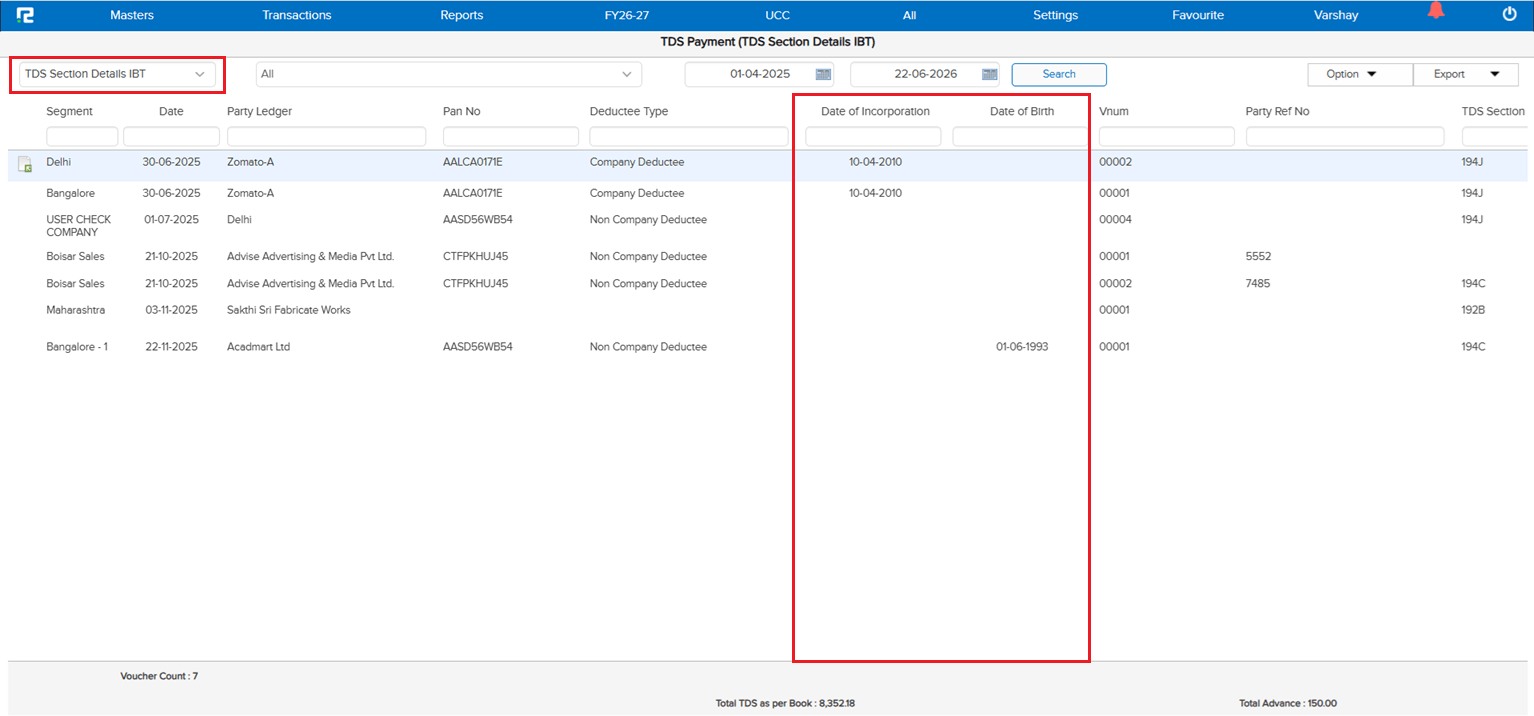
The new Date of Incorporation and Date of Birth fields being added to the Ledger Master → Party Information (see E1 / JOB-163337) were not being pulled into the TDS Details reports. Users had to cross-reference the ledger master separately when validating or filing TDS data — the same gap that existed on the TCS side (see E6 / JOB-163341).
🌟 What This Means for You
The Date of Incorporation and Date of Birth captured in the Ledger Master will now be fetched into the following TDS reports:
• TDS Details Section-wise
• TDS Section Details IBT
In both reports, the fields are visible on the UI alongside the existing TDS columns and exportable via Excel so the dates flow through to downloaded reports as well — keeping all party-level statutory information together in the TDS output, with no extra ledger lookup during validation or filing.
🎬 Where to Find It
📷 See It in Action
📌 What Was Happening
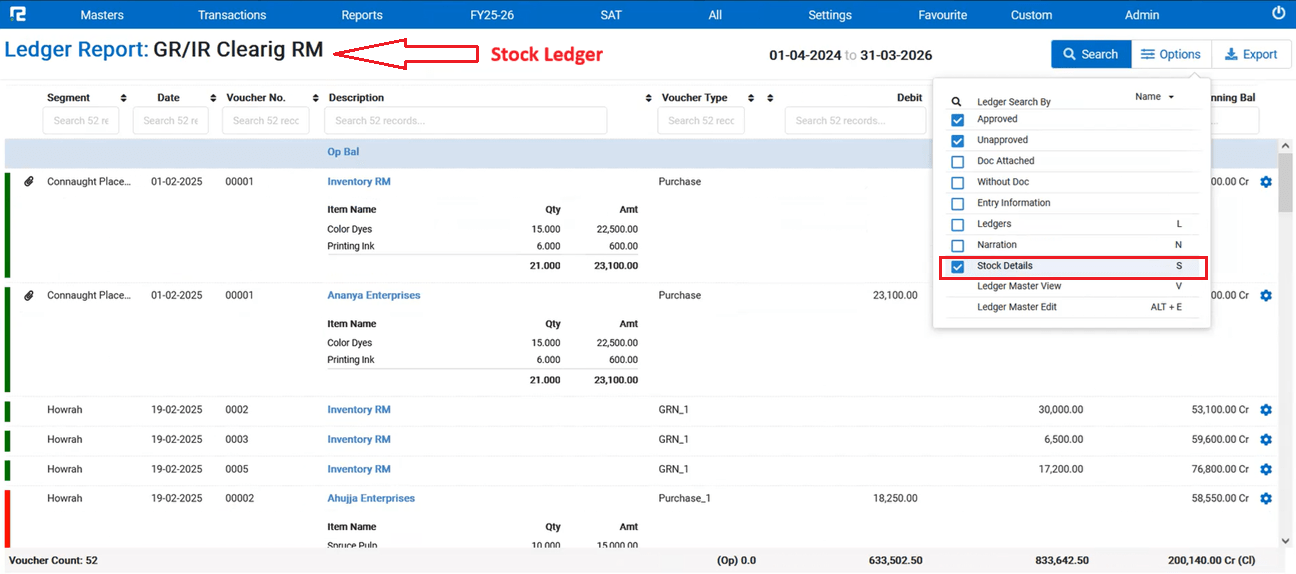
In the Ledger Report, the Stock Details option was available when searching normal ledgers — both on the UI and in the Excel export. However, when the same report was run for Stock Accounting ledgers, the Stock Details option was not available, so users had no way to view or export the stock breakdown for those ledgers from the Ledger Report screen.
🌟 What This Means for You
The Stock Details option has now been extended to Stock Accounting ledgers in the Ledger Report:
• Visible on the UI when a Stock Accounting ledger is searched
• Included in the Excel export so stock details flow through to downloaded reports as well
Ledger Report now behaves consistently for both normal and Stock Accounting ledgers — no more switching screens to pull the stock breakdown.
🎬 Where to Find It
📷 See It in Action
📌 What Was Happening
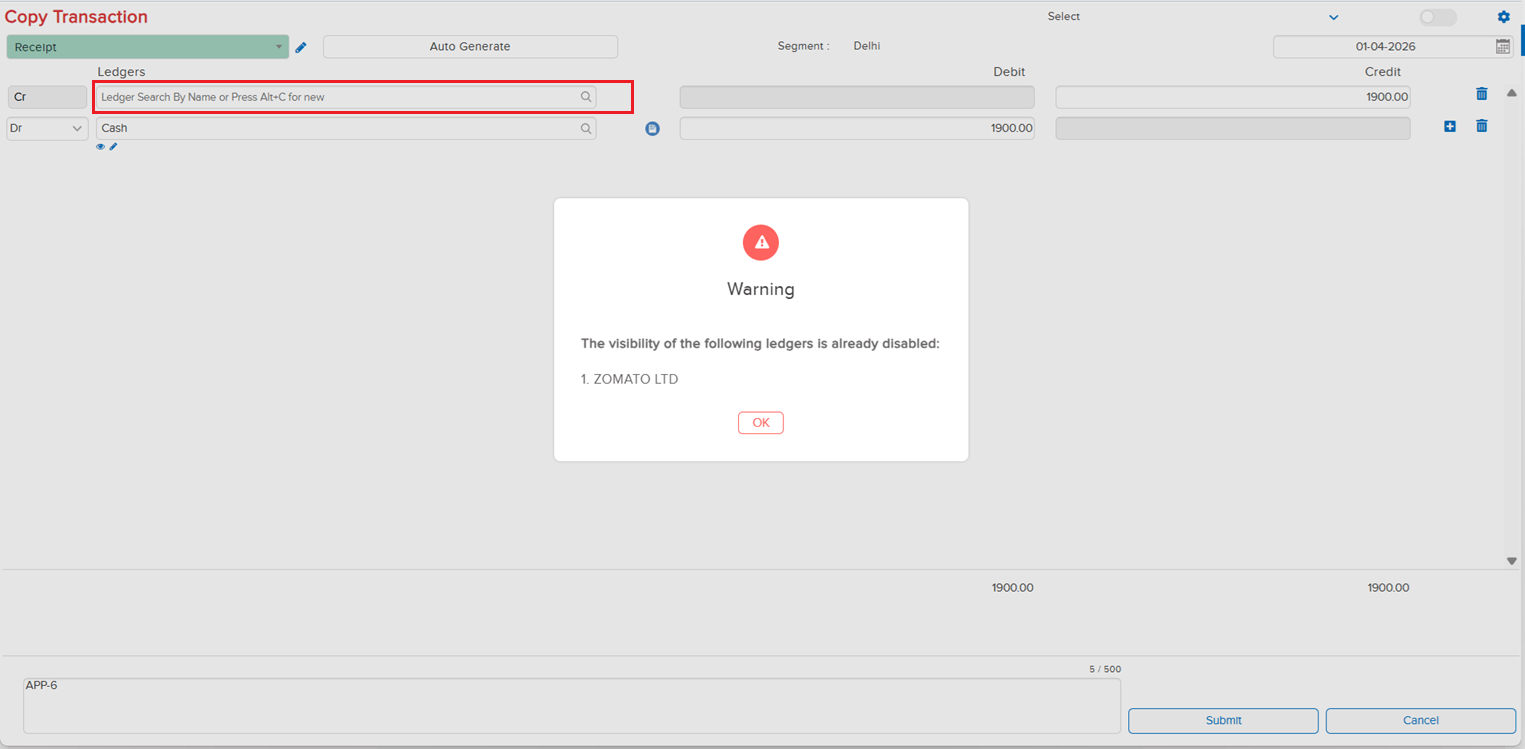
When a ledger had its Visibility disabled, the restriction was being enforced in regular entry screens but not at the Copy Accounting Transaction level. Users could still copy transactions that contained visibility-disabled ledgers — effectively bypassing the visibility control and creating fresh entries against ledgers that were meant to be restricted.
🌟 How This Helps You
The restriction has now been extended to the Copy Accounting Transaction flow. If any ledger involved in the source transaction has Visibility disabled, the copy is blocked and a clear restriction message is displayed along with the Ledger Name — so users can immediately identify which restricted ledger is preventing the copy, and the visibility control is honoured consistently across regular entry and copy-transaction flows.
🎬 Where to Find It
📷 See It in Action
📌 What Was Happening
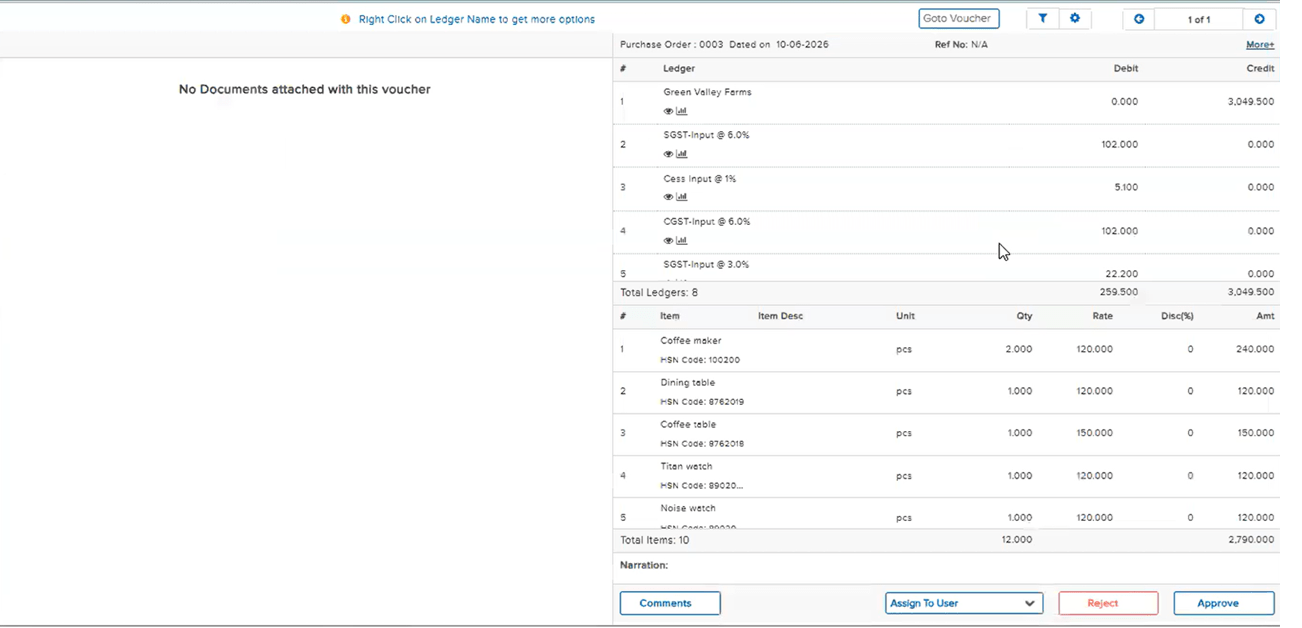
On the Purchase Order Approval screen, users were unable to view the full item list of the PO — the page kept buffering for a long time and never finished loading. The regression was traced back to a recent Cashfree fix, where the Cashfree parameter was inadvertently added to the approval screen as well. As a result, on sites where Cashfree was disabled, the approval screen would hang and users were unable to approve Sale Orders or Purchase Orders.
🌟 How This Helps You
The Cashfree parameter has been scoped back out of the approval screen. The Purchase Order Approval screen now loads the full item list without buffering, and Sale Order / Purchase Order approvals work normally on sites where Cashfree is disabled — restoring the approval flow that broke after the earlier Cashfree fix.
🎬 Where to Find It
📷 See It in Action
📌 What Was Happening
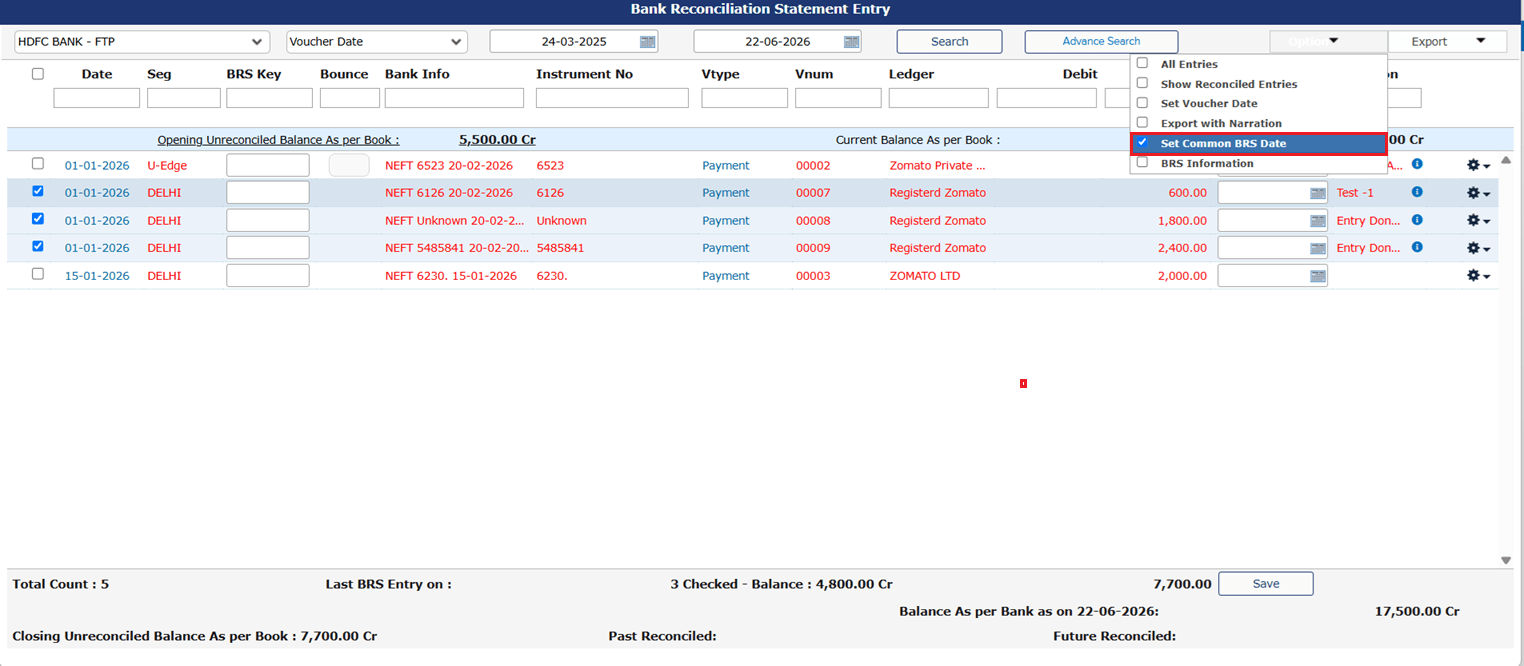
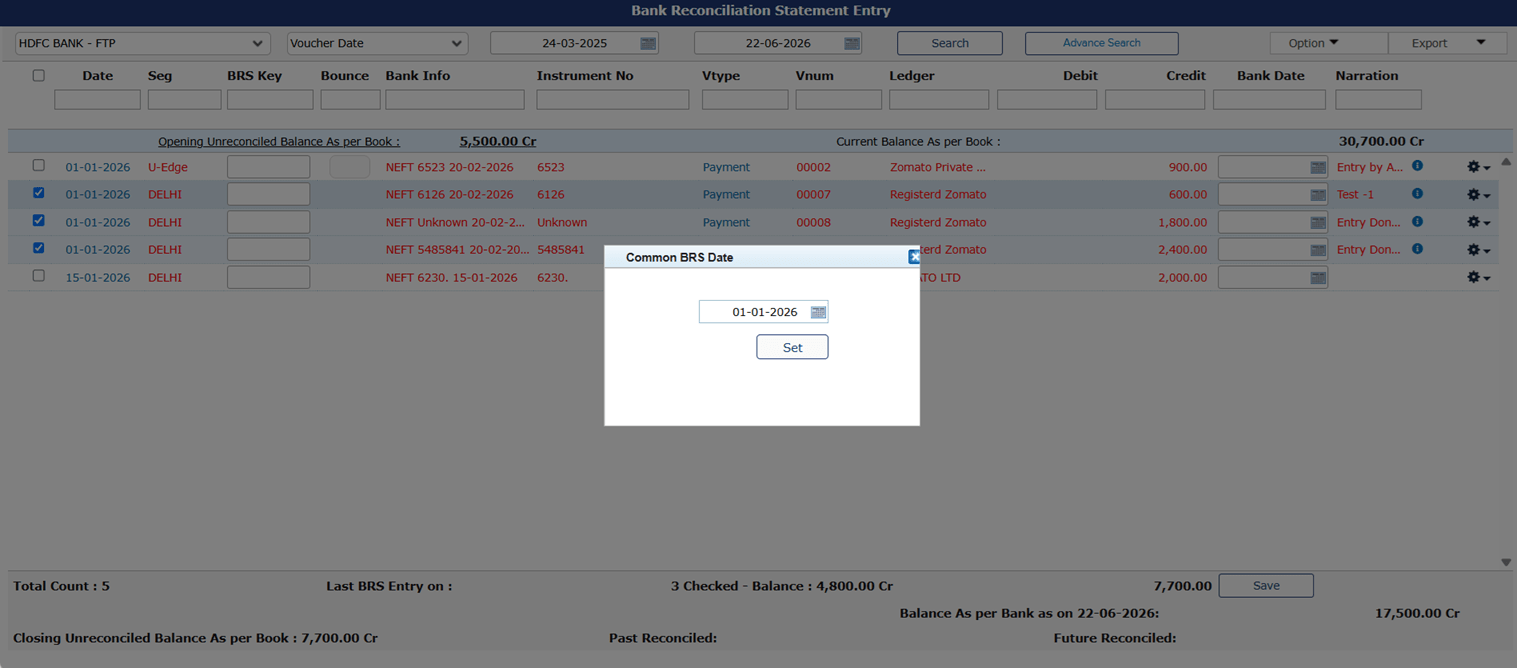
On the BRS entry UI screen, when users selected multiple checkboxes and applied a common date, the Bank Date filter was not working correctly. As a workaround, users had to first apply the “Set Voucher Date” option and then the Bank Date filter — only then did the filter behave as expected.
🌟 How This Helps You
The issue has been fixed. Selecting multiple checkboxes and setting a common date on the BRS entry screen will now apply the Bank Date filter correctly in a single step — no need to first run the “Set Voucher Date” workaround. BRS reconciliation flows are now consistent regardless of the order in which the date options are applied.
🎬 Where to Find It
📷 See It in Action